Setting up web client

Status
Not open for further replies.

FuTech-Nel

Bronze Partner
Advanced Certified
Joined
May 25, 2020
Messages
82
Reaction score
3
I have an extension that I am setting up on the 3CX web client for the first time. We are running the latest version on a windows 10 Pro 64bit PC.

I had to delete the extension and re-add it in. Saved the settings and logged into the extension. I did a test call, and it went straight to voicemail.

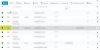
The extension status is set to unregistered (see pictures below) and in the web client UI, the phone icon is red.

I feel like I’m missing something here.
 

Attachments

  • 2020-12-01_17-33-33.jpg
    2020-12-01_17-33-33.jpg
    39.4 KB · Views: 12
  • 2020-12-01_17-36-03.jpg
    2020-12-01_17-36-03.jpg
    73.1 KB · Views: 12
It seems that either:
1. WebRTC is not enabled in Console -> Settings -> General

OR

2. You are not using HTTPS, which is required for WebRTC.
 
  • Like
Reactions: JohnS_3CX
As above, ensure you are accessing the webclient with HTTPS otherwise phone calls cannot be performed.

And WebRTC must absolutely be enabled.
 
  • Like
Reactions: Evolute IT
As above, ensure you are accessing the webclient with HTTPS otherwise phone calls cannot be performed.

And WebRTC must absolutely be enabled.

I have WebRTC enabled. I called my cell phone. The call goes through on incoming and outgoing but when the call picks up, I don't hear anything on either side when I speak.
 
Ensure UDP ports 9000 to 10999 are forwarded on your PBX.

Run the firewall checker after you have forwarded them on your firewall.
https://www.3cx.com/docs/ports/
 
Ensure UDP ports 9000 to 10999 are forwarded on your PBX.

Run the firewall checker after you have forwarded them on your firewall.
https://www.3cx.com/docs/ports/

The ports are pointing to the PBX on the UDP Protocol and I ran the Firewall checker and is shows that that the ports passed.
 
Can you try calling the Echo Extension by dialing *777.
When you talk into the Mic, you should hear what you say from the speakers. This is the best way to test if an extension is setup correctly and do a quick audio check.

If you do not hear anything, make sure you are using a suported browser (like Google Chrome) and check the WebClient setting that the correct audio devices are selected.
 
Status
Not open for further replies.

Members Online Now

Forum statistics

Threads
111,832
Messages
589,284
Members
164,662
Latest member
DejanMDS