Shared Parking Pick Up from Mobile and DECT - v20

charlesmurray

Bronze Partner
Joined
Mar 25, 2019
Messages
6
Reaction score
3
On v18, I used to often create several "dummy" extensions on systems and make them extension numbers such as 771, 772 and 773. These extension numbers correspond to the letters for SP1. SP2 and SP3. I would set the forwarding on these dummy extensions to go to Number and SP1, SP2 and SP3.

On v18, if you parked a call in one of the SP slots using a 3CX app or a deskphone, you could retrieve it on the 3CX mobile app or on a phone like a DECT phone that does not have BLF buttons. This was extremely handy on v18, as customers that come from systems like NEC, Panasonic, etc love to use shared parking. However being able to pick up a parked call from a mobile app or DECT is not normally available on 3CX, so this workaround was great for doing this.

I have tried this same config on v20, but if you try to pick up a parked call by dialling the dummy extension 771, 772 or 773, this now no longer works and you get a voice prompt error message, when you try it. Having set this on loads of systems, I am going to have a lot of disappointed customers now that they can no longer use this.

Does anyone have any alternative ways of picking up shared parking calls from 3CX mobile app or from DECT handsets (without BLF buttons)? Alternatively 3CX can you bring back this ability?

Also, parking orbits just don't cut it, I am afraid as there is not any indication on devices that do have BLFs.
 
One plus phone, using magnifying glass and typing sp1 does nothing for me. Perhaps Nicholas can confirm, I noticed he uses a one plus phone during training seminars. There are many very smart people on here coming up with some very creative ways to work around this and I applaud them. The reason this is not available "Because there are potential issues with it connecting callers together" is moot. It has been fine for use for many years I never saw one complaint about it. It would just be nice to have this back to the "good ole days" lol. I was a complainer (to myself) at first about V20 in general, but my view has completely changed after getting used to change and have since become very impressed. Shared park via dummy extensions and recording Digital reception greetings directly from a desk phone are my only 2 things I wish would come back.
 
Just came across this post.

Similar to @RAPP81 I've always just used a separate CFD for each unpark slot and have the CFD extension the number I want the internal staff to use to unpark a call.

Most people only need to unpark from the cordless or quick way for desk phones i find. Then from a cordless they would just transfer to a user instead of parking the call.

Below is how to configure the 701 unpark a call from SP1

cfd.png
 
Last edited:
The CFD solution is nice, but so ridiculously unnecessary. I've seen conflicting information about whether or not this issue is fixed in update 3. Can anyone confirm one way or the other?
 
The CFD solution is nice, but so ridiculously unnecessary. I've seen conflicting information about whether or not this issue is fixed in update 3. Can anyone confirm one way or the other?
There was never a proper solution, only workarounds. Adding the SPX in a dummy extension worked till version 20, but as i said that was a workaround, not a proper feature.
 
is there a reason why SP has to be letters and not numbers??

Probably the simplest solution would be for 3CX to add a dial code to access this, e.g. *7 followed by the call park number to pickup the call (as is done with the parking orbit feature - that I have never found a practical use for!!)
 
It would definitely make life easier. Any client coming from a key phone system uses parks this way.
 
So an update on this for anyone following this thread.

v20 Update 3, Build 20.0.3.659, August 2024 now has the option of setting the transfer destination of an extension to a shared parking bay (look under system extensions when setting up the extension forwarding rules)

This is excellent news, so now we can create dummy extensions with that as the forwarding destination and now mobile and DECT users can transfer a call into a shared parking bay.

I'm still getting to grips with exactly which settings need to be enabled for both the dummy extension and the person trying to transfer the call (i.e. the user rights) as it didn't seem to work 'out of the box', I ended up making all the extension park of the same department and giving them all full rights to everything, so now it's just the fun job of disabling things bit by bit until it breaks and I'll have an idea of exact permissions user and dummy need for it to work, unless a member of support can save me the job? :)

However...

Sadly this is only half of the fix we need, as this only works for putting a call into a shared parking bay, there is still no current way of picking up a call on a mobile or DECT handset. In v18 you just followed the same process, i.e. dialled the same dummy extension, however this does not work in v20. Maybe just a Beta update issue and will be fixed in release, or maybe this need to be reported as a bug?

Other than that v20 is now looking very promising and a credit to everyone working on the mammoth task of building it from the ground up. I'm looking forward to migrating customers as soon as this SP issue is resolved in a release version.

Dave.
Have updated to the latest 3cx v20. Can not find the option to forward the destination to s system extension called shared parking bay. When I select system extension, I get option of Conference, Ring Groups, and Special Menu.
 
I was able to achieve this a much simpler way with Yealink DECT base. No need for dummy extensions or any CFD. Just use the replace function of the phone's dial plan editor.
Well done @fthomas_mcallen
Great find, but, unfortunately, I can't make it work :-(
I can pick up calls that have been Parked but not put them in there!
Tried everything on the W60B with W53H handsets. Have upgraded, reset, reprovisioned, etc.
It dials out once and then announces 'Call Cancelled' returning to the call.

The logs just show an immediate end call from the parking orbit:

Parking orbit (SP1)Answered
EndCallAnswered00:00:0000:00:02

The same occurs with the *0<number> Parking orbit and I do note that the logs are calling the 'SP1' Parking orbit and not Shared parking.
 
I also figured out that from the mobile app. Now you can cut and paste SPXX (xx being the park number) into the dialler. So the operation is there, so it wouldn't be hard for them to *xx to dial SPxx for example. Unless it now works because they are already all over it.
 
logs are calling the 'SP1' Parking orbit and not Shared parking.
FWIW the logs show that wording if using BLFs to park/unpark also.
 
  • Like
Reactions: iig
Well done @fthomas_mcallen
Great find, but, unfortunately, I can't make it work :-(
In what can only be described as a DOH! moment, I have got @fthomas_mcallen solution working. We were pressing the 'TRAN' key, number, talk/dial key. Instead of pressing the Dial key, the Options soft key offers a (blind) transfer selection. Using that successfully transfers the call to shared parking.
 
So with the release version of v20 Update 3, I can blind transfer a call into a Shared Parking extension by using a dummy extension and having that dummy extension forward to the Shared Parking extension (for example, transferring to extension 001 which forwards to SP1).

But, I see no way to pick up a call that is in a Shared Parking extension from the 3CX app. For example, Dialing/Calling 001 from the 3CX app doesn't pick up the call from SP1.

Has anyone figured out a way to do this, from the 3CX app, that works?

John Rayfield, Jr.
Rayfield Communications
 
figured out a way to do this, from the 3CX app
The mobile app? On the keypad tap the magnifying glass to open the Select a Contact page. Type the park number (sp2) and it will show "Call Sp2" which can be tapped.
 
When I tap on "Call sp1" (that's the one that I'm testing with), I get a recording that states that "3CX can not reach the number you called. The number may be incorrect or temporarily unavailable".

I also tried entering "Sp1" and reached the same recording.

I then entered "SP1" and it worked.

3CX is being case-sensitive in this case.

John
 
At some point in life I'm pretty confident I was able to call SPx directly (via BLF) and park myself. Doesn't seem to work in v20u2; the call drops.

Long ago I recall the mobile app used to be case sensitive if one entered the letters into the app to dial. Using the method I described, I don't have that problem on the iOS app using mixed case (it defaults to the S being capitalized but lower case p). Are you using Android maybe? I noticed the app technically allows any letters to be dialed which might be a clue...?

I don't get a recording.
 
I can confirm that @fthomas_mcallen solution for Yealink portables works great on W52P/W56P with firmware 25.81.0.60
You don't even need the dummy extensions with this solution, great work!

It's a real shame that 3CX has still only implement a half-fix for this, how are we 20 versions (I know a few versions were skipped) into this product and still cannot handle shared parking properly from the mobile app?
 
  • Like
Reactions: tronic
We really need a solution for easily picking up shared parks from the mobile app, as other had said we have trained our customers to use the shared parks as it is the safest way simplest way transfer calls.
The BLF keys are great on the physical phones, but we need an option to pick up from the mobile app.
Our average end users are not remembering star codes. We try to keep things as simple as possible.
Some great solutions for the DECT phones to translate to SP1, but v20 3CX will not allow you to save a contact number with letter so that will not work at the moment for dummy Ext. +1 to adding shared parking to the mobile app.
 
  • Like
Reactions: tronic
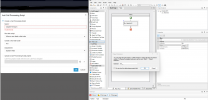
I was able to achieve this a much simpler way with Yealink DECT base. No need for dummy extensions or any CFD. Just use the replace function of the phone's dial plan editor. Works totally fine for both park and retrieve. Just use a 'Prefix' that is not anything your users would otherwise need to dial. To park, just transfer to the prefix from the handset. To pick up, just dial the prefix from the handset as a normal call. Enjoy.
View attachment 43678

Thank you. Your solution is BRILLIANT!.

Cheers,
Allen
 
I was able to achieve this a much simpler way with Yealink DECT base. No need for dummy extensions or any CFD. Just use the replace function of the phone's dial plan editor. Works totally fine for both park and retrieve. Just use a 'Prefix' that is not anything your users would otherwise need to dial. To park, just transfer to the prefix from the handset. To pick up, just dial the prefix from the handset as a normal call. Enjoy.
View attachment 43678

Looks like the "Replace Rule" is an option in the template as wel
 
Tronic since you appear to be the brains here. Can you give me a hint in where to find it in the template, I looked at the wb70 and did not see it anywhere. I did use your idea on a couple DECTphones that are local but we have some that are out of state and I don't have remote access. I know where the rule is in yealink ip phones but can not find it in the DECT template. I'm really hoping that 3CX does bring back dummy extensions to allow easy pickup of shared park calls. It is the last object for us to update all of our clients to V20.
 

Latest Posts

Forum statistics

Threads
111,973
Messages
590,074
Members
164,895
Latest member
jasonkkrause