- Joined
- Oct 31, 2024
- Messages
- 42
- Reaction score
- 5
Please move this post—since I don’t have permission to start this thread in the “Ideas” section.
The customer asks:
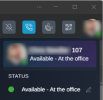
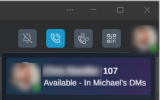
Is there an easy way to display the location from which employees are working?
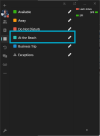
The customer would appreciate a small dropdown menu, since there are several locations from which employees work, including working from home.
The customer does not want to set the “short-time work” status manually—they would prefer a dropdown menu from which to select it.
Could you implement something like this?
Best Regards
The customer asks:
Is there an easy way to display the location from which employees are working?
The customer would appreciate a small dropdown menu, since there are several locations from which employees work, including working from home.
The customer does not want to set the “short-time work” status manually—they would prefer a dropdown menu from which to select it.
Could you implement something like this?
Best Regards