Sip Trunk not going to correct extension/ringgroup

Status
Not open for further replies.

Eric Jan

Joined
Mar 5, 2018
Messages
10
Reaction score
1
I have 10 Sip Trunks.
The first one is forwarding to a digital receptionist which distributes the calls to 3 different ringgroups.
The other trunks however point directly to ringgroups or single extensions, but whenever I call one of those trunks, the call still goes to the digital receptionist. For example I added settings for the main trunk (30) that points to the digital receptionist, and for a secondary trunk (31) that points to a queue.
I however end up at the digital receptionist, no matter which trunk I call.
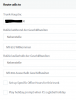
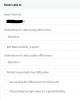
route_30.PNG route_31.PNG trunks.PNG
I set the logs to verbose and found these lines:
03/12/2018 10:38:07 AM - Source is identified as trunk Lc:10002(@YYY YYY YY 30 Haupt[<sip:[email protected]:5060>])
03/12/2018 10:38:07 AM - IncomingCall: C:1 from <sip:[email protected]:5060> to <sip:[email protected]:5060>

So even though the call goes to the correct trunk (31), it is identified as trunk 30.

What did I do wrong?
 
Curious as to why you have these set up as separate trunks, why not have one trunk and do the routing based off of DID number?
 
Do you have 10 separate sip usernames and passwords ?. If so I would ask your provider, why the calls appear to be using one SIP line

If you have one SIP username and password, as above you probably need to setup as DDI - again if unsure ask your provider. You setup DID's under DID's tab when you edit the SIP trunk, and finally setup the routing in Inbound Rules
 
Curious as to why you have these set up as separate trunks, why not have one trunk and do the routing based off of DID number?

Not really my choice... our provider charges extra for trunking those 10 lines into one. So far my boss doesn't want to spent the extra bucks each month.

Do you have 10 separate sip usernames and passwords ?. If so I would ask your provider, why the calls appear to be using one SIP line

If you have one SIP username and password, as above you probably need to setup as DDI - again if unsure ask your provider. You setup DID's under DID's tab when you edit the SIP trunk, and finally setup the routing in Inbound Rules

The usernames (Authentication ID) are individual for each trunk, the password is the same - I can't imagine this being a problem?

What exactly do you mean by "using one SIP line"?
 
SIP trunks have multiple call paths and do not work like an old analog line which only allows for 1 call at a time. So you set up your trunk 1 time and it can handle 10 calls at once, then using the DID mapping you directed the "to" number towards your destination. So lets say I am calling Company A and their support number is 123-456-7890, I set the DID in the trunk settings for inbound routing to IVR 810 for support. On that same trunk is the DID 123-456-0987 for sales. I add the inbound routing for that DID to route to Ring group 710 for sales. So each DID does not require a separate trunk and registration, Also this can eliminate busy calls from happening. I would suggest dropping that provider if that is the case and look in to Intermedia or Siptrunk.com. All providers add a per DID charge but it outweighs the cons of separate trunks. My guess is that you have 10 separate unlimited trunks and the boss didn't want to charge the extra $2/month per DID to the customer. Honestly he is just doing a disservice to the customer by having separate lines.
 
What happens if you setup an outbound rule to use one of the other sip lines, and make a outgoing call does it have the correct caller id
 
Hello @Eric Jan

Just to clarify, you have 10 separate Authentication based trunks? Does each trunk have a separate set of DID's or just one number? If you navigate to the DID section of each trunk do you see only the trunk number or all numbers there?
 
Hello @Eric Jan

Just to clarify, you have 10 separate Authentication based trunks? Does each trunk have a separate set of DID's or just one number? If you navigate to the DID section of each trunk do you see only the trunk number or all numbers there?

Yes, 10 separate trunks from the same provider. All using different Authentication IDs. Each trunk only has one number in it's DID section: itself.

What happens if you setup an outbound rule to use one of the other sip lines, and make a outgoing call does it have the correct caller id

Just tried this: outbound rules work as expected - I can choose any of the 10 SIP lines and receive the call on my mobile phone from the correct number.

[...] I would suggest dropping that provider if that is the case and look in to Intermedia or Siptrunk.com. All providers add a per DID charge but it outweighs the cons of separate trunks. My guess is that you have 10 separate unlimited trunks and the boss didn't want to charge the extra $2/month per DID to the customer. Honestly he is just doing a disservice to the customer by having separate lines.

You are probably right, and the headache I have from maintaining multiple trunks isn't worth the $ we save per month. But as long as my supervisor doesn't greenlight switching the provider or just combining the multiple trunks into one, this is the way I have to go...
 
I would ring you SIP provider, to confirm the calls are reaching you on the correct sip line
 
Is the registrar the same for all providers? Also check the format the numbers are arriving from the provider to the PBX and adjust your DIDs to match those ones.

For example:
If the number arrives like this: <sip:[email protected]:5060> then your DID under the trunk should be: XXXXXX9681

I believe that either your provider is sending all calls to the same trunk or you have source identification issues.
 
Status
Not open for further replies.

Latest Posts

Forum statistics

Threads
111,884
Messages
589,542
Members
164,742
Latest member
Zain101
