SIP Trunk setup with ATT Flex IP Reach

Status
Not open for further replies.

JustinTaylor

SOHO User
Basic Certified
Joined
Feb 4, 2019
Messages
6
Reaction score
0
I'm really scratching my head. Today i'm trying to switch my 3cx system over to a SIP trunk from ATT. The issue is the same as the one posted in this thread but i can not get anywhere with ATT. I can get inbound calls but no outbound calls. My outbound calls just eventually forward to the main number. The att tech keeps saying i need to program outbound to use the IP border element ip but there is not an option in 3cx.

https://www.3cx.com/community/threads/at-t-sip-ipflex-bvoip.54674/

I have configured a second interface on my 3cx box and the IP is the AT&T assigned public signaling address (This is also the address i used for my SIP Trunk.). There is no Gateway defined now (i tested using the AT&T assigned public media IP).

I would love to call a 3cx partner on this issue.

Justin
 
Here is more information about my system.

  • 3CX Version,16.0.6.641
  • Server OS, Windows 10 Pro
  • Is the 3CX Server Hosted and where? On-Prem, hosted on VMWare ESXI 6.5
  • IP Phone Make/Model/Firmware ; Use all Yealink Phones
  • Provisioning Method: Local
  • Trunk Provider or Gateway Make/Model - Setting up IP Based trunk with ATT (physical connection to their router using 2nd interface)
  • Has the Firewall Checker passed: NO, don't allow all items through our internal firewall.
  • Are custom Phone Templates being used: No
  • SIP Trunk Profile: Used the At&T one
 
Hey Justin. We helped 3CX develop the AT&T template and we've setup a lot of these. I'm not sure how outbound calls can forward to a number if outbound calling isn't working. I'm also not sure what you mean by there's no option to put in a border element in 3CX. If you mean there's no field called boarder element then that is correct. 3CX can't make a field for every name a provider might use to mean the same thing. But border element is just their term for the sip/proxy/registrar server.
 
Hey Justin. We helped 3CX develop the AT&T template and we've setup a lot of these. I'm not sure how outbound calls can forward to a number if outbound calling isn't working. I'm also not sure what you mean by there's no option to put in a border element in 3CX. If you mean there's no field called boarder element then that is correct. 3CX can't make a field for every name a provider might use to mean the same thing. But border element is just their term for the sip/proxy/registrar server.

Thank you for responding. It is not forwarding to an external number. What it would do is deliver to the internal number that is at the bottom of the sip trunk setup page. "Route Calls to". I since changed that to END CALL

AT&T provided me two border element IP address, what is active and the other is a failover. Is there a way i can add them both or just add the active one. That means i have no failover but that is ok. I put my At&T assigned public signaling IP in the regisrar field based on another thread i read. I will try inputting their border element ip in the registrar field.
 
So you need to use both because it's both for inbound and outbound failover. Meaning sometimes AT&T will deliver via the second IP. But is this an old install? All new installs for the last year at least have used their new BiB router which they just have you connect to the local interface and you don't do the whole border element/signaling IPs. I assume you have a Cisco router then?
 
@JustinTaylor we're experiencing the same thing. We too have AT&T IP Flexible Reach service. Our 100up/100down with sip service was upgraded with a promo to 150/150, so our AT&T owned ASR 1001X was replaced with another unit back in March(2020). We were given 4x replacement addresses to use. I put them in one for one where the old addresses were.

originally we were given these addresses. They are no longer in use(btw). This is the verbiage the AT&T Engineer used:
Signaling Address 32.45.122.73 (IP on your Phone system , source IP address voice packets)
Media Address 32.45.122.74/29 ( IP on my end G 0/0/2 and your default gateway )
Primary Sip proxy server : 12.194.215.153 (destination IPof voice packet )
Secondary Sip proxy server : 12.194.223.89 ( destination IP of voice packet )

MIS/BVOIP DTAC Engineer
AT&T Global Network Services Slovakia

So the wording they(AT&T) uses doesn't make sense when matched up to the verbiage used on the template labeled AT&T in the 3CX web gui. You'd think whoever made the template would label it appropriately.... So I understand your frustration in that.
1599702431286.png

Avaya calls the border elements Server Addresses
Asterisk calls them first/second gateway hosts
Siemens... you get the idea.

When creating your trunk did you make 1 or 2 trunks? The reason I ask is because this old post by "dadburns" seems to imply(because the pictures are gone) that two trunks need to be setup for the outbound to take place.https://www.voip-info.org/forum/threads/how-to-at-t-ip-flex-trunk-configuration.9155/ keep in mind this discussion is regarding Asterisk based setup.

Are you able to ping(ICMP) all of the addresses from your 3CX vm?(for us one of the border elements/proxy does not respond)
Can you traceroute(cmd.exe tracert <IP>) each of the addresses? Do they route as expected?
Is your firewall checker passing?
 
yes we received a band new cisco router
IMG_0656.JPG

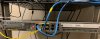
One of the border elements i can ping, the other i can not. The att tech told me that one is active one is standby. Both address when i trace go via my 2nd interface and go to the router shown above.

My firewall checker does not pass because i do not have all ports forwarding through our internet firewall because we don't use any remote options or meeting stuff.
 
So you need to use both because it's both for inbound and outbound failover. Meaning sometimes AT&T will deliver via the second IP. But is this an old install? All new installs for the last year at least have used their new BiB router which they just have you connect to the local interface and you don't do the whole border element/signaling IPs. I assume you have a Cisco router then?

This is the confusing part for me. You said i have to use both but where do i use them? I have one location in the template to input an IP besides the proxy. My understanding from past reading is i have to input my interface IP in the template.
 
Currently, as a test I setup a trunk(with an incoming and outbound rule directing to my extension only) as a test in this way in 3cx under the trunk configuration;

For server/host/registrar : I'm using the AT&T Border element that responds(12.194.107.69)
no proxy address entered.
I have the first of our 10 DIDs added
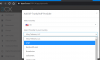
In Options I've selected to "Use this IP Address" and then entered the AT&T "Signaling Address" this way the outbound call sends what AT&T expects to see.

1599755183317.png

Last night I had a thought and did some Wireshark captures while making some calls out and comparing to inbound, to me it really seemed like our firewall was not routing something properly as a failed call was generating an error(then emailing me) of this:

1599755539433.png
@JustinTaylor
So I looked on the 3cx server at it's routes("CMD" > "route print"), 0.0.0.0 is the default route(nothing special pointing to the Default Gateway.

In the past I've had to configure static routes to route traffic for 3cx for some implementations, I didn't think I would need to in this one, but it's starting to make me feel like I might.

In this implementation we are using the same AT&T router as you. For us we had AT&T split the Data service and the SIP traffic to separate interfaces as I initially thought it would make sense to physically route the cable directly to a server(passing through a vSwitch to the VM of course). That would end up with no firewall(aside from windows) on a "public interface" of the server, maybe that's ok since AT&T is the only host directly connected. We would at that point need to use a "second interface" on the VM to access the phone VLAN. All of that seemed contrary to the recommendation of 3CX in suing a single network adapter.

So what I ended up doing was
  1. Setup the VM with 1x interface to make it "simple" for 3CX, placing it in our Voice VLAN.
  2. On our router(company, not AT&T) I used our 2nd WAN interface to connect to the SIP port of the AT&T router(ASR-1001X).
  3. I set the IP of the WAN2 interface to what AT&T provided as the SIGNALING ADDRESS and the Default Gateway to the MEDIA ADDRESS. I am able to ping the AT&T ASR1001X from our company router so all seems good there. I can also ping one of the Border Elements(not the other)
  4. I then set a flow preference(Cisco-Meraki) that;
    • any traffic originating from;
      • the Voice-VLAN
      • or 3CX server IP
    • that is destined for;
      • The WAN2 Gateway IP(ATT LAN/MEDIA ADDRESS)
      • the Border Element(SBC[Session Border Controller], SIP Proxy 1)
      • the Border Element(SBC[Session Border Controller], SIP Proxy 2)
    • direct it through the WAN2 interface
  5. So with the above config I can ping from the 3CX server to
    • the WAN2(our router)
    • the LAN(ASR-1001X)
    • One of the Border Elements
    • not the other border elements
  6. Tracert shows correct routing as well
    • this all makes me believe the routing it proper
Inbound calls work(flawless afaik after repeated testing). However Outbound calls only work if an inbound call was made "recently." I have not figured out what this is, but I've attempted to adjust the "ReRegister Timeout" selection in Options from the default value of 600 to as low as 30 with mixed results. At one point I could make calls 3 minutes after first making an inbound call, but then I went 1 minute and was unable to make calls. I've asked AT&T this morning for what they expect REGISTER to be sent at, awaiting that response. I also do not know if they support "REINVITES" or if it's a relevant setting.
 
I've also considered removing the router from the equation and placing the AT&T SIP LAN int on on of our LAN ports(vlan'd of course by itself) and then setting up a static route on a switch in order for our Voice VLAN to reach the SIP VLAN. This is what I've done in the past(other companies) where we were bringing in SIP trunks via an MPLS. @JustinTaylor do you still have two interfaces on you 3CX server? is it basically cabled to the AT&T ASR1001X's SIP interface?
 
This is the confusing part for me. You said i have to use both but where do i use them? I have one location in the template to input an IP besides the proxy. My understanding from past reading is i have to input my interface IP in the template.
Sorry I went on a tangent and didn't directly answer your question, idk. I'm in the same boat and assumed create two Trunks, each using one of the Border Element Addresses/SIP Proxy addresses. then on the outbound rule I set one to Route1 and the other to Route2. This is how it worked prior to our Service "upgrade" ....‍♂️
 
I think i get it a little more and see what is going on. first, i need to create two sip trunks one for each of the border elements the gave me. Then in my outbound rule, i put the primary first and secondary second. I can see that working now. It looks like my problem is it looks like my call is coming from the border element IP and not the signaling IP so ATT is rejecting it. I thought by changing " Select which IP to use in 'Contact' (SIP) and 'Connection'(SDP) fields " on the options page to Use this IP and manual entering, this would work but it doesn't seem to make a difference.

1599769361540.png
 
I believe you are correct. However, I've never been able to confirm with anyone else running IP Flex if this is the proper way to setup the trunks. If setting up the trunk in this way doesn't work initially, attempt to make an inbound call first, then proceed to make an outbound call(either concurrently or very quickly).

Don't forget to setup all your TN[TelephoneNumbers] on both trunks.
As well as create two versions of the inbound rules[one based on each trunk, as you'll never know which border element the call will be sourced from].
 
Status
Not open for further replies.

Latest Posts

Forum statistics

Threads
111,962
Messages
589,993
Members
164,867
Latest member
swegner