SIP Trunk Working in Software, but not in 3CX

Status
Not open for further replies.

aastitvabeing

Customer
Joined
Feb 22, 2019
Messages
27
Reaction score
3
Hi,

I have a SIP trunk with address rj.voip.ims.bsnl.in. The trunk needs to be configured as rj.voip.ims.bsnl.in:80.

So when I am giving the SIP registrar as rj.voip.ims.bsnl.in and Port 80, with an outbound proxy to be same, it is not working in Zoiper.

What may the reason for not working in 3CX?

Regards,
Deepak
 

Attachments

  • screenshot_20190310_102140.png
    screenshot_20190310_102140.png
    24.5 KB · Views: 37
The error message, I am getting.
Destination (sip:[email protected]:80) is not reachable, DNS error resolving FQDN, or service is not available.
Where if you note the Zoiper screenshot you will note it is working.
 
Change your PBX nameserver resolvers to Google's DNS. It happens when your provider has a lag in its DNS.
 
Most of the time, the DNS server "supplied" by your provider, will work with no issues. If you have a Windows computer on the same network as the 3CX server, you can do some network tests. Open a Command Prompt window and Do a Tracert to the URL of your VoIP provider. That should return the public IP and all of the "hops" to reach your provider. You can also try A PING command to the URL or IP. See if there is a difference when using the default DNS server(s), as supplied by your provider, and using the Google DNS servers in the above post. If changing the DNS servers fixes the problem, you may want to have a chat with your ISP as to why there is an issue.
 
  • Like
Reactions: Rhys Haskell
@Frederick Marcoux - Thank you. I added. Now, it has 4 nameservers. Still not working. :(

@leejor - I am on cloud VPS. I have tried the connection with most windows and android apps. And the SIP ID of the service provider is working in all app.

It is confusing, why 3CX server is not taking it up.
 
What I am able to understand, 3CX does not communicate to port 80. That is the reason it is failing to connect the SIP server rj.voip.ims.bsnl.in:80
 
It is odd that they do not use the "standard" port 5060 (or something close), like most other providers.
 
@leejor - Yes, this is odd. After 2 days of research with Android app, I have come to the following conclusions
  1. rj.voip.ims.bsnl.in is using port 80. The service is working with most of the apps.
  2. The protocol used is UDP
  3. 3CX firewall is blocking the port 80. It needs a port above 1000.

This connection is very important for, and I am stuck now, on how to configure. Please help.
 
@YiannisH_3CX - Hi, I would like you to take this issue, and throw some light on how things can be done. :)
 
You should not have an issue even if your provider is using port 80. The PBX should query the DNS and try to connect to the IP it is getting from the reply.
Is the provider authentication based or IP based? When i add the provider to my PBX (with fake credentials) i get no reply from that IP address which means that they either are not listening to port 80 or they need to allow your IP in their whitelist.
Since they have SRV records that do point to port 80 however i would think it is a matter of whitelisting your IP.
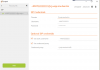
Try to configure the provider like the image below and do not use a proxy.
9861

This will allow the PBX to query the registrar and decide the port the provider is using automatically.
 
@YiannisH_3CX - Thank you for your reply.
  1. I do understand for the whitelist of IP. But then, how come the connection is working from any app, using other ISP.
  2. If the service provider has enabled IP only from India, the 3CX is loaded on Indian VPS, with IP from India.
  3. I have configured as you have mentioned. But still the same error.
Destination (sip:[email protected]:5060) is not reachable, DNS error resolving FQDN, or service is not available.
 
Can you send a screenshot of the trunk configuration? Obviously hide the Auth ID of the trunk.
Also do you pass the PBX firewall checker? Have you tried calling them and asking what they are seeing from their side? They should be able to tell you if the requests are reaching them and if they are seeing anything wrong.
 
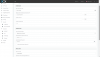
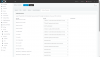
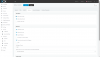
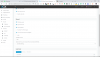
@YiannisH_3CX - Please note the screen-shots attached.
This service provider is a Govt. of India enterprise, and the customer helpline is very poor. They are not able to even understand the problem. For them, if it is working in app, it is good.
 

Attachments

  • screenshot_20190318_155148.png
    screenshot_20190318_155148.png
    34 KB · Views: 45
  • screenshot_20190318_155219.png
    screenshot_20190318_155219.png
    56.2 KB · Views: 43
  • screenshot_20190318_155212.png
    screenshot_20190318_155212.png
    39.1 KB · Views: 40
  • screenshot_20190318_154013.png
    screenshot_20190318_154013.png
    62.6 KB · Views: 35
  • Screenshot_20190318-153938.png
    Screenshot_20190318-153938.png
    302.6 KB · Views: 35
Your settings for registering the trunk look correct and the PBX should try to contact the provider to port 80. You can use wireshark to confirm. Either than that if the provider is no willing to assist you i would recommend changing providers. You could select an international provider from our worldwide list.
https://www.3cx.com/partners/sip-trunks/worldwide/
 
@YiannisH_3CX - thank you for your update. Why I am trying to go with this particular service provider, is because they are the only company in India giving virtual numbers for IP calling. In India, VOIP telephony was banned. But now it is opened up. It can a huge new opportunity for 3CX for India as a country, if this can be configured. Can you imagine $15.00 per year unlimited calling to the whole of India?
 
  • Like
Reactions: Evolute IT
In that case you need to use wireshark and see if the PBX is sending the request to the correct IP And correct port. The error you see in the management console is very generic and could be caused by a number of factors.
 
You may need to edit the nginx config as it will not allow inbound requests on port 80 by default I believe
 
You may need to edit the nginx config as it will not allow inbound requests on port 80 by default I believe
In this scenario the provider listens to port 80 not the PBX. The PBX will contact the provider from port 5060 to port 80 and will request the provider to contact the PBX to port 5060. The port of the PBX will not change
 
Status
Not open for further replies.

Forum statistics

Threads
111,916
Messages
589,721
Members
164,786
Latest member
supuni_rathnayake