- Joined
- Feb 14, 2023
- Messages
- 4
- Reaction score
- 0
Hey all,
We currently have 3CX configured to backup both the system and call recordings to SharePoint, however over the last few years this has blown out our storage to a considerable amount. Due to business requirements we have long retention requirements for the recorded calls, so I need to move this elsewhere.
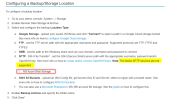
We're exploring the use of an Azure storage account using a classic file share and SMB.
Setup will look like the following:
Though I understand the theory looks fine, is this something commonly done with 3CX? I'm struggling to find anything recent on this in both the forums or 3CX administration guides.
Best I can see is this old post from 2022: https://www.3cx.com/community/threads/smb-backups-to-azure-files.116519/
In addition to this, when we migrated to SharePoint for recording storage, we couldn't find a way around the 'disconnect' of old recordings in the 3CX GUI post migration, if an old recording is needed we have to manually find it now. Is there a new solution or workaround to avoid this disconnect if we move to another storage location?
Thanks
We currently have 3CX configured to backup both the system and call recordings to SharePoint, however over the last few years this has blown out our storage to a considerable amount. Due to business requirements we have long retention requirements for the recorded calls, so I need to move this elsewhere.
We're exploring the use of an Azure storage account using a classic file share and SMB.
Setup will look like the following:
- Azure Hosted 3CX VM
- Azure 'Classic File Share'
- File share service endpoint configured and mapped to the existing virtual network
- 3CX configured to connect to the share directly by local IP i.e. smb://172.x.x.x/3cx/backup/
Though I understand the theory looks fine, is this something commonly done with 3CX? I'm struggling to find anything recent on this in both the forums or 3CX administration guides.
Best I can see is this old post from 2022: https://www.3cx.com/community/threads/smb-backups-to-azure-files.116519/
In addition to this, when we migrated to SharePoint for recording storage, we couldn't find a way around the 'disconnect' of old recordings in the 3CX GUI post migration, if an old recording is needed we have to manually find it now. Is there a new solution or workaround to avoid this disconnect if we move to another storage location?
Thanks