- Joined
- Jul 11, 2020
- Messages
- 396
- Reaction score
- 152
Hi Everyone,
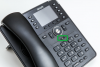
We just installed our first system today to replace an NEC Aspire we put in about 15 years ago. I did have one question that has come up and when searching I didn't find an answer.
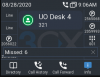
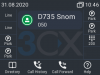
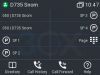
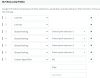
We have programmed the BLF Keys as follows:
We have noticed two issues pop up.
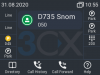
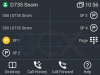
1. If someone is placed on park and another extension picks up the phone will display the caller ID on the park BLF for a bit instead of SP1.
2. If the page button is used the phone then shows 001 instead of the name page.
Is this normal for the system?
Below are the details and thanks in advance.
We just installed our first system today to replace an NEC Aspire we put in about 15 years ago. I did have one question that has come up and when searching I didn't find an answer.
We have programmed the BLF Keys as follows:
We have noticed two issues pop up.
1. If someone is placed on park and another extension picks up the phone will display the caller ID on the park BLF for a bit instead of SP1.
2. If the page button is used the phone then shows 001 instead of the name page.
Is this normal for the system?
Below are the details and thanks in advance.
- 3CX Version: Enterprise Annual 16.0.5.622
- Server OS: Windows 10 Pro
- Server is on Premise
- IP Phone Make/Model/Firmware: Snom D375 FW: 10.1.54.16
- Provisioning Method: Local
- Trunk Provider: Net2Phone
- Has the Firewall Checker passed: YES
- Are custom Phone Templates being used: NO