Some calls go straight to voicemail, phones never ring

Status
Not open for further replies.

dandenson

SOHO User
Joined
Aug 4, 2009
Messages
404
Reaction score
52
I've got a sight where every day one or two calls go straight to voicemail.

Phones are setup as 'local' and connect to 3CX via VPN hosted in google's cloud. Pings are constant, no network issues. Not NAT in the way or anything.

DID is sent to a ring group which has a voicemail if not answered

Call log shows the call coming in and trying the ring group but then within a few seconds it drops to voicemail.

There are 11 phones in the ring group.

Today it happened at 11:16. System logs show one extension unregister and re-register. During this time, there was no network disconnect at all and the other 10 phones show up.

Any thoughts?
 
the log will show why the call could not go through to the sets (not registered, busy, otherwise unavailable), concentrate on why the sets have that status. Could be a setting, or a network (VPN) issue. This may require the use of something like Wireshark. Are there other times, where calls (not necessarily ring group calls) are not able to reach some of these sets?

If the behaviour is consistent, try eliminating sets, one at a time, from the ring group to see if that changes anything .
 
Where am I supposed to look? In call logs, I don't get any more details. The event log doesn't say anything about the calls.
 
check ACTIVITY LOG.
 
Ok, found the logs.

I have this line for each extension:
09/14/2018 11:16:29 AM - [CM503003]: Call(C:658): Call to <sip:[email protected]:5060> has failed; Cause: 487 Request Cancelled/INVITE from 192.168.100.108:5060

is this saying that one of the sets hit cancel on the call?
 
it's actually mixed Cancelled and Terminated:

note that the first line has the FQDN, the others are IP.

09/14/2018 11:33:59 AM - [CM503003]: Call(C:671): Call to <sip:1009@<FQDN>:5060> has failed; Cause: 487 Request Cancelled/INVITE from 127.0.0.1:5080
09/14/2018 11:33:59 AM - [CM503003]: Call(C:671): Call to <sip:[email protected]:5060> has failed; Cause: 487 Request Cancelled/INVITE from 127.0.0.1:5080
09/14/2018 11:33:59 AM - [CM503003]: Call(C:671): Call to <sip:[email protected]:5060> has failed; Cause: 487 Request Terminated/INVITE from 127.0.0.1:5483
09/14/2018 11:33:59 AM - [CM503003]: Call(C:671): Call to <sip:[email protected]:5060> has failed; Cause: 487 Request Cancelled/INVITE from 127.0.0.1:5080
09/14/2018 11:33:59 AM - [CM503003]: Call(C:671): Call to <sip:[email protected]:5060> has failed; Cause: 487 Request Terminated/INVITE from 192.168.100.111:5060
09/14/2018 11:33:59 AM - [CM503003]: Call(C:671): Call to <sip:[email protected]:5060> has failed; Cause: 487 Request Cancelled/INVITE from 192.168.100.110:5060
09/14/2018 11:30:43 AM - [CM503003]: Call(C:669): Call to <sip:[email protected]:5060> has failed; Cause: 487 Request Cancelled/INVITE from 127.0.0.1:5080
09/14/2018 11:30:43 AM - [CM503003]: Call(C:669): Call to <sip:[email protected]:5060> has failed; Cause: 487 Request Terminated/INVITE from 127.0.0.1:5483
09/14/2018 11:30:43 AM - [CM503003]: Call(C:669): Call to <sip:[email protected]:5060> has failed; Cause: 487 Request Terminated/INVITE from 192.168.100.111:5060
09/14/2018 11:30:43 AM - [CM503003]: Call(C:669): Call to <sip:[email protected]:5060> has failed; Cause: 487 Request Cancelled/INVITE from 127.0.0.1:5080
09/14/2018 11:30:43 AM - [CM503003]: Call(C:669): Call to <sip:[email protected]:5060> has failed; Cause: 487 Request Cancelled/INVITE from 192.168.100.110:5060
 
Actually, not the same issue, some errors in the Terminated/Cancelled action. I'm not trying to page, I'm trying to get calls to come in via ring group reliably...
 
There are a few other oddities. The extension 1009 shows up in the log as 1009@fqdn:5060, but it's configured for local lan.

A call just came in the ring group and extension 1006 picked it up. The other phones show up with the cancel/terminate message

09/14/2018 1:05:40 PM - [CM503003]: Call(C:682): Call to <sip:[email protected]:5060> has failed; Cause: 487 Request Terminated/INVITE from 127.0.0.1:5483
09/14/2018 1:05:40 PM - [CM503003]: Call(C:682): Call to <sip:1009@<FQDN>:5060> has failed; Cause: 487 Request Cancelled/INVITE from 127.0.0.1:5080
09/14/2018 1:05:40 PM - [CM503003]: Call(C:682): Call to <sip:[email protected]:5060> has failed; Cause: 487 Request Cancelled/INVITE from 127.0.0.1:5080
09/14/2018 1:05:40 PM - [CM503003]: Call(C:682): Call to <sip:[email protected]:5060> has failed; Cause: 487 Request Terminated/INVITE from 192.168.100.111:5060
09/14/2018 1:05:39 PM - [CM503003]: Call(C:682): Call to <sip:[email protected]:5060> has failed; Cause: 487 Request Cancelled/INVITE from 192.168.100.108:5060

I have a *LOT* of these cancel/terminates in the logs even why calls go through.

I have a few sites configured identically and I'm seeing these messages in a few of them.
 
The cancel message to each set will happen if the call successfully goes through to one of the ring group members, or to a final destination. Without that the sets will continue to ring...forever.
The posted logs don't show how long a call attempt to the group actually was, just that it eventually ended.

You need to determine if this was ended because of the state of one set, or something else. If you suspect one set, then take it out of the ring group and see if "it" still happens. Then figure out what is not set correctly, on that extension.
 
In the logs, there is nothing else about these calls, just these errors, I'll have to wait until after hours to turn up the logging. Do I need to go all the way up to verbose?
 
You can, but the additional information may not be needed and it created very large, and more difficult to go through, logs
 
Well what's the next step then? logs just don't have enough to go on, calls are mysteriously going directly to voicemail.

From what I can tell, Cancelled from 127.0.0.1 is the PBX sending it because the call was handled elsewhere.

But if a device says a call is terminated, what's that mean? In the main example here, extensions 1007 and 1011 both sent a 487.
 
What @leejor said, if you see CANCEL, that is normal because it is the way 3CX tells the phones to stop ringing. The problem here is why 3CX is telling them to stop ringing, because from what you are saying, it is not because someone answered.

What I suggest:
  1. Turn the logging level to "Medium" (Verbose may be an overkill) and wait for this to happen
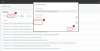
  2. From the Activity Log, detect the call. You should look for something like this:
    upload_2018-9-17_11-53-14.png
  3. Now filter by the 3CX Call-ID value (in this case 385)
    upload_2018-9-17_11-57-43.png
    This will isolate all logs relevant to this call only.
  4. Find which extensions were rang (in my case it was 2, 000 and 104)
    upload_2018-9-17_12-0-10.png
  5. Find what these extensions did (in my case both rejected the call with 1 second difference between them)
    upload_2018-9-17_12-1-43.png
    upload_2018-9-17_12-2-19.png
  6. See what the Ring Group did and why:
    upload_2018-9-17_12-4-17.png
Hope this helps.
 
@NickD_3CX

Find this hard to parse because I have some false failures. For example, this call shows up as unanswered, there is a line in the call log showing it answer directly above but if I filter by unanswered it shows up:

Code:
09/17/2018 8:59:58 AM - Leg L:11.1[Line:10000<<1<custnumber>] is terminated: Cause: BYE from local
09/17/2018 8:59:58 AM - [CM503008]: Call(C:11): Call is terminated
09/17/2018 8:59:58 AM - Leg L:11.4[Extn:1005] is terminated: Cause: BYE from 127.0.0.1:5080
09/17/2018 8:57:13 AM - Leg L:11.7[Extn:1008] is terminated: Cause: 487 Request Terminated/INVITE from 127.0.0.1:5483
09/17/2018 8:57:13 AM - [CM503003]: Call(C:11): Call to <sip:[email protected]:5060> has failed; Cause: 487 Request Terminated/INVITE from 127.0.0.1:5483
09/17/2018 8:57:13 AM - Leg L:11.5[Extn:1006] is terminated: Cause: 487 Request Cancelled/INVITE from 127.0.0.1:5080
09/17/2018 8:57:13 AM - [CM503003]: Call(C:11): Call to <sip:[email protected]:5060> has failed; Cause: 487 Request Cancelled/INVITE from 127.0.0.1:5080
09/17/2018 8:57:13 AM - Leg L:11.9[Extn:1009] is terminated: Cause: 487 Request Cancelled/INVITE from 127.0.0.1:5080
09/17/2018 8:57:13 AM - [CM503003]: Call(C:11): Call to <sip:[email protected]:5060> has failed; Cause: 487 Request Cancelled/INVITE from 127.0.0.1:5080
09/17/2018 8:57:13 AM - Leg L:11.3[Extn:1004] is terminated: Cause: 487 Request Cancelled/INVITE from 127.0.0.1:5080
09/17/2018 8:57:13 AM - [CM503003]: Call(C:11): Call to <sip:[email protected]:5060> has failed; Cause: 487 Request Cancelled/INVITE from 127.0.0.1:5080
09/17/2018 8:57:13 AM - Leg L:11.8[Extn:1008] is terminated: Cause: 487 Request Cancelled/INVITE from 127.0.0.1:5080
09/17/2018 8:57:13 AM - [CM503003]: Call(C:11): Call to <sip:[email protected]:5060> has failed; Cause: 487 Request Cancelled/INVITE from 127.0.0.1:5080
09/17/2018 8:57:13 AM - Leg L:11.2[Extn:1001] is terminated: Cause: 487 Request Cancelled/INVITE from 127.0.0.1:5080
09/17/2018 8:57:13 AM - [CM503003]: Call(C:11): Call to <sip:[email protected]:5060> has failed; Cause: 487 Request Cancelled/INVITE from 127.0.0.1:5080
09/17/2018 8:57:13 AM - Leg L:11.6[Extn:1007] is terminated: Cause: 487 Request Cancelled/INVITE from 192.168.100.108:5060
09/17/2018 8:57:13 AM - [CM503003]: Call(C:11): Call to <sip:[email protected]:5060> has failed; Cause: 487 Request Cancelled/INVITE from 192.168.100.108:5060
09/17/2018 8:57:13 AM - [CM503007]: Call(C:11): Extn:1005 has joined, contact <sip:[email protected]:5065>
09/17/2018 8:57:13 AM - [CM503007]: Call(C:11): Line:10000<<1<custnumber> has joined, contact <sip:10000@IP:5060>
09/17/2018 8:57:13 AM - L:11.4[Extn:1005] has joined to L:11.1[Line:10000<<1<custnumber>]
09/17/2018 8:57:05 AM - [CM503002]: Call(C:11): Alerting Extn:1006 by contact <sip:[email protected]:5060>
09/17/2018 8:57:05 AM - [CM503002]: Call(C:11): Alerting Extn:1009 by contact <sip:[email protected]:5060>
09/17/2018 8:57:04 AM - [CM503002]: Call(C:11): Alerting Extn:1004 by contact <sip:[email protected]:5065>
09/17/2018 8:57:04 AM - [CM503002]: Call(C:11): Alerting Extn:1008 by contact <sip:[email protected]:5060>
09/17/2018 8:57:04 AM - [CM503002]: Call(C:11): Alerting Extn:1005 by contact <sip:[email protected]:5065>
09/17/2018 8:57:04 AM - [CM503002]: Call(C:11): Alerting Extn:1008 by contact <sip:[email protected]:5483>
09/17/2018 8:57:04 AM - [CM503002]: Call(C:11): Alerting Extn:1001 by contact <sip:[email protected]:5065>
09/17/2018 8:57:04 AM - [CM503002]: Call(C:11): Alerting Extn:1007 by contact <sip:[email protected]:5060>
09/17/2018 8:57:04 AM - [CM503025]: Call(C:11): Calling T:RingAll:8000@[Dev:sip:[email protected]:5065,Dev:sip:[email protected]:5065,Dev:sip:[email protected]:5065,Dev:sip:[email protected]:5060,Dev:sip:[email protected]:5060,Dev:sip:[email protected]:5483;rinstance=4040bd8aff90782d,Dev:sip:[email protected]:5060,Dev:sip:[email protected]:5060] for L:11.1[Line:10000<<1<custnumber>]
09/17/2018 8:57:04 AM - [CM503027]: Call(C:11): From: Line:10000<<1<custnumber> ("<CID>:Main Inbound" <sip:1<custnumber>@galles.mt.3cx.us:5060>)  to  T:RingAll:8000@[Dev:sip:[email protected]:5065,Dev:sip:[email protected]:5065,Dev:sip:[email protected]:5065,Dev:sip:[email protected]:5060,Dev:sip:[email protected]:5060,Dev:sip:[email protected]:5483;rinstance=4040bd8aff90782d,Dev:sip:[email protected]:5060,Dev:sip:[email protected]:5060]
09/17/2018 8:57:04 AM - [CM503004]: Call(C:11): Route 1: from L:11.1[Line:10000<<1<custnumber>] to T:RingAll:8000@[Dev:sip:[email protected]:5065,Dev:sip:[email protected]:5065,Dev:sip:[email protected]:5065,Dev:sip:[email protected]:5060,Dev:sip:[email protected]:5060,Dev:sip:[email protected]:5483;rinstance=4040bd8aff90782d,Dev:sip:[email protected]:5060,Dev:sip:[email protected]:5060]
09/17/2018 8:57:04 AM - [Flow] Call(C:11): has built target endpoint: RingAll:8000 for call from L:11.1[Line:10000<<1<custnumber>]
09/17/2018 8:57:04 AM - [CM503010]: Call(C:11): Making route(s) from Line:10000<<1<custnumber> to <sip:[email protected]:5060>
09/17/2018 8:57:04 AM - [CM500002]: Call(C:11): Info on incoming INVITE from Line:10000<<1<custnumber>:
Invite-IN Recv Req INVITE from IP:5060 tid=1sansay1NUMBERrdb3276 Call-ID=520985021-0-3878168802@IP:
INVITE sip:NUMBER@IP:5060 SIP/2.0
Via: SIP/2.0/UDP IP:5060;branch=z9hG4bK1sansay1NUMBERrdb3276
Max-Forwards: 68
Record-Route: <sip:sansay1NUMBERrdb3276@IP:5060;lr;transport=udp>
Contact: <sip:1<custnumber>@IP:5060>
To: <sip:NUMBER@IP>
From: "<CID>" <sip:1<custnumber>@IP>;tag=sansay1NUMBERrdb3276
Call-ID: CID@IP
CSeq: 1 INVITE
Session-Expires: 1800;refresher=uac
Min-SE: 90
Content-Type: application/sdp
Supported: timer
P-Asserted-Identity: "CID" <sip:+1<custnumber>@IP:5060>
Content-Length: 301
v=0
o=Sansay-VSXi 188 1 IN IP4 IP
s=Session Controller
c=IN IP4 IP
t=0 0
m=audio 22508 RTP/AVP 0 8 18 101
a=rtpmap:0 PCMU/8000
a=rtpmap:8 PCMA/8000
a=rtpmap:18 G729/8000
a=fmtp:18 annexb=no
a=rtpmap:101 telephone-event/8000
a=fmtp:101 0-15
a=sendrecv
a=maxptime:20
09/17/2018 8:57:04 AM - [CM503001]: Call(C:11): Incoming call from Line:10000<<1<custnumber> to <sip:[email protected]:5060>

but there is the "Extn:1005 has joined" which suggest this was answered, and the logs confirm that in another spot.

So why is this shown as unanswered?

09/17/2018 8:57:03 AM CallerID:Main Inbound (CallerNumber) RG Main Ring Group (8000) Not Answered
 
09/17/2018 8:57:13 AM - [CM503007]: Call(C:11): Extn:1005 has joined, contact <sip:[email protected]:5065>
09/17/2018 8:57:13 AM - [CM503007]: Call(C:11): Line:10000<<1<custnumber> has joined, contact <sip:10000@IP:5060>
09/17/2018 8:57:13 AM - L:11.4[Extn:1005] has joined to L:11.1[Line:10000<<1<custnumber>]

So, yes, it appears that 1005 answered. What happened at the set? What happens if you remove that set from the ring group? Could there be something like an auto-answer or some other feature, that is enabled on that particular set? Could it be a faulty set? Firmware version?

Process of elimination....
 
That call was answered and all is well there. This customer is teetering on the edge of moving back to a digital PBX so I'm trying to identify and fix whatever is happening. Hard to identify failed calls when there are essentially false fails in the mix :(
 
What is different about extension 1008? I see two entries when the ring group is called...

Dev:sip:1008@127.0.0.1:5483;rinstance=4040bd8aff90782d,Dev:sip:[email protected]:5060,

One would appear to be the IP of a set, why is the other entry there?
 
The 3cx soft phone.

sanitizing the log of an issue, will post in a minute...
 
nevermind on that issue, flaky internet.
 
Status
Not open for further replies.

Forum statistics

Threads
112,351
Messages
592,041
Members
165,515
Latest member
fngl