SPA3102 Config

Status
Not open for further replies.

matheushirata

Free User
Joined
Apr 27, 2019
Messages
17
Reaction score
0
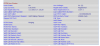
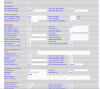
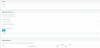
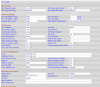
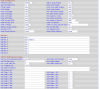
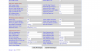
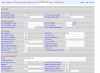
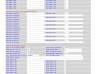
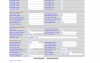
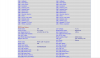
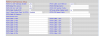
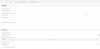
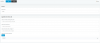
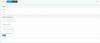
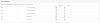
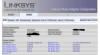
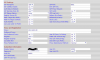
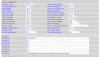
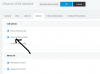
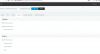
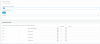
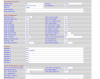
I'm having difficulty setting up the SPA-3102 in my network. The same appears registered but does not receive calls and also does not make calls. I put print of my settings.

Thankful,
Matheus Hirata
 

Attachments

  • 1.PNG
    1.PNG
    25.8 KB · Views: 89
  • 2.PNG
    2.PNG
    58.2 KB · Views: 89
  • 3.PNG
    3.PNG
    52.7 KB · Views: 80
  • 4.PNG
    4.PNG
    23.9 KB · Views: 74
  • 5.PNG
    5.PNG
    24.7 KB · Views: 70
  • 6.PNG
    6.PNG
    21.4 KB · Views: 71
A few things, off the top. You don't need an outbound Proxy, just the Proxy, and that will be the IP of the 3CX server (I'm assuming that the 3102 is local to the server). You have the port set to 5062 in the 3102, but 5060 in your 3CX trunk settings, they must match, so change one. If you plan on using the FXS ports, probably best to go for 5062 at both ends.

There are probably a few other settings that require changing, you haven't posted all of the PSTN tab. Start with making the changes that I've mentioned.
 
A few things, off the top. You don't need an outbound Proxy, just the Proxy, and that will be the IP of the 3CX server (I'm assuming that the 3102 is local to the server). You have the port set to 5062 in the 3102, but 5060 in your 3CX trunk settings, they must match, so change one. If you plan on using the FXS ports, probably best to go for 5062 at both ends.

There are probably a few other settings that require changing, you haven't posted all of the PSTN tab. Start with making the changes that I've mentioned.

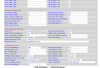
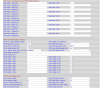
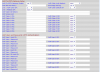
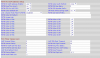
I put the wrong image . The port that i use is 5062. Now i send the all pstn config
 

Attachments

  • 11.PNG
    11.PNG
    51.5 KB · Views: 48
  • 12.PNG
    12.PNG
    55.8 KB · Views: 45
  • 13.PNG
    13.PNG
    56.8 KB · Views: 40
  • 14.PNG
    14.PNG
    53.5 KB · Views: 37
Did you change port to 5062 on 3cx side like Leejor said ?
10557
 
Yes i chance
 
You will have to change the PSTN Default DP to 2, as that is the one you have chosen to datafill. You will also have to change the 6000 (in dialplan 2) to 10000, as that would appear to be the number of the trunk group you created. I would also make the Preferred Codec one of the G711s (whichever is common in your area), as low bit rate Codecs do not pass DTMF audio correctly inn most cases.
PSTN Answer delay can be lowered to 0 to 3 seconds depending on the caller ID type you are using. if it is Bellcore, then 3 seconds is about the minimum time.to capture the information.

And again...you should not require anything in the Outbound Proxy field (you even have it set not to use that). the 3CX server Ip in the Proxy field should suffice.
 
  • Like
Reactions: AWS2P
I made the changes. When I call my number it connects but a continuous pulse does not go over to the extension.
 

Attachments

  • 20.PNG
    20.PNG
    50.6 KB · Views: 32
  • 21.PNG
    21.PNG
    57.1 KB · Views: 32
  • 22.PNG
    22.PNG
    56.7 KB · Views: 32
  • 24.PNG
    24.PNG
    61.2 KB · Views: 30
  • 25.PNG
    25.PNG
    46.4 KB · Views: 21
a continuous pulse does not go over to the extension.
I don't know that that means. What does the 3CX Activity log look like for an incoming call.

You still have the PSTN Default Dialplan set to 1, you need to change that to 2, as that is what you are using. You may also need to remove the *, from the PSTN Caller ID Pattern
 
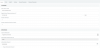
I change. But dont work . In 3cx log that show that dont connect
 

Attachments

  • 31.PNG
    31.PNG
    9.1 KB · Views: 33
  • 33.PNG
    33.PNG
    24.8 KB · Views: 31
  • 32.PNG
    32.PNG
    26 KB · Views: 31
  • 40.PNG
    40.PNG
    23.9 KB · Views: 33
  • 41.PNG
    41.PNG
    16.7 KB · Views: 29

Attachments

  • 60.PNG
    60.PNG
    22 KB · Views: 35
  • 61.PNG
    61.PNG
    16.4 KB · Views: 31
Not sure if DP2 is used because eveywhere in Screen copy 3/5 you have set DP1
 
I attach the outbound rule. ANd the dial plans
 

Attachments

  • 101.PNG
    101.PNG
    22.1 KB · Views: 28
  • 102.PNG
    102.PNG
    17 KB · Views: 25
  • 103.PNG
    103.PNG
    10.5 KB · Views: 22
I've one working in France with FW 5.2.13 GW002
10573
 
10575
 
10576
 
10577
 
10578
 
your outbound rule has no criteria to restrict something but theres no need to repeat 3 times same rule

did you check this
10579
 

Attachments

  • 200.PNG
    200.PNG
    26 KB · Views: 40
  • 202.PNG
    202.PNG
    25.1 KB · Views: 38
Status
Not open for further replies.

Latest Posts

Forum statistics

Threads
112,359
Messages
592,096
Members
165,532
Latest member
hughesdouglas