Yes sir, I am an advanced certified technician.
Correct!Are you referring to the Linux machine that runs your PBX?
Yeap, I have done all that. It does work for internal extensions and remote extensions connected to 3CX but not from outside. Weird...Ok so this is not where the DNS settings need to go. I will attempt to explain is some more detail:
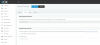
If you want people from outside to call you with Direct SIP by entering for example your email in their phone and dialling [email protected] then all you need is to simply enable the option above in my previous screenshot, and also edit your extension under Options > SIP ID and type soriam there. That's literally it. This defines the user part, and the network settings page defines the host part.
If you also want internal extensions to be able to do this then you need to find your local DNS server (ie on your firewall - not on the PBX machine) and create an entry that will allow this. In your local network though, it doesn't make much sense since you can dial via extension, so you can skip this part..
Firewall is all good. No limiting.I don't know much about your setup, does the firewall checker pass?
Are you limiting your SIP port for example to only talk to internal voice gatways or a specific voip provider?
Are you using a 3CX FQDN or a custom one?
Simply put, if you are not publicly accessible and resolvable for 3rd parties then you will not receive their invites.
Founded in 2005, when VoIP was an emerging technology, 3CX has gone on to establish itself as a global leader in business communications.