Styling the form in 3CX Chat and Talk - Wordpress

Status
Not open for further replies.

crisicon

Premier Customer
Basic Certified
Joined
Feb 19, 2020
Messages
14
Reaction score
6
Hi all,

Apologies if this has been asked before, I couldn't find and time is short - need to fix this fast :)
I have a problem formatting the form button on Wordpress websites, anything I tried to do by adding css code to the website fails.
I need to make the button a different colour, size and appearance (no border) so it is in line with the rest of the website.
Couldn't find any documentation for this.

Can anyone post some info?

Thanks in advance
Cris
 
hi @Constantinos Constantinou

Thanks for replying

I know, I always check before asking :o)
That tab offers basic features it is useless for what I am trying to achieve (full formatting, in line with the branding).
There are no options for button border size/colors, chat fonts etc.

Unfortunately, the way the form is rendered does not allow adding css code to override - so I thought I should ask :)

Cris
 
Unfortunately technology wise how it is implemented, you cannot inject CSS code in the chat window.
 
Got it, thanks - was expecting it but had to ask just in case.
 
I have the same request. People want the 3CX plugin (especially now in Covid19 world) but they also would like the branding to be customisable as much as possible.
 
Hello @Nick W ,

Something more specific in terms of branding from customer requests?
We might examine introducing more flexibilities on branding.
 
Specifically the questions we are getting (and actually doing on our own site right now) are:

1. Font Styling for the "Name and Email" boxes.
2. Ability to change the button style on "Start chat".
3. Basic bot functionality such as the Chat after 15 seconds opening and prompting the user "Hi, we are here if you need us."

Take a look at the Intercom chat system for great styling ideas.

One other item that keeps coming up on requests from customers is to have a chat that is not actually tied into a Queue. But is simply tied to the office hours and goes to a dedicated group (instead of using Queue in and out of queue status.)

(Sorry, I went off there on a big tangent) :)
 
Hello @Nick W and thank you for you feedback,

Lets clarify the styling points first.

"1. Font Styling for the "Name and Email" boxes. "
We can introduce the option to choose among the web standards fonts, which one you would like to apply on all areas of the chat. Also give the option to set the size. This might fit the purpose ?

"2. Ability to change the button style on "Start chat". "
Currently the color pallet configuration applies on all areas of the chat. What is the styling requirement needed for that button? To choose different font/background color/choose the button style?

Can you please help me why do you think that "Queues" and the Office Hours is not preferred by the customers?
 
1. Yes, the ability to set google Font, and # Colour codes would be amazing.
2. The button seems to have a drop shadow and is square only. To fit in with styling a few options would be welcome here.
3. Some customers do not rely on queues "timings" for their chat. Some would like to simply have an open and close time completely independent to the chat. Maybe something like a Queue, but not inherently linked to the membership of same. For instance, I have three people that I would like in the sales chat, which are some of the sale team queue, but also some are not. If this doesn't make sense, we can do call on it :)
 
"1. Yes, the ability to set google Font, and # Colour codes would be amazing."
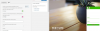
As you will see you can style the color on text by applying for example this configuration.

1587540875094.png
"2. The button seems to have a drop shadow and is square only. To fit in with styling a few options would be welcome here. "
Let's see what we can get into this one.

"3. Some customers do not rely on queues "timings" for their chat. Some would like to simply have an open and close time completely independent to the chat. Maybe something like a Queue, but not inherently linked to the membership of same. For instance, I have three people that I would like in the sales chat, which are some of the sale team queue, but also some are not. "

I just see a different queue here that it will specifically serve the purpose of the live chat.
 
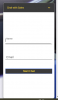
1. Yes, colour is fine, but font sizing for all fields and field contents would be welcome. So you dont end up with this for instance - overlap of font sizes in the theme:

1587545194174.png

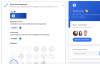
Also, if you look at Zendesk or Intercom, you can do nice things like the background patterns for the box. They look like this:

1587545295193.png

Its a nice, and simple design idea that would be awesome for 3CX.

2. Thank you. See the "flat" button there on intercom too. simple and fresh looking.

3. Yes, I think so. However, there is a thing.... and its this. I am a member of two queues. Sales and Support. I want to logout of all queues as I dont want to field any calls, but I do want to get chats and calls from the site at a set of times. I am not sure how that would fit in.

Thanks for listening!

Nick
 
  • Like
Reactions: nzr and Evolute IT
Thank you very much for your feedback.

We will examine those internally and take any necessary actions.
 
  • Like
Reactions: Nick W
May I add another request to this thread.

In recent weeks we have a request from a few customers to have simply a "call me now" option on the website, completely skipping the chat. This would be a very welcome option.
 
Hello @Nick W ,

Change the mode to Phone Only. This option will show only a phone button.
 
  • Like
Reactions: Nick W
OMG /FACEPALM
 
  • Like
Reactions: Evolute IT
Status
Not open for further replies.

Forum statistics

Threads
112,147
Messages
590,961
Members
165,167
Latest member
Finatra.us