System Prompts Settings

Status
Not open for further replies.

unkhum

Forum User
Joined
Oct 3, 2018
Messages
16
Reaction score
0
Hi,

I try to change system prompts using SetInfo.xml

So, i have rewrote the queue messages like this

<prompt id="LOGGED_IN" file="beep.wav">
<description>This extension is logged into the queue</description>
</prompt>

<prompt id="LOGGED_OUT" file="beep.wav">
<description>This extension is logged out of the queue</description>
</prompt>

How can I apply these settings? Nothing is changed after restarting all the services.
 
Any suggestions?
 
Hello,

Did you try to change the default prompts or did you create a custom set first?
Try creating a custom set, and replacing the files you want with the beep file, while keeping the name the same as the original file. Then choose the custom set as your active set and it should switch over.
We do not recommend directly editing the SetInfo.xml file but you can check our below article to customize your prompts:

https://www.3cx.com/docs/localize-promptsets/
 
Hi,

So, what I did.

I have created a custom set (using "Copy Prompt Set"), replaced logged_inqueue.wav and logged_outqueue.wav with beep.wav while keeping the name the same as the original file. Then I have chosen the custom set as my active set.

I can hear the old messages. Nothing has changed. Should I do anything else?
 
Hi unkhum,

  1. Create a custom set and select it
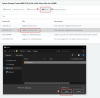
  2. Pick the prompt from the list you wish to replace, and browse to select the audio file (there is no confirmation, but the file is replaced as you see in my screenshot)
  3. After you replace the files you want, go to services and restart 3CX PhoneSystem 01 SIP Server to force the system to load the new files otherwise the old ones will still play
  4. Test the system, you should now hear the beep

9669
 
It doesn't work.
I still can hear the old messages.
 
@unkhum can you try restarting your Media and IVR services? this will force the system to load the new audio file
 
"3CX PhoneSystem 01 IVR Server" and "3CX PhoneSystem Media Server" were restarted.
Nothing has changed.
What did I do wrong?
 
Try to download the logged_inqueue.wav and logged_outqueue.wav file from your System Prompts page (assuming those are the ones you replaced with a PCM, 8 kHz, 16 bit, Mono wave file in the correct format), and play it on your media player to ensure that the file has at least been uploaded.

If you hear the audio file you uploaded then at least the modification was correct, and you can restart your system as soon as convenient to ensure everything loads up from the beginning. If not then the upload was never successful to begin with and will have to try again as per the below description.

  1. Create a custom set and select it
  2. Pick the prompt from the list you wish to replace, and browse to select the audio file (there is no confirmation, but the file is replaced as you see in my screenshot)
  3. After you replace the files you want, go to services and restart 3CX IVR and Media Server to force the system to load the new files otherwise the old ones will still play
  4. Test the system, you should now hear the beep
View attachment 9669
 
It works for a new extensions only!
It was not applied to existed extensions, even after reprovisioning.

Bug?
 
Hi umkhum,

Can you tell me the exact version of your PBX as appears on the management console page?

Also since you made direct changes to XML files, you might be better off restoring a backup from before you made any changes because it's now difficult to predict how the system will behave if something broke in the XML.
 
Version Number
15.5.0

P.S.
XML files was restored before operations that was suggested by you.
 
Go to your Extensions, select them all, and edit them. Under voicemail language, select the new prompt set you have created, and press OK.

Let us know if this worked for you
 
Thanks, it works.

P.S.
It's a little bit uncomfortable that i am not able to see the confirmation when the message is replaced (filename in GUI is not changed).
 
I'm glad it has been resolved. I understand what you mean, but keep in mind that the file replacement will rename your file like the original to keep things tidy inside the prompts folder as per the original set
 
Status
Not open for further replies.

Forum statistics

Threads
111,915
Messages
589,713
Members
164,785
Latest member
Texas Clay -