Trouble configuring 3CX with Twilio

Status
Not open for further replies.

hetpandya

Forum User
Joined
Mar 7, 2019
Messages
5
Reaction score
0
Hi, I'm new to 3CX. I trying to configure Twilio with the 3CX web console but cannot do it. I've installed 3CX web console on a windows server on Microsoft Azure. I've tested 3CX using the firewall checker as it is described in the documents.
I have entered the Windows server Public IP in Twilio's ACL SIP as mentioned here
Here's a screenshot:
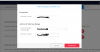
9733

my FQDN is https://het.3cx.az:5001
I've entered the FQDN in Twilio's Origination URI as below:
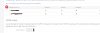
9734

Suppose my number is +1 1234567,
I've set up my number in 3CX web console's SIP trunk.
Can anyone guide me through what am i missing now? and how do I place a call from twilio using 3CX after I've set up both of them? Can anyone please help.
 
Hi,

Did you set up an outbound rule to send calls out through your trunk?
 
Hi,

Did you set up an outbound rule to send calls out through your trunk?

I did but I'm not sure if what I did was correct. Can you guide me through this?
 
This is a very basic example, I have only one outgoing rule with nothing selected other than my Route 1 (where I selected my only trunk, CallCentric), my users group, and the prefix 1777 which will allow for any calls starting from that number to go out via my trunk.

Any outgoing calls I make will go through this trunk in this case. This is not the best or safest solution, but it's an easy way to check that your PBX can make outgoing calls. Then you can add more restrictions as needed. Also the Academy will show you most of what you need to build your system properly

9737
 
Do you see any calls actually hitting Twilios platforms. One great thing this provider has over others is a viewable de-bugger.

Make a test call and see if the debug icon in the top right shows any action it will also provide a reason and the SIP packet.

Failing that the binary log viewer is a good option.
 
This is a very basic example, I have only one outgoing rule with nothing selected other than my Route 1 (where I selected my only trunk, CallCentric), my users group, and the prefix 1777 which will allow for any calls starting from that number to go out via my trunk.

Any outgoing calls I make will go through this trunk in this case. This is not the best or safest solution, but it's an easy way to check that your PBX can make outgoing calls. Then you can add more restrictions as needed. Also the Academy will show you most of what you need to build your system properly

View attachment 9737
I'll give it a try thanks
 
Do you see any calls actually hitting Twilios platforms. One great thing this provider has over others is a viewable de-bugger.

Make a test call and see if the debug icon in the top right shows any action it will also provide a reason and the SIP packet.

Failing that the binary log viewer is a good option.
I made a test call by setting the FQDN https://het.3cx.az as the termination URI. It worked well with no errors in the debugger. But later I found that my 3CX management is open on port 5001 as I mentioned above, and when I try to make test calls on the FQDN with the port eg: https://het.3cx.az:5001 it didn't. I checked my windows server's inbound rules, it has port 5001 open and the port is open in my security groups as well, but it doesnt work.
 
Windows firewall perhaps enabled on the server (or SBC if you are using one).
 
Status
Not open for further replies.

Forum statistics

Threads
111,915
Messages
589,713
Members
164,785
Latest member
Texas Clay -