- Joined
- Apr 24, 2018
- Messages
- 160
- Reaction score
- 16
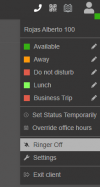
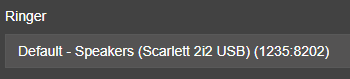
Hello Everyone. I am using a bluetooth headset connected to my PC and the PWA app for phone calls. The ringer is very loud though though and if I have it turned up loud enough to hear a caller, the next time a call comes in its ridiculously loud. There was a post someone had made about out modifying the ringer wav file, but since its PWA and its technically running out of Chrome, there are no installation files on my computer, at least if there are i don't know where they're at. Is there a way to turn down the ringer in the app? If not is there maybe a wav file on the server that gets pushed out to the PWA app that can be modified so that it gets pushed out on provision?
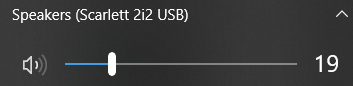
I also tried modifying the volume for Chrome in the volume mixer in Windows, this works slightly but when the app makes or receives a call, it maxes the volume slider out and greys it out. So this means that if I turn it down in the Windows mixer, it'll be a good volume when the call comes in, then when i answer it the volume gets maxed out and greyed out and i can't really do anything with it. One would think this means there is a way to control the volume in the app, but I have yet to find it.
I also tried modifying the volume for Chrome in the volume mixer in Windows, this works slightly but when the app makes or receives a call, it maxes the volume slider out and greys it out. So this means that if I turn it down in the Windows mixer, it'll be a good volume when the call comes in, then when i answer it the volume gets maxed out and greyed out and i can't really do anything with it. One would think this means there is a way to control the volume in the app, but I have yet to find it.