


- Joined
- May 17, 2020
- Messages
- 7
- Reaction score
- 1
I finally figured out how to get a SIP registered trunk up and running while also handling multiple DID inbound! Which the 3cx documentation doesn't go over when using Twilio. This may seem obvious to some but to me, who doesn't mess with the technical side of phone systems too often was a huge win for me! I am currently running v16.0.5.612...
Original 3CX Twilio Trunk Setup Guide: https://www.3cx.com/docs/twilio-elastic-sip-trunking/
You DO need to have upgraded from the original free trial on Twilio to complete this setup.
First things First, Let's Setup our Twilio Account:
At this point we can now set the 3CX Trunk Side:
3CX Outbound Rules:
That's it! I hope someone finds this useful, I can definitely improve this and plan to come back to this later. Just wanted to get this all down tonight before I go to bed!
Original 3CX Twilio Trunk Setup Guide: https://www.3cx.com/docs/twilio-elastic-sip-trunking/
You DO need to have upgraded from the original free trial on Twilio to complete this setup.
First things First, Let's Setup our Twilio Account:
- If you haven't already sign up and create your Twilio account: https://www.twilio.com/console
- Navigate to Elastic SIP Trunking (May have to expand side bar) -> Trunks -> Create New Trunk
- Within this trunk you are configuring the following settings:
- General, you can leave this alone for now
- Termination (Outgoing FROM your 3cx)
- Termination SIP URI: You can enter whatever you need to here, but it has to be globally unique. Pressing TAB will have Twilio check it's availability.
- IP ACL, Will be the public IP that you want to be able to connect to the Twilio Trunk
- Leave Blank for Now
- Origination (Incoming TO your 3cx)
- Numbers, you will need to purchase a number and associate it to the trunk here. Can be done later.
- Now that the Trunk is created... navigate to Programmable Voice -> SIP Domains -> Domains and create a new one
- Under properties create a new unique SIP URI, this is different than the termination sip uri!
- Voice Authentication
- IP ACL, Select the same ACL as you did for the Trunk Termination
- Credential List, this is the credentials for the SIP registration. Go ahead and create them here and note them down.
- This next part got me.... Under Call Control Configuration
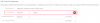
- You will have to create the TwiML Bin by clicking on the "+" sign. You can copy and paste the next bit of XML below but replace the relevant information with your own.
-
XML:
<Response> <Dial> <Sip> <SIPCredentialUsername>@<SIPURI> </Sip> </Dial> </Response> - To find/edit this at a later date you can find this binary at https://www.twilio.com/console/twiml-bins/ in your Twilio Account.
- Enable SIP Registration and Save It.
At this point we can now set the 3CX Trunk Side:
- Login to your 3CX management console and go to SIP Trunks -> Add SIP Trunk
- Select your region (This is working for me in the US)
- For the provider, pick any, as we are going to set it up all manually and overwrite the template anyway.
- Under General:
- Registrar/Server/Gateway Hostname or IP : This is your SIP URI Setup in the SIP Domain of Twilio
- Authentication:
- Select Register/Account Based
- Enter the Credentials Created in the SIP Domain Step
- DIDs, Enter all your relevant DIDs
- Caller ID:
- Enter the main trunk number, YOU MUST prepend a +1 to the trunk number. 7878675309 would be +17878765309
- Options, Everything can be left as default EXCEPT:
- G.711 U-law should be the only codec. I read this somewhere on Twilio, not 100% sure if absolutely necessary or not.
- Under Inbound Parameters, this is imperative:
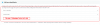
- You MUST do this or inbound calling will not work.
- Outbound Parameters need to be updated as well to function properly:

- You MUST do this for outbound calling will not work.
3CX Outbound Rules:
- Easy Part! In Outbound rules I simply made a rule that any calls with the number length of 10 goes out the Twilio Trunk. Strip Digits = 0, Prepend = +1
That's it! I hope someone finds this useful, I can definitely improve this and plan to come back to this later. Just wanted to get this all down tonight before I go to bed!
Attachments
Last edited:

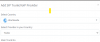
 . Oh well, at least I learned something.
 No worries, it was a well written article and as you said, you learned something so not all is lost!


