Two 3CX instances -> same Microsoft365 environment

fabs

Customer
Joined
Aug 18, 2021
Messages
53
Reaction score
10
Hello everyone,

We are currently running a 3CX instance hosted in our AWS environment. There is also a connection to Microsoft 365. Now the question arises whether another 3CX instance (hosted by 3CX) can also access the same Microsoft 365 environment.
If you start the setup wizard in this instance - will a separate app registration be created in Entra ID?

Thank you and best regards
 
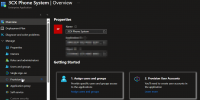
Yes, a separate app will be created in Entra ID. This will be automatically created when you configure the M365 integration on the 2nd machine.
 
  • Like
Reactions: Evolute IT
Following this idea, can I set what users could be sync by application?
 
that wasn't my question
no, you cannot, only from 3cx webUI
if you try you get this
if this is still not what you meant you will have to be clearer
1759317721417.png1759317802238.png1759317831364.png
 
  • Like
Reactions: N_G
So you can't limit users that use outside 365 login by registered application?

I find it hard to believe that 365 can't limit this.
 
So you can't limit users that use outside 365 login by registered application?

I find it hard to believe that 365 can't limit this.
you can limit it by not using the app -> not using 3cx with m365
but as soon as you allow the app you grant access on behalf of you complete organization
but dont take my word for it, i am only one of the few admins who fiddled with it having multiple instances
you are free to test it for yourself and report back
 
The problem is the entire organization has 65k users, impossible to treat this on 3CX side!
 
The problem is the entire organization has 65k users, impossible to treat this on 3CX side!
Oh, my sweet summer child
i can imagine this being hard to accept but as of right now, it is only possible from 3cx side and only possible by user. we are having feature requests to change it to group based but it is not implemented yet and we dont know when it will
3cx is maybe not the correct product for you if you cannot live with this restriction

here you can +1 the feature request
https://www.3cx.com/community/threads/365-user-sync-add-user-group-option.134797/
or here are more infos on this matter
https://www.3cx.com/community/threads/how-to-sync-specific-user-group-from-azure-ad.118853/

only thing which might be of interest for you is the tool made by VOIPTools
https://www.3cx.com/community/threa...c-user-group-from-azure-ad.118853/post-631604
but they can only sync active directory as of right now
 
  • Like
Reactions: N_G
Can you explain more the use cases and more in detail what you need to do and we can discuss internally
 
Can you explain more the use cases and more in detail what you need to do and we can discuss internally
One example I have is a customer with approximately 1000 users in their 365 tenant, but of those only about 300 need a 3CX extension. Since there isn't a way to filter by groups on 3CX end we have to manually set the sync option to "sync only" and then go through and select the 300 odd users manually. Then whenever a user is onboarded or offboarded we update the list of selected users on that end.

If the sync was able to filter to pull in members of a group then we could have a 365 group called 3CX extensions, or something similar, and then add/remove users from there and 3CX would sync that way. 365 offers dynamic memberships and other useful bulk options that would make the sync a little easier to manage compared to the one by one checkbox currently required.

I can image the above example where they mention a tenant having 65,000 users would exacerbate even further the issue since you can accidentally select/unselect all users when trying to add/remove a single user. 365 allows for nesting groups/group members which also adds benefits for easier user management. In a case where one customer may have several 3CXsystems sharing a single Microsoft 365 tenant, being able to have one 3CX instance sync to group A with a set of users, and a separate 3CXinstance sync to group B with a different set of users makes provisioning extensions easier compared to searching and checking each user.
 
Can you explain more the use cases and more in detail what you need to do and we can discuss internally
I have a case of a customer that is a bank. This customer is an organization that is present on all states of brazil. Each state has its main office that controls a lot of bank branches and each main office has it 3CX instance (we have 6 main offices like our customers until now). On 2026 every software running inside of the customer must provide SSO login by 365 users.

The case is on 365 side there is an unique organization with 65k employes and each 3CX integration I get a list of 65K users. I know we can setup a list of users per 3CX but is not easy setup and maintain a directory about 800 users per 3CX selecting them from a 65k list. It would be much more easy if during the integration we can choose a group or some another entity on 365 that group theses users.
 
We are considering this and researching the feature, thank you for the feedback. It makes sense and fits within our strategy of supporting larger installations.
 
Last edited:
I can confirm we are working on this and it will be in an update in the near future