


- Joined
- Jun 25, 2021
- Messages
- 1
- Reaction score
- 0
Hey hey,
I have installed 3CX on my Raspberry Pi and hosting my SIP DNS with 3CX. Whenever I try to access the management console via domain or IP address (via HTTP or HTTPS) I'm getting a timeout error in my browser. I've done 3 cleanups with sudo /usr/sbin/3CXWizard --cleanup as well as restarting the service with systemctl start 3CXPhoneSystemMC01. I've also made sure everything is up to date with sudo apt-get update and sudo apt-get upgrade. When running service 3CX* status I found the following errors:
Jun 10 17:38:53 raspberrypi systemd[1]: Starting 3CX PhoneSystem 01 Hotel Module...
Jun 10 17:38:54 raspberrypi systemd[1]: 3CXHotelModule01.service: Failed with result 'protocol'.
Jun 10 17:38:54 raspberrypi systemd[1]: Failed to start 3CX PhoneSystem 01 Hotel Module.
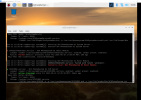
Any ideas what I might be doing wrong?
Thanks in advance!
I have installed 3CX on my Raspberry Pi and hosting my SIP DNS with 3CX. Whenever I try to access the management console via domain or IP address (via HTTP or HTTPS) I'm getting a timeout error in my browser. I've done 3 cleanups with sudo /usr/sbin/3CXWizard --cleanup as well as restarting the service with systemctl start 3CXPhoneSystemMC01. I've also made sure everything is up to date with sudo apt-get update and sudo apt-get upgrade. When running service 3CX* status I found the following errors:
Jun 10 17:38:53 raspberrypi systemd[1]: Starting 3CX PhoneSystem 01 Hotel Module...
Jun 10 17:38:54 raspberrypi systemd[1]: 3CXHotelModule01.service: Failed with result 'protocol'.
Jun 10 17:38:54 raspberrypi systemd[1]: Failed to start 3CX PhoneSystem 01 Hotel Module.
Any ideas what I might be doing wrong?
Thanks in advance!


