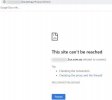
No I use on-promise. But I did get a free FQDN from 3cx. Its all working inside of my local pbx, but i can not get to the xxxxx.3cx.se an login.Are you both Hosted by 3CX?
No I use on-promise. But I did get a free FQDN from 3cx. Its all working inside of my local pbx, but i can not get to the xxxxx.3cx.se an login.
Yes they are open and firewall work as well....Have you opened the required ports on your firewall ?
List of ports that need opening - https://www.3cx.com/docs/manual/firewall-router-configuration/
If you can reach the Management Console from the same LAN as the PBX it is very likely something to do with the firewall configuration. As mentioned above, firstly make sure that the FQDN resolves to the correct public IP, and if it does, you should then proceed with reviewing your firewall configuration.No I use on-promise. But I did get a free FQDN from 3cx. Its all working inside of my local pbx, but i can not get to the xxxxx.3cx.se an login.
Hi.Thx for answer@Nazrul
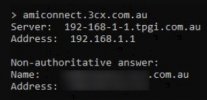
First thing I'd recommend is making sure your FQDN is resolving to the correct IP. Check what the public IP of your 3CX PBX is against what the FQDN resolves. To check what it resolves to I'd recommend running nslookup from the same machine you are trying to access the Management Console from. Are they the same?
If not and this is a on premise machine, check to see if you can reach the Management Console from the same LAN using the local IP: https://LOCAL_IP:443
Is it up and running?
@MasterAdde
If you can reach the Management Console from the same LAN as the PBX it is very likely something to do with the firewall configuration. As mentioned above, firstly make sure that the FQDN resolves to the correct public IP, and if it does, you should then proceed with reviewing your firewall configuration.
The default HTTPS port used for on prem deployments is TCP port 5001 so if you did not change this during installation I suggest you make sure that it is configured correctly on the firewall. If you did change it check the corresponding TCP port.
I can get to myFQDN from another computer but not from this one. So mine is working Just need to see whats wrong.Hi.Thx for answerI check dnslookup and it resolves to my Public IP. Looked in fw settings and they seem to be correct....port 5001 is open and forward to my local ip of PBX.
Its Strange.... I can reach xx.3cx.se from computer outside our office. But not inside? I know that fw settings are OK but I will look into it again... VERY STRANGE ?!?!?
When you try to access the MC from a PC in the same LAN as where the 3CX Server is located, how are you trying to do so?I can get to myFQDN from another computer but not from this one. So mine is working Just need to see whats wrong.
Founded in 2005, when VoIP was an emerging technology, 3CX has gone on to establish itself as a global leader in business communications.