Unable to login/out of queu's when manually provisioning the windows app.

Mhanen

Titanium Partner
Advanced Certified
Joined
Feb 24, 2022
Messages
12
Reaction score
4
Hello there everyone,

I have a question/issue about the new v20 windows app and the installation and provisioning of the app.
The issue is as follows:

I've installed the windows client for a customer through the standard means (welcome email, set password, login to webclient, download windows app and install).
After that you have to do the provisioning, which can be done manually or through the provision button in the webclient.
When done through the provision button everything seems to work fine, but when entering the credentials manually (as instructed by the standard 3cx welcome email) queu manager functions are not working properly.

First of all, when provisioned manually i can go to the panel and select the relevant queu, but I'm unable to log myself in or out of the queue.
Only when I have queue manager rights then i'm able to log myself in and out of the queue.
Unfortunately even with queue manager rights i'm unable to set the login state of other colleagues/employees.

When i use the provision button this works fine, as stated.

Is this a known issue and if no, how to resolve this ?
 
Have you selectively logged an extension out of the Queue?

If an extension is selectively logged out from the queue, then even if you click on the login button it will NOT log you in.

Think of the selective logout and login as a fuse. If you selectively log out a user then you have removed the fuse and there is no power to this circuit. When you try to turn on the switch by logging in, it will not turn on.

Also, if a user is in the Away profile, the forwarding rule option to log out of the queues takes effect and you will not be able to log in.

Please check that your user is SELCTIVELY logged in to the queue and in the available profile status.
 
  • Like
Reactions: Guillaume Bourgeois
Hello there everyone,

[…]

Is this a known issue and if no, how to resolve this ?
Are you using the official 3CX v20 release, not the beta?

I hadn't noticed, but I'll definitely try it out to see.
 
ged an extension out of the Queue?

If an extension is selectively logged out from the queue, then even if you click on the login button it will NOT log you in.

Think of the selective logout and login as a fuse. If you selectively log out a user then you have removed the fuse and there is no power to this circuit. When you try to turn on the switch by logging in, it will not turn on.

Also, if a user is in the Away profile, the forwarding rule option to log out of the queues takes effect and you will not be able to log in.

Please check that your user is SELCTIVELY logged in to the queue and in the
Hey Nicolas,

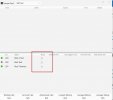
Maybe I wasn't quite clear on the issue. But the issue is that the Selective login button is actually greyed out when you provision manually. I'm unable to click the IN or OUT button
 
Hey Nicolas,

I've tested some scenarios and the problem only exists when you make a totally new user account and then provision i manually.
Ive provided a screenshot where you can see the problem.

Steps before screenshot:
-Make a new user account
-Send welcome email
-Set password and login to webclient
-Download windows desktop app via windows store.
-After the app starts fill in the hostname and credentials manually
-Immediately go to panel (make sure the account is added to the queu agents) en select relevant queue.
- IN OUT is greyed out.

3cx Queus.jpg

Furthermore I've tried adding the user account as queue manager. From that moment on it works, even when i delete him as queue manager after.
Also if you do an auto provision afterwards it also solves the issue, but its not practical since you want it to work from a clean install. Even if its provisioned manually.

Hope this clears things up a bit but if there are questions let met know.

@Guilaume Bourgeois It's the official release indeed, not the beta. Version 20.0 Update 2 (Build 715 Release)
 
  • Like
Reactions: Guillaume Bourgeois
I have tried logging in to one of my accounts with a manual login, and not the provision button and cannot replicate it.

I would suggest opening a ticket to our support team to investigate as this is not the expected behaviour.
 
I have tried logging in to one of my accounts with a manual login, and not the provision button and cannot replicate it.

I would suggest opening a ticket to our support team to investigate as this is not the expected behaviour.
Hey Nicolas,

Can I ask if this was a completely new account, or one that was already auto provisioned once?
Because as stated the issue only exists on a brand new user account that hasn't been provisioned at all before.
 
Can you please open a ticket to support so we can investigate this in more detail? As aTitanium partner you should be able to open a ticket easily.
 
Can you please open a ticket to support so we can investigate this in more detail? As aTitanium partner you should be able to open a ticket easily.
Will do
 
  • Like
Reactions: NicholasP_3CX

Members Online Now

Forum statistics

Threads
111,831
Messages
589,277
Members
164,660
Latest member
RJenkinsROCK