- Joined
- Apr 20, 2024
- Messages
- 23
- Reaction score
- 3
I moved an on-premises system to hosted over the weekend and upgrade to v20 (the third one I have done in the last month). I went to setup a Fanvil v65 as a router (also tried a X4U-V2) and it show this error in the log when it tries to register
Level Warning
Event ID 12291
Details
SIP request (REGISTER) from #.#.#.# was rejected. Reason: Block WAN requests is ON. Message: REGISTER sip:system.3cx.miami:5060 SIP/2.0 Via: SIP/2.0/UDP 192.168.100.127:5060;branch=z9hG4bK57978496014493857034;rport=61477;received= #.#.#.# Max-Forwards: 70 Contact: <sip:[email protected]:56114> To: user <sip:####@system.3cx.miami:5060> From: User <sip:####@system.3cx.miami:5060>;tag=2565767 Call-ID: [email protected] CSeq: 2 REGISTER Expires: 120 Allow: INVITE, ACK, OPTIONS, BYE, CANCEL, REFER, NOTIFY, INFO, PRACK, UPDATE, MESSAGE Proxy-Authorization: Digest username="user",realm="3CXPhoneSystem",nonce="41d53596637e2bf65:7ab19e67c8b90031ff3b383e260b89ca",uri="sip:system.3cx.miami:5060",response="7ad5cc8f372c077c19362479a1d65c7",algorithm=MD5 Supported: path User-Agent: Fanvil V65 2.12.17.1 XXXXX11111 Mac: XXXXX11111 Content-Length: 0
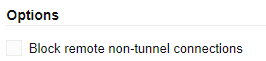
If I uncheck this option under the user it will register the phone, but it does not show up as an SBC for my other phones.
The phone works fine when routed through a windows SBC. This system is one of the original on-premise systems I ever setup over 10 years ago. It was on version 18.6 before I moved to hosted and upgraded to v20. I have compared my core system and user settings to other working hosted systems, and I cannot seem to find a setting that would block a phone like this.
Level Warning
Event ID 12291
Details
SIP request (REGISTER) from #.#.#.# was rejected. Reason: Block WAN requests is ON. Message: REGISTER sip:system.3cx.miami:5060 SIP/2.0 Via: SIP/2.0/UDP 192.168.100.127:5060;branch=z9hG4bK57978496014493857034;rport=61477;received= #.#.#.# Max-Forwards: 70 Contact: <sip:[email protected]:56114> To: user <sip:####@system.3cx.miami:5060> From: User <sip:####@system.3cx.miami:5060>;tag=2565767 Call-ID: [email protected] CSeq: 2 REGISTER Expires: 120 Allow: INVITE, ACK, OPTIONS, BYE, CANCEL, REFER, NOTIFY, INFO, PRACK, UPDATE, MESSAGE Proxy-Authorization: Digest username="user",realm="3CXPhoneSystem",nonce="41d53596637e2bf65:7ab19e67c8b90031ff3b383e260b89ca",uri="sip:system.3cx.miami:5060",response="7ad5cc8f372c077c19362479a1d65c7",algorithm=MD5 Supported: path User-Agent: Fanvil V65 2.12.17.1 XXXXX11111 Mac: XXXXX11111 Content-Length: 0
If I uncheck this option under the user it will register the phone, but it does not show up as an SBC for my other phones.
The phone works fine when routed through a windows SBC. This system is one of the original on-premise systems I ever setup over 10 years ago. It was on version 18.6 before I moved to hosted and upgraded to v20. I have compared my core system and user settings to other working hosted systems, and I cannot seem to find a setting that would block a phone like this.