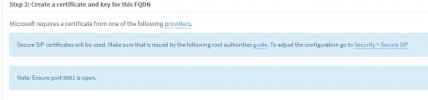
it must cover exactly what you entered, muster.com does not cover teams.muster.com, so no this SSL cert does not work unless it is listed in the SAN in the cert...
DNS Records
To clear up what you must enter in the Microsoft Teams Direct Routing FQDN section in 3CX.
This FQDN will be used by Microsoft to connect to 3CX to place outbound calls. Therefore it must point to the public IPv4 address of your 3CX installation. It goes without saying that for this your public IP address must be static!
Assume your email address domain is
[email protected]. Then create an A record DNS entry in your DNS server for teams.marketing-3cx.com. Point this A record to your 3CX public IP address! You cannot do this for domains you don’t own, such as onmicrosoft.com or any 3CX provided domain as you don’t control the DNS server of this domain. AAAA records are not needed as Teams does not support IPv6.
Note: In this example, teams.marketing-3cx.com was used but it can be anything you like it to be as long it is within marketing-3cx.com.






 thats working