Update 3 Final: Wake Up with PUSH for the Web Client & PWA

The new MacOS desktop client doesn't seem to have any Jabra integration, which is crucial for us:
https://www.3cx.com/community/threads/3cx-desktop-app-mac-no-jabra-integration.88517/

I certainly hope this will be added soon? What makes matters worse is that since Update 3 the V16 Chrome Plugin (which has the Jabra Integration) doesn't work anymore:
https://chrome.google.com/webstore/detail/3cx/dijllljhgnommpcoogbfcnadmnleeook

Are there any short-term workarounds until the Jabra integration works witht he Mac desktop client?
 
The new MacOS desktop client doesn't seem to have any Jabra integration, which is crucial for us:
https://www.3cx.com/community/threads/3cx-desktop-app-mac-no-jabra-integration.88517/

I certainly hope this will be added soon? What makes matters worse is that since Update 3 the V16 Chrome Plugin (which has the Jabra Integration) doesn't work anymore:
https://chrome.google.com/webstore/detail/3cx/dijllljhgnommpcoogbfcnadmnleeook

Are there any short-term workarounds until the Jabra integration works witht he Mac desktop client?
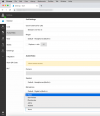
You could try Chrome on Mac which does have the Jabra integration.
1646743141884.png
 
Thanks for your reply Nick, is this the new PWA based web client?
The screenshot is the the WebClient in Chrome, but you could also use the PWA app which also has the Jabra integration option on Mac.
 
The screenshot is the the WebClient in Chrome, but you could also use the PWA app which also has the Jabra integration option on Mac.

Great, thank you, I will have a look.
 
  • Like
Reactions: NickD_3CX
@RSIT - to be clear we dont do any integratino or testing work for Jabra. This is something Jabra must do. They refuse to do it - yes - so you best take it up with Jabra. Dont buy any new Jabra devices because we will not support new devices and nor will we test against new SDKS or development libraries they might or might not make. We never claimed official Jabra support btw neither.
 
@RSIT - to be clear we dont do any integratino or testing work for Jabra. This is something Jabra must do. They refuse to do it - yes - so you best take it up with Jabra. Dont buy any new Jabra devices because we will not support new devices and nor will we test against new SDKS or development libraries they might or might not make. We never claimed official Jabra support btw neither.

@Nick Galea

Noted, but surely you can understand that I can't just tell the client to drop all of their existing Jabra gear which they purchased just year ago. Especially considering that 3CX has provided Jabra integrations before, which worked flawlessly.

For the future, can you let me know which headset vendor(s) are officially supported/tested/endorsed by 3CX? I really would like to avoid this situation in the future.
 
@RSIT I recommend Yealink headsets going forward.
 
Hello,

Is it possible to include the qemu-guest-agent package in the 3CX repo? Currently I see only the open-vm-tools package.

For Qemu based virtualizations this would be useful.
 
  • Like
Reactions: coffee_is_love
  • Like
Reactions: Evolute IT
QEMU is not a tested/supported virtualization environment currently. The list of supported ones are listed in the following link and for which we do have the guest agent packages available in our repo:
https://www.3cx.com/docs/manual/installing-debian-linux-pbx/#h.5hoy5wwhhk5c
Will there be support for this in the near future? I think we are not the only ones who rely on virtualization solutions like Proxmox and co that are based on QEMU. I can say at least for our customers that we have not had any problems in this context.
 
Will there be support for this in the near future? I think we are not the only ones who rely on virtualization solutions like Proxmox and co that are based on QEMU. I can say at least for our customers that we have not had any problems in this context.
I am not aware of any current plans to add official support for it.
 
  • Like
Reactions: Evolute IT
I have had a Security Advisory today asking to update to V18 Update 3. From Version Version 18 Update 2. The update does not appear in my updates though. Any thoughts ?
 
@Chris Bell

So just to confirm, you access the Management Console, go to Updates(upper-right corner) and see no update to v18 U3 correct?

• do you see any other updates there apart from v18 U3 such as template updates, etc?
• Where is the PBX hosted, Cloud Provider, On-prem, etc?
• Is it a Linux or Windows Host, what exact OS are you running(Deb 10, Windows 10, etc)?
• Have you tried anything to resolve this such as rebooting the machine, etc?
• Is the License Key valid with active maintenance? Try going into "Settings >> License" click on "Edit >> OK" and the "Refresh License Key Information", do you get any errors?
 
Having same issue, I'm not seeing the latest update and cannot apply the one shown. Trying to click on 'Download Selected just gives me a red circle on hover and will not let me continue. Ours is on-prem, Windows Server 2016, refreshed license key. I've even tried downloading the main installer to install over the top but get a version match error and wants me to take a backup. I took a backup and tried installing but keep getting the same error.

Any ideas?
2022-03-11_14h12_30.png
 
Having same issue, I'm not seeing the latest update and cannot apply the one shown. Trying to click on 'Download Selected just gives me a red circle on hover and will not let me continue. Ours is on-prem, Windows Server 2016, refreshed license key. I've even tried downloading the main installer to install over the top but get a version match error and wants me to take a backup. I took a backup and tried installing but keep getting the same error.

Any ideas?
View attachment 28624
Update the hot fix then sp3 should show. Then run that.
 
  • Like
Reactions: NickD_3CX
Raspberry is undergoing some changes which will bring future builds of its operating system in line with Debian. When 3CX supports Debian 11 (bullseye) we will look at supporting Raspberry once again. For the moment update 3 will not be available for Raspberry Pi.

So what with it?
https://forum-raspberrypi.de/forum/thread/53675-raspberry-pi-und-debian-bullseye-debian-11/
https://linuxnews.de/2021/11/raspberry-pi-os-auf-debian-11-bullseye-aktualisiert/
https://github.com/pftf/RPi4/releases
https://stadt-bremerhaven.de/raspbe...erend-auf-debian-11-bullseye-veroeffentlicht/
https://dennisvitt.de/raspberry-pi-os-z-b-auf-debian-11-bullseye-aktualisieren-so-einfach-geht-es/
 
Will this vulnerability effect V16 installs? We are looking to upgrade these before the Nov 30 end date, so just wanted to check if we need to push these to update earlier, thanks!
 
Will this vulnerability effect V16 installs? We are looking to upgrade these before the Nov 30 end date, so just wanted to check if we need to push these to update earlier, thanks!
This specific vulnerability I think you're referring to that is fixed in v18.0.2.315 does not affect V16 installations, however there are general security improvements in V18 that you can benefit from.
Apart from that there also very big performance improvements in V18.

[EDIT]
To add to the above, each of the updates has security fixes, so it is to your best interest to always have the latest Update installed, which right now is V18 U3.
 
Last edited:
  • Like
Reactions: FridayIT and Bond21
@Nick Galea Is the helpdesk feature still on the road map / coming soon?

Thank you!
 

Forum statistics

Threads
111,974
Messages
590,083
Members
164,901
Latest member
Silent_Guru
