Update 4 Beta 2 Released

Status
Not open for further replies.
Do you know if this also affects the launch external application function?
Yes, it will always be done when the call is connected, not ringing.
 
  • Like
Reactions: jed and SweetAction
Do you know if this also affects the launch external application function?
From what I see, only the Web URL has that removed. The "Launch External Application" (in View, for some reason) still has the dropdown.
 
From what I see, only the Web URL has that removed. The "Launch External Application" (in View, for some reason) still has the dropdown.
In the Desktop app, I can see that. I will check internally, thanks for your feedback.
 
  • Like
Reactions: jed and Evolute IT
@Nick Galea

I know you told us to wait for version 6 before making conclusions.
Based on this strategy, I believe this will cover a large majority of scenarios.
Question for the remaining scenarios regularly encountered.
Beyond the fact that we can manage the schedule separately "group by group" (MCM "Mode" )
Do you already have plans to add the ability to have additional personalized itineraries based on time? ( This is not a suggestion, it is a question )

Now, in MCM mode,
It is possible to manage 3 scenarios ;
- When office is open
- When office is closed
- When on break

We have several customers who require even more "advanced" routing management.
- Many customer need ; Route inbound calls to dedicated "HOL" IVR for each MCM group (or route to other IVR when Holiday )
- Car dealerships, health clinics, transport companies and technology service companies have "divided" schedules for same DID.
Examples of schedules ;
00:00 to 07:29 > Office is Close
07:30 to 08:59
> The service department is open BUT not the sales department ( Sales is close ). (The IVR and the choices offered are personalized accordingly) / Partially open #1
09:00 to 11:59
> Office is Open
12:00 to 12:59
> Break time ( Dedicate IVR for diner )
13:00 to 17:29 > Office is Open
17:30 to 20:00
> The sales department is open BUT not the service department ( Service is close ) (The IVR and the choices offered are personalized accordingly) / Partially open #2.
20:01 to 23:59 > Office is Close

I have several other examples from several of our clients.

Another simple example; Different IVR for Opening period only on Saturdays . (or a other specific weekday, recurring)


Of course, CallFlow / dummy extensions can "handle" of that.

So,
2 questions is mainly ;
- do you plan to implement something for to allow more than 3 "weekday/time based routing rules" ?
- Do you plan something so that each "group" can have its own dedicated HOL "menu".

:p

This would allow to "establish a strategy" for a large number of our clients asking us to simplify the management of schedules.

Are we the only ones to meet this challenge?


Thanks Nick
 
  • Like
Reactions: jed and Evolute IT
@bravad Hi Guillaume thank you for this feedback! This is very useful indeed. These real life scenarios are great tests for our logic and i believe its very useful for readers of the forum so please keep this feedback coming.

Yes we need some to time to wrap things up for update 6 and also to document these types of scenarios. First of all dont forget nobody is taking away dummy extensions, you can keep doing it the way you want.

But in this scenario i believe i would have two different groups for the service department and the sales department each with their own office times. I would then have an IVR asking user if they want sales or service and i would probably have separate DIDs for both departments. Then to get back to your example you would have this

Group Service Department
00:00 to 07:29 > Office is Close
07:30 to 11:59
> Office is Open
12:00 to 12:59
> Break time ( Dedicate IVR for diner )
13:00 to 17:29 > Office is Open
17:30 to 23:59
> Office is Close

Group Sales
00:00 to 08:59 > Office is Close
09:00 to 11:59
> Office is Open
12:00 to 12:59
> Break time ( Dedicate IVR for diner )
13:00 to 20:00 > Office is Open
20:01 to 23:59 > Office is Close

Now, you can then
have an IVR at group level routing to say Parts, Service, Complaints for example. All people working in the service department would be part of this group and have the office hours of the service department and the Status scheduler would switch on and off based on the office hours of the service department. Queues etc would all respect by default these new office hours.

Now i see you are from canada - groups can have their own languages and time zones, so if its a large dealership you could cover multiple dealerships across time zones and different languages in regions (french / English) with different groups. Pretty good even if i say so myself :) of course thanks to our R&D for thinking this out and having the patience to explain it to me :)
 
Great work here 3CX,

Really looking forward to being able to implement local office hours to regional offices in both our own and our customer's global systems a great step forward.

Also looking forward to being able to offer our own hosted startup option to our smallest customers.

Thanks, Neil
 
It looks like only the "Global" admin can view/adjust the Messaging feature? A System/Phone System admin no longer see the Messaging tab in the admin console. Any way to add that back in?
 
Yes thats the rights you need to have.
 
@Nick Galea Thanks for the response. Besides Messaging, are there any other features that the Phone Sys admin had removed after this latest update? We do have a number of clients who like to administer the PBX themselves but we do not give them the Global admin login. Messaging is not that big of an issue on most, but just trying to minimize the questions from these admins after we run the update on the production systems.
 
But in this scenario i believe i would have two different groups for the service department and the sales department each with their own office times. I would then have an IVR asking user if they want sales or service and i would probably have separate DIDs for both departments. Then to get back to your example you would have this

Group Service Department
....

Group Sales
....


Nice !!


So, if I understand correctly, in a future update, it will be possible to route calls to MCM Group via the IVR (as for a inboundRule ) ?


1657210959014.png 1657211206449.png


I have an unanswered question, please :-)


Pretty good even if i say so myself :) of course thanks to our R&D for thinking this out and having the patience to explain it to me :)

Let's see if R&D has thought through "all the scenarios" ? lol
Because, some MCM Group (user) will want a different action / Special action than closed on holidays.

"Our offices are closed on the occasion of the holiday but if your request is urgent, press 5 and your call will be routed to the employee's extension 'ready to intervene' . "


Do you intend to allow choice of the Holiday "destination" (routing) for each MCM Group?
- Route to .. Ring Group , IVR , Extension .... or default ( Same as outside office hours )
I just see a nice place in the "modal" to add this parameter :-)


07.08.2022-13.png


Ok ok, I'll be honest, let's say it's a roundabout way to get an idea to complete the "Office Hours Management" solution.

If not already planned in a future update, I promise to open a publication in the appropriate place to vote for the idea. LOL

But back to the question;

Let's see if R&D has thought through "all the scenarios" ? hahaha :cool:
 
@Nick Galea Thanks for the response. Besides Messaging, are there any other features that the Phone Sys admin had removed after this latest update? We do have a number of clients who like to administer the PBX themselves but we do not give them the Global admin login. Messaging is not that big of an issue on most, but just trying to minimize the questions from these admins after we run the update on the production systems.

We too do the same.
We offer SaaS agreements , all inclusive .

Without offering access to the "management console", in update 6, it will be possible to give access to your client to manage via the WebClient the users and the system extensions of your choice.

Example ; IVR , Queue , Ring Group ... it's a "bad" for a good according to me.


Well, for the moment, if an extension is "Manager" in 2 groups, it loses COMPLETELY the access to do the "Office settings" in webclient. But I think it's just "Work in progress", R&D will surely propose a choice of "MCM Group" to which the "Manager" has access otherwise it's contradictory.
 
Nice !!


So, if I understand correctly, in a future update, it will be possible to route calls to MCM Group via the IVR (as for a inboundRule ) ?


View attachment 30919 View attachment 30920


I have an unanswered question, please :)


Let's see if R&D has thought through "all the scenarios" ? lol
Because, some MCM Group (user) will want a different action / Special action than closed on holidays.

"Our offices are closed on the occasion of the holiday but if your request is urgent, press 5 and your call will be routed to the employee's extension 'ready to intervene' . "


Do you intend to allow choice of the Holiday "destination" (routing) for each MCM Group?
- Route to .. Ring Group , IVR , Extension .... or default ( Same as outside office hours )
I just see a nice place in the "modal" to add this parameter :)


07.08.2022-13.png


Ok ok, I'll be honest, let's say it's a roundabout way to get an idea to complete the "Office Hours Management" solution.

If not already planned in a future update, I promise to open a publication in the appropriate place to vote for the idea. LOL

But back to the question;

Let's see if R&D has thought through "all the scenarios" ? hahaha :cool:
It not like you route to the groups as such. You assign a user, trunks or system extension like IVR or queue to a group.

Any user set as a manager of this group then has access to program these group options in there web client. Even how calls route etc.
 
  • Like
Reactions: N_G and Evolute IT
Nice !!


So, if I understand correctly, in a future update, it will be possible to route calls to MCM Group via the IVR (as for a inboundRule ) ?


View attachment 30919 View attachment 30920


I have an unanswered question, please :)


Let's see if R&D has thought through "all the scenarios" ? lol
Because, some MCM Group (user) will want a different action / Special action than closed on holidays.

"Our offices are closed on the occasion of the holiday but if your request is urgent, press 5 and your call will be routed to the employee's extension 'ready to intervene' . "


Do you intend to allow choice of the Holiday "destination" (routing) for each MCM Group?
- Route to .. Ring Group , IVR , Extension .... or default ( Same as outside office hours )
I just see a nice place in the "modal" to add this parameter :)


07.08.2022-13.png


Ok ok, I'll be honest, let's say it's a roundabout way to get an idea to complete the "Office Hours Management" solution.

If not already planned in a future update, I promise to open a publication in the appropriate place to vote for the idea. LOL

But back to the question;

Let's see if R&D has thought through "all the scenarios" ? hahaha :cool:
It not like you route to the groups as such. You assign a user, trunks or system extension like IVR or queue to a group.

Any user set as a manager of this group then has access to program these group options in there web client. Even how calls route
We too do the same.
We offer SaaS agreements , all inclusive .

Without offering access to the "management console", in update 6, it will be possible to give access to your client to manage via the WebClient the users and the system extensions of your choice.

Example ; IVR , Queue , Ring Group ... it's a "bad" for a good according to me.


Well, for the moment, if an extension is "Manager" in 2 groups, it loses COMPLETELY the access to do the "Office settings" in webclient. But I think it's just "Work in progress", R&D will surely propose a choice of "MCM Group" to which the "Manager" has access otherwise it's contradictory.
 

Attachments

  • Screenshot_20220710-214911.png
    Screenshot_20220710-214911.png
    291.4 KB · Views: 21
  • Screenshot_20220710-214931.png
    Screenshot_20220710-214931.png
    128.9 KB · Views: 22
  • Like
Reactions: N_G
It not like you route to the groups as such. You assign a user, trunks or system extension like IVR or queue to a group.

Any user set as a manager of this group then has access to program these group options in there web client. Even how calls route
Actually we do set the DID to "Send to group" then the group main routing can do it's thing.
 
It not like you route to the groups as such. You assign a user, trunks or system extension like IVR or queue to a group.

Any user set as a manager of this group then has access to program these group options in there web client. Even how calls route


Yes BUT ...
Holidays ..
How can we route a different IVR for each "MCM GROUP" when is Holiday ?


Is this scenario planned?

For now, I only have the choice of routing to a global HOL IVR or route to closed IVR.
In the future, will each MCM group be able to have a dedicated IVR HOL?
 
Last edited:
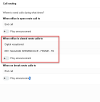
@bravad. No holiday is same as closed in our books. Now if you want to make a custom IVR you can, you can see this from startUP, just add your own IVR to the menu
 
@bravad. No holiday is same as closed in our books. Now if you want to make a custom IVR you can, you can see this from startUP, just add your own IVR to the menu

I am probably not clear enough in my question.
I apologize, I'll rephrase for once more

To clarify.. correct me if I misunderstand.
Each MCM group can configure a different holiday.

Currently, the configuration has the effect, in the current version, of applying the same action as "closed office" / after hours.

1658235495163.png

I am wrong ?

Otherwise,
How can we route to a different IVR other than the same as "When Office Close" on holidays, for each MCM Group?

The questions is..
In the MCM Group, will it be possible to define a different destination for public holidays (for each MCM Group) ?

So, If Service Department is closed for a holiday, the caller should not reach the "Standard Office Close / after hour" IVR. .
We need the caller to reach the "Service Department " HOL IVR. Not a "Global HOL IVR".


Sorry to insist but this question is important to plan our future strategy, we are about to "deliver" a client with over 100 departments.


Thx
 
  • Like
Reactions: CallingFromMars
I am probably not clear enough in my question.
I apologize, I'll rephrase for once more

To clarify.. correct me if I misunderstand.
Each MCM group can configure a different holiday.

Currently, the configuration has the effect, in the current version, of applying the same action as "closed office" / after hours.

View attachment 31128

I am wrong ?

Otherwise,
How can we route to a different IVR other than the same as "When Office Close" on holidays, for each MCM Group?

The questions is..
In the MCM Group, will it be possible to define a different destination for public holidays (for each MCM Group) ?

So, If Service Department is closed for a holiday, the caller should not reach the "Standard Office Close / after hour" IVR. .
We need the caller to reach the "Service Department " HOL IVR. Not a "Global HOL IVR".


Sorry to insist but this question is important to plan our future strategy, we are about to "deliver" a client with over 100 departments.


Thx
I would wait before using StartUP for a client that big. Most features are not ready yet, including the more advanced time/holiday controls. You can still use a dummy extension instead for most things.

MCM Groups are still in development and most of the wanted features will be there by Update 6.
 
The MCM mode is still very very very early. Only some changes are visible. This is why U4 is more like a backend update than a "feature update".

However, here's the few changes I was able to spot (on top of the System Extensions in Groups) :

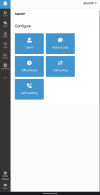
Allowing Office Settings in Webclient.
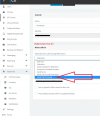
View attachment 30861

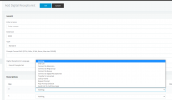
Routing calls to a Group:
View attachment 30864

Getting an API token (still no docs or indications of what is possible with this API.)
View attachment 30862

Small note, U4 also allows this in the CRM Integration now:
Screenshot 2022-07-20 at 12.36.15 AM.pngView attachment 30863
Hi thank you for your sharing. Wondering where to find the option for the MCM? is it available on on 3cx hosted? I try to go to user - groups - select group - group right. but can't see this option. My version is 18.0 Update 4 (Build 965)Version
 
Status
Not open for further replies.

Forum statistics

Threads
111,974
Messages
590,081
Members
164,899
Latest member
mazet