Solved Update 5 Not Installing

Status
Not open for further replies.

viperrwk

Customer
Joined
Nov 22, 2016
Messages
14
Reaction score
0
I have 3CX standard license 15.0.60903.0 installed on Win7 64 bit. I have gone to the update page, select new update available, hit download selected, get the dialog box that says confirm update, which I do, then it says download started please wait. However, there is no activity on the network and the download box simply sits there and nothing happens. I've let it sit for over a half an hour and nothing. Eventually I close out the browser window then reenter the console, check for updates and it still say I'm out of date and select Update 5 to install again. Not sure what I might be doing wrong or if I have a configuration error, though the server works fine otherwise. Thanks in advance for any help.
 
Hello @viperrwk

Can you install other updates from the updates section? Also does the management console log you out after the process starts or does it just sit there? Can you resolve downloads.3cx.com if you perform an nslookup?
 
Thanks for the quick reply.
Yes, I can install other updates without difficulty. Eventually the management console does log me out behind the "Download Updates" dialog which remains on the screen over the console login. I cannot resolve "www. downloads.3cx.com" but can resolve "downloads.3cx.com" (158.69.11.10/158.80.125.73).
 
Are you running a windows or a linux installation? Do you services stop after the management console logs you out?
 
Windows installation (mentioned in first post). When it goes to the login screen everything still seems to be working as I can dial out, go to VM, connect to a DR, etc on the phone so I would say even though I am logged out all services are still running. I have also tried changing DNS servers to Google's and no change. I should also probably mention that the 64-bit Win7 Pro the software is running on is a Hyper-V guest in 2008 Windows Server Enterprise.
 
Sorry this isn't a solution to the problem, but I am having a similar issue except that instead of sitting at the downloading pop-up, mine flashes the downloading screen and then logs me out of the management console. No services stop or restart and there is no network traffic. No period of waiting starts the download (I have given it overnight) and upon logging in again it just shows the update as out of date and ready to be downloaded again. Other updates download and install just fine.
 
So I've managed to stumble upon a solution that worked for me with this issue. Instead of restarting all the 3CX services just restart the "3CX Event Notification Manager" service and then try to download the update. Also, make sure you're using Chrome or Firefox as IE isn't actually supported and causes some weird issues.
 
  • Like
Reactions: viperrwk
Hi all,

@viperrwk
I have sent you a p.m.
 
So I've managed to stumble upon a solution that worked for me with this issue. Instead of restarting all the 3CX services just restart the "3CX Event Notification Manager" service and then try to download the update. Also, make sure you're using Chrome or Firefox as IE isn't actually supported and causes some weird issues.

How do you simply restart the Event Notification Manager? I do not see this in the Admin Console (start or stop).

viperrwk
 
How do you simply restart the Event Notification Manager? I do not see this in the Admin Console (start or stop).

viperrwk

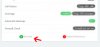
Generally, if you want to restart any service click on Dashboard - > "Services"

servicesdashboard.jpg

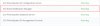
Select the service you want to restart

2.jpg

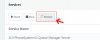
Click "Restart"

3.jpg
 
  • Like
Reactions: viperrwk
Thank you Drew and agp.

I'm an idiot - I never knew that the services indicator on the dashboard was clickable - I simply thought it indicated the services were running. Thank you agp.

I went in, stopped all the services I could except the database server, configuration server, management console and event notification manager. I then restarted the event notification manager and was immediately logged out of the console. After a few minutes when I couldn't login into the server I restarted the machine. When it came back up and I logged in I was upgraded to 62928.5. Everything seems to be working correctly now. Thanks to the community for your help - likes given. Hopefully 3CX will fix this for future updates.

viperrwk
 
Last edited:
And I would mark this thread as solved but don't see an obvious link to do that...

viperrwk
 
You are welcome, glad you got this fixed :) I will mark this as Solved for you (only moderators/admins can do this)
 
Status
Not open for further replies.