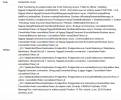
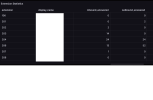
Fresh/clean Ubuntu Server 24.04 instance, on-prem (also tried a cloud VM with PG in docker). No anti-malware installed. No software firewall enabled. Edge firewall configured to allow 5432 inbound (no traffic showing here either when manual transfer is initiated from 3cx). I assume that's working, since the db connection "test" from 3cx succeeds and i see that traffic on the postgres server via tcpdump. No idea why I get no activity at all when i press the "Transfer CDR Data Now" button. I haven't fount any log data on the 3CX server to point me in the right direction. I have other 3CX instances, but they are not Enterprise. Will be willing to upgrade some of our other instances to Enterprise if I can make this work...
It means there is an issue with your postgress setup its not just a matter of installing postgress, some more things need to be configured correctly and setup. For example rights, network access. So you have to study the Amazon guide although we are working on a postgress only guide as well. Here are some of the things you will need to do
1. Install PostgreSQL:
sudo apt update
sudo apt install -y postgresql
2. Ensure Cluster Exists:
pg_lsclusters
# If 'main' does not exist:
pg_createcluster <major-version> main --start
Get Postgres Version
psql --version | awk '{print $3}' | cut -d '.' -f1
3. Create User and Database:
sudo -u postgres createuser <username> -P # You'll be prompted for a password
sudo -u postgres createdb <dbname> -O <username>
4. Configure Network Access:
- Edit postgresql.conf: /etc/postgresql/<version>/main/postgresql.conf
port = <your_port> # e.g., 5432
listen_addresses = '*'
- Edit pg_hba.conf: /etc/postgresql/<version>/main/pg_hba.conf
Add at the bottom
host <dbname> <username> <allowed_ip>/<cidr> md5
Example
host mydb myuser 0.0.0.0/0 md5
5. Restart PostgreSQL:
sudo systemctl restart postgresql
6. Grant Privileges:
sudo -u postgres psql
# Then inside psql:
GRANT ALL PRIVILEGES ON DATABASE <dbname> TO <username>;
\q