Update to 16.0.6.655 - SBCS wont connect since

Status
Not open for further replies.

Martin.thomas747

Premier Customer
Joined
Oct 4, 2020
Messages
9
Reaction score
0
Update to 16.0.6.655 this morning - SBCS wont connect since update, anyone else having troubles ?
 
3cx app doesnt work ether,

Firewall checker completed all green.
 
Sounds like a 3cx tunnel or fqdn issue. Can you access the management console remotely.

Try rebooting your firewall
 
tried that, evan setup a differnet firewall (draytek) was on sophos and the issue still present. 3cx app doesnt work ether.
 
Sounds like the 3CX tunnel service isn't running
 
  • 3CX Version, 16.0.6.655
  • Is the 3CX Server Hosted and where? 2016 Server onsite
  • IP Phone Make/Model/Firmware
  • Provisioning Method: Local SBC
  • Trunk Provider : GAMMA
  • Has the Firewall Checker passed: YES
  • Are custom Phone Templates being used: NO
SBCS are installed on remote sites on 2016 server
 
Sounds like the 3CX tunnel service isn't running
Cant see it anywhere in the list if honest. Check in the 3cx web gui and in local services on server, cant see in the task manager ether
 
3cx tunnel is not a service on the server - are all the services running except the 3cx hotel.

For a test, can you disable any firewalls on the server just in case the ports are being blocked

For portwarding on the router you have allowed tcp / udp port 5090 thru (3cx tunnel port)

Does the fqdn resolve to the wan ip of your server
 
Last edited:
3cx tunnel is not a service on the server - are all the services running except the 3cx hotel.

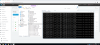
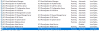
It sure looks like it to me:

1601835298222.png
1601835378603.png
 
Evening,

So as above its somethine related to that tunnel service,
going into BIn folder and finding it, then running it brings the tunnels up.

But the exe window stays open, if you close it, it drops the tunnels.

Thanks for all your help by the way
 
So you don't want to run the exe manually. You want to go to services and start it from there.
 
it doesnt show in the services, very weird
 
Try creating the missing service https://itsiti.com/create-delete-windows-service-using-sc-command - run command prompt as administrator

Service name - 3CXtunnel01
Display name - “3CX PhoneSysyem 01 SIP/RTP Tunneling Proxy”

After running the command, make sure if appears in services.msc - startup as automatic, log on as - local system
 
Christ, ye thats a great idea ! Thanks

Working a dream
 
Status
Not open for further replies.

Latest Posts

Forum statistics

Threads
111,964
Messages
590,003
Members
164,869
Latest member
hpgitsupport