v10 spk1 - SPA942 externally using 3cx ext - it´s possible?

Status
Not open for further replies.

jr3151006

Joined
Jul 30, 2010
Messages
155
Reaction score
0
Hi,

it´s possible to use a SPA942 remotely? I create an ext for tests and clear the box 'Disallow the use of extension outsite LAN', I´m using Kiwi Syslog server to monitor that phone (logs below) but without success...

I configure that phone as the article 'http://www.3cx.com/sip-phones/linksys-SPA-921.html'.
Must I open some ports (in) in the firewall for the remote location?

Logs
####
07-07-2011 12:38:14 Local0.Info 192.168.200.72 [1]SIP:RegFailed;Retry in 1200s
07-07-2011 12:38:14 Local0.Info 192.168.200.72
07-07-2011 12:38:14 Local0.Info 192.168.200.72 [1]<<201.22.212.173:5060
07-07-2011 12:38:13 Local0.Info 192.168.200.72
07-07-2011 12:38:13 Local0.Info 192.168.200.72 [1]->201.22.212.173:5060{773)
07-07-2011 12:38:04 Local0.Info 192.168.200.72
07-07-2011 12:38:04 Local0.Info 192.168.200.72 [1]<<201.22.212.173:5060
07-07-2011 12:38:04 Local0.Info 192.168.200.72
07-07-2011 12:38:04 Local0.Info 192.168.200.72 [1]->201.22.212.173:5060{773)
07-07-2011 12:38:02 Local0.Info 192.168.200.72 +++ send scaps discovery query
07-07-2011 12:38:02 Local0.Info 192.168.200.72 +++ need tftp addr..
07-07-2011 12:38:02 Local0.Info 192.168.200.72 ++++ retry query scaps
07-07-2011 12:37:54 Local0.Info 192.168.200.72
07-07-2011 12:37:54 Local0.Info 192.168.200.72 [1]<<201.22.212.173:5060
07-07-2011 12:37:54 Local0.Info 192.168.200.72
07-07-2011 12:37:54 Local0.Info 192.168.200.72 [1]->201.22.212.173:5060{560)
07-07-2011 12:37:45 Local0.Info 192.168.200.72
07-07-2011 12:37:45 Local0.Info 192.168.200.72 [1]<<201.22.212.173:5060
07-07-2011 12:37:44 Local0.Info 192.168.200.72
07-07-2011 12:37:44 Local0.Info 192.168.200.72 [1]->201.22.212.173:5060{411)
07-07-2011 12:37:44 Local0.Info 192.168.200.72 [1]Reg Addr Change(0) 0:0->c916d4ad:5060
07-07-2011 12:37:16 Local0.Info 192.168.200.72 +++ send scaps discovery query
07-07-2011 12:37:16 Local0.Info 192.168.200.72 +++ need tftp addr..
07-07-2011 12:37:16 Local0.Info 192.168.200.72 ++++ retry query scaps
07-07-2011 12:37:13 Local0.Info 192.168.200.72 [1]SIP:RegFailed;Retry in 1200s
07-07-2011 12:37:13 Local0.Info 192.168.200.72
07-07-2011 12:37:13 Local0.Info 192.168.200.72 [1]<<201.22.212.173:5060
07-07-2011 12:37:13 Local0.Info 192.168.200.72
07-07-2011 12:37:13 Local0.Info 192.168.200.72 [1]->201.22.212.173:5060{773)
07-07-2011 12:37:04 Local0.Info 192.168.200.72
 
Re: v10 spk1 - SPA942 externally using 3cx ext - it´s possib

You need to open UDP ports 5060, 5090, 9000-9049 and TCP port 5090 on router at the 3CX server site and to forward external address of the router to the internal address of the 3CX server only.

At remote site you need to set a STUN server, use NAT mapping and NAT keep alive enabled only.
 
Re: v10 spk1 - SPA942 externally using 3cx ext - it´s possib

Hi eagle,

I already have that ports open since I´m using fine '3cx for Windows' on my laptop - configured to use '3cx tunnel'.
 
Re: v10 spk1 - SPA942 externally using 3cx ext - it´s possib

I like the 'Express Talk form NHC SOftware' since it offers a 'firewall test' and it shows the following msg:

A 'symmetric' NAT' or router has been detected between this computer and the internet. This means audio cannot be routed to this computer automatically. You (or your Network Administrator) are strongly advised to manually set up RTP/UDP redirecion at the router or NAT., otherwise audio may be delayed, low quality or broken. Would like to see our help page explaning the networkin configuration options?

Does anyone idea?

* I found similar question: http://www.3cx.com/forums/client-connectiong-from-external-network-4224.html
 
Re: v10 spk1 - SPA942 externally using 3cx ext - it´s possib

I ran the 'firewall checker' using the web console, everythink is ok (returns 0).

Does anyone idea?
 
Re: v10 spk1 - SPA942 externally using 3cx ext - it´s possib

I found that article saying that some D-link products (I hate D-link since they always warm up) when used with the 'uPnp' option set as enabled can cause problems to SIP register process.
http://listas.asteriskbrasil.org/pipermail/asteriskbrasil/2008-May/022106.html

* Unfortunatelly it didn't work to me since we have a Linux firewall behind that D-Link modem...
 
Re: v10 spk1 - SPA942 externally using 3cx ext - it´s possib

And is your 3CX softphone at the remote site working fine with 3CX tunnel ?


If you have symmetric NAT, as posted later, you should not use STUN (disable it), or if using the 3CX softphone try using the public address of your 3CX server as 'in the office' (this will not use STUN) - to emulate operation of hardware phone.

You must be running Version 10 SP1.1 and have also set 'ALLOWSOURCEASOUTBOUND' to '1' in Custom parameters.

Your problem is a firewall/NAT issue. If the above doesn't help, you must set a tunnel (with routers) between the two locations or use 3CX outbound proxy at the remote site.

Regards
 
Re: v10 spk1 - SPA942 externally using 3cx ext - it´s possib

Must I use these options set as yes on Extension NAT Settings?

NAT Keep Alive Enable:
NAT Mapping Enable:
 
Re: v10 spk1 - SPA942 externally using 3cx ext - it´s possib

Yes, normally you should set NAT mapping enable and NAT keep alive to YES.

See the following threat: http://www.3cx.com/sip-phones/ Updated link

(no differences from SPA-9xx regarding registration to 3CX).

Regards
 
Re: v10 spk1 - SPA942 externally using 3cx ext - it´s possib

Almost done!
###########

With the following config, now I´m able to register my external extension, but without voices in both direction. I just set the sip port to use 5061 instead 5060...


Ext1
####
SIP Port = 5061
SIP Transport: UDP


SIP / NAT Support Parameters
############################
Handle VIA rport: yes
Insert VIA rport: yes
Handle VIA received: no
Insert VIA received: no
Substitute VIA Addr: no
Send Resp To Src Port: no
STUN Enable: no
STUN Test Enable: no
Ext IP: 200.1xx.xx.55

Does anyone idea?
 
Re: v10 spk1 - SPA942 externally using 3cx ext - it´s possib

fyi,

the 'ALLOWSOURCEASOUTBOUND' in the custom parameters was already set as '1'.
 
Re: v10 spk1 - SPA942 externally using 3cx ext - it´s possib

Looking at the 'Server Activity Log' shows the following:

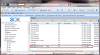
19:49:17.360 [CM504001]: Ext.120: new contact is registered. Contact(s): [sip:[email protected]:5061/120]

>>>>>>>>>> It should not show the external/valid IP as I set on 'SIP' tab?????????????
 
Re: v10 spk1 - SPA942 externally using 3cx ext - it´s possib

And this address 10.1.1.2 is an internal address of remote site, correct ? In 3CX log and Menu | Phones you should see public address:port of the remote phone (extension 120).
STUN is not compatible with symmetric NAT, so try not using STUN, try also without NAT mapping enable and NAT keep alive.

Otherwise try using STUN and settings according use of SPA-5xx as external extensions (earlier in the threat). If you don't have positive result try changing the router setting / the router itself, or use 3CX tunnel (with 3CX proxy server) or other tunnel (supported by the routers).

Regards
 
Re: v10 spk1 - SPA942 externally using 3cx ext - it´s possib

Eagle,

the ip 10.1.1.2 is the WAN IP for our Linux (running iptables) wich pass through a ADSL modem (10.1.1.1) set for DMZ to IP 10.1.1.2.

I found another post with similar issue where the phone register itself on Ipbx using internal IP instead the external IP: http://www.linksysinfo.org/forums/showthread.php?t=62435.

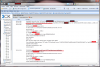
Even specifying the 'External IP' on SIP/NatParameters options, that extension register as 10.1.1.2. Looking the log at 3CX server I found the following:

"Via: SIP/2.0/UDP 10.1.1.2:5061;branch=@#$@#$@#$@#$@#$@#$@#$;received:200.175.xx.xx"
Max-Forwards: 70
Contact: "120"<sip:120@10.1.1.2:5061>...
...

Is the 3CX 'NAT-aware'????????????????
Is there a way to change IP from 'contact' on 3CX in way to use the IP show as 'received'????
 

Attachments

  • 3cxserver-remoteextension.png
    3cxserver-remoteextension.png
    173.7 KB · Views: 1,160
  • 3cxserver-logremotecalltest.png
    3cxserver-logremotecalltest.png
    228.1 KB · Views: 1,160
Re: v10 spk1 - SPA942 externally using 3cx ext - it´s possib

Addresses like 10.1.1.2 can't be accessed over Internet (they are private ones).
If STUN is not helping to resolve your public address (different from 10.1.1.2), the only option will be establishing a tunnel (either by means of routers, or using 3CX Proxy Server at remote site), if either with STUN on and with STUN off you can't get a result.

What you mean by '3CX been NAT aware'? The remote extension must inform the 3CX for its public address - normally learned via STUN. In some NAT environments (nested NAT like yours, symmetric NAT, etc.) STUN may not give correct result (by the way are you sure you are using the correct STUN server? - if not you will get false value). In such cases 'ALLOWSOURCEASOUTBOUND' parameter may be helpful.

There is nothing more you can do except the tunnel. See this related discussion: http://www.3cx.com/forums/no-incoming-calls-19487.html#p103183. Unfortunately 'ALLOWSOURCEASOUTBOUND' is not a panacea (not helping in 100% of the cases).

Regards
 
Re: v10 spk1 - SPA942 externally using 3cx ext - it´s possib

Renato,
1. You need to specify FQDN "-------.com.br" as the PBX domain (see settings->Advanced->Settings for Direct SIP calls).
2. DMZ in your environment is nothing but fake. 10.1.1.2 is NOT a WAN IP It is just an address of the another Local Area network where to your ADSL is connected. real NAT is not under your control.

ALLOWSOURCEASOUTBOUND=1 - almost 100% that the remote extension will be able to successfully make the calls.
It doesn't guarantee that the phone will be able to receive calls at any time. It depends on the phone functionality as well on the concrete policy of port mapping applied by concrete NAT device.
 
Re: v10 spk1 - SPA942 externally using 3cx ext - it´s possib

Since my "ALLOWSOURCEASOUTBOUND" already have '1' as value, Is this a 3cx server bug?? As you can see in my previous post with print-screens, the IP it´s correct but the extensions has been registered with the 'contact IP' value!!!


Why?????????????


'ALLOWSOURCEASOUTBOUND' Explanation:http://www.3cx.com/forums/no-incoming-calls-19487.html#p103250
 
Re: v10 spk1 - SPA942 externally using 3cx ext - it´s possib

'ALLOWSOURCEASOUTBOUND=1' will not overcome all NAT issues.

It is not possible to use VoIP with all NAT environments. Search internet for articles on the topic, specially Asterisk forums. See this threat: http://www.asteriskguru.com/tutorials/sip_nat_oneway_or_no_audio_asterisk.html

Look on this threat also: http://www.3cx.com/blog/voip-howto/static-port-mappings/

Please differentiate the two cases: 3CX server registering to provider and remote extension registering to 3CX server.

Regards.
 
Re: v10 spk1 - SPA942 externally using 3cx ext - it´s possib

jr3151006 said:
Since my "ALLOWSOURCEASOUTBOUND" already have '1' as value, Is this a 3cx server bug?? As you can see in my previous post with print-screens, the IP it´s correct but the extensions has been registered with the 'contact IP' value!!!


Why?????????????


'ALLOWSOURCEASOUTBOUND' Explanation:http://www.3cx.com/forums/no-incoming-calls-19487.html#p103250

Hi Renato,

Why do you ignore
SY said:
1. You need to specify FQDN "-------.com.br" as the PBX domain (see settings->Advanced->Settings for Direct SIP calls).
?
PBX will communicate with your device. You just need to follow recommendation :)

Thanks
 
Status
Not open for further replies.

Latest Posts

Members Online Now

Forum statistics

Threads
111,863
Messages
589,444
Members
164,702
Latest member
iamatlas