Solved V15.5 'Blacklisted numbers' doesn't work

Status
Not open for further replies.

Ben C

Joined
Oct 14, 2014
Messages
71
Reaction score
0
Hi
We just updated from V14 to 15.5
I had a complain today that a call from a 'Blacklisted number' list went through. I know this feature wasn't working on the previous version (v14). Does it work on v15.5? Is there something I should do (like .wav files)?

Does it help if I empty this list and import it again?

Thank you
Ben C
 
Did you check the logs to confirm? I've not heard anyone else complain about this being an issue.
 
Of course I checked it:
05/07/2018 9:12:49 AM - [CM503001]: Call(C:34): Incoming call from Line:10001<<888655xxxx to <sip:[email protected]:5060>

As I know it should state something like this:

05/07/2016 12:40:11 PM - [Flow] Call(C:97): caller's number '888655xxxx' is in blacklist
 
Is the call actually coming in as 888655???? or is it coming in as +1 or similar? I always add an asterick to the front of the number so any trunk will block it regardless of presentation.
 
Hello @Ben C

I can confirm the feature is working in V15.5 and i concur with @craigreilly on this. Make sure that the number in the blacklist matches the number format the provider uses.
Also check where the PBX reads the called number from. Perhaps the sip field the PBX is set to read the number from is wrong. Check the Inbound parameters of the trunk.
 
Is the call actually coming in as 888655???? or is it coming in as +1 or similar? I always add an asterick to the front of the number so any trunk will block it regardless of presentation.
Hello @craigreilly
I have the number twice in the list, with and without the 1
 
Hello @Ben C

I can confirm the feature is working in V15.5 and i concur with @craigreilly on this. Make sure that the number in the blacklist matches the number format the provider uses.
Also check where the PBX reads the called number from. Perhaps the sip field the PBX is set to read the number from is wrong. Check the Inbound parameters of the trunk.

Hello @yiannisH
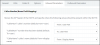
How or where can i check "where the PBX reads the called number from. Perhaps the sip field the PBX is set to read the number from is wrong. Check the Inbound parameters of the trunk".
Here is my config of inbound parameters:
upload_2018-5-8_15-31-55.png
Is it OK?

Thank you
 
Hello @craigreilly
I have the number twice in the list, with and without the 1

I actually said +1.
Replace the number with *xxxyyyzzzz instead.
The wildcard will help rule the number format out.
 
To know if the settings are OK you need to see an Invite message from the provider and see where the Caller number is set. Try the suggestion from craigreilly first and see if that resolves the issue.
If not then further troubleshooting will be required.
 
I tested it with my cell phone and it works.
I'm considering this solved.

Thank you YiannisH_3cx and craigreilly.
 
Glad to see the issue has been resolved ans thank you for updating the thread
 
Status
Not open for further replies.

Latest Posts

Forum statistics

Threads
111,885
Messages
589,547
Members
164,744
Latest member
johnblackwood1