V16 Install Issues

Status
Not open for further replies.

Heath

Customer
Advanced Certified
Joined
Aug 12, 2017
Messages
287
Reaction score
3
I run my PBX remotely at OVH on a VBS in Windows Server 2012 R2. I've been trying to upgrade to V16, and am having nothing but problems... Here is what I did...
  1. Took a Full Backup
  2. Uninstalled V15.5
  3. Re-Booted the VPS
  4. Downloaded V16 from the Website
  5. Run the EXE file to Install
  6. Tried to run the install in the command line versus the Web.. Entered the information
  7. Command exited out on its own
  8. Uninstalled V16, Reboot the VPS again
  9. Ran the V16 EXE file again, entered the information again, and did web based this time
  10. Going through the creating the PBX, and got hung up on 'Binding instance to user..."
  11. After about 45 Minutes got Server Error...
  12. Uninstalled V16, Rebooted the VPS again
  13. Ran the EXE again, but this time just entered the License Key,, Didn't restore from backup
  14. Got hung up again on Binding Instance to user for 45 min again, with server error
  15. Uninstalled V16, Rebooted the VPS again
  16. Re-Installed V15.5, and everything got loaded and restored without any problems and no hung up

Any suggestions here...I don't understand why I'm getting these especially on the last try when all I entered is the license key and didn't even restore from the backup, and yet 15.5 reinstalled without any hitch..
 

Attachments

  • 3cx error.jpg
    3cx error.jpg
    132.3 KB · Views: 16
  • 3cx error1.jpg
    3cx error1.jpg
    228.4 KB · Views: 16
  • 3cx error2.jpg
    3cx error2.jpg
    136.6 KB · Views: 13
Hi Heath,

Try to eliminate the possibility of your server being the issue because from your description there doesn't seem to be anything wrong.

Would it be possible to create a fresh server without installing any additional software whatsoever and retry installing V16 from scratch? Just ensure the correct OVH ports are open in advance and that the windows firewall doesn't get in the way.

https://www.3cx.com/docs/ports/
 
Well I tried a fresh new install of the VPS which reinstalled everything. And Windows Server. And the very first thing that I did was to download and reinstall V16 and got the same exact hung up. Now I put V15.5 and not an issue. So I can’t understand why I can’t get V16 installed. Even with a fresh new install of the VPS and Windows Server
 
I have seen this happen a few times, but in the cases I have seen it was on systems where 3CX was already installed, and the un-installation process didn't remove all files (hence the password authentication failure).

Do me a favour:
  1. Uninstall V16 again on this VPS
  2. Reboot Windows
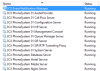
  3. Make sure all 3CX service are gone
  4. Make sure the following folder do not exist:
    • C:\ProgramData\3CX
    • C:\Program Files\3CX Phone System
    If they exist delete them.
  5. Install all Windows Updates
  6. Try to install V16 again.
 
Just bear in mind that I reinstalled the VPS the reinstall cleared everything out and started out fresh with nothing on it but the windows operating sys. Same issue I’m having installing V16 but no issues with V15.5
 
I spun up a fresh image of Windows Server 2012 R2 Datacenter in Google Cloud and did a fresh install of V16 by using one of my existing keys and the Web install mode via Chrome browser. The installation completed successfully without a hitch and all services are up and running. This at least verifies that the V16 installer currently on our site is working with Windows Server 2012 R2.

10265

I would recommend at this point that you start again following these steps one more time:

  1. Create new VM with Windows 2012R2 (or you can use a newer Windows version if available to you)
  2. Log in and download/install Chrome, and then our V16 installer from our site
  3. Now right click 3CX installer and Run as Administrator to ensure full rights
  4. Use the web installer procedure via Chrome, as a fresh install (no backup restoration)

Let us know how it went please
 
Status
Not open for further replies.

Forum statistics

Threads
111,921
Messages
589,746
Members
164,796
Latest member
Dame24