
- Joined
- Jul 26, 2019
- Messages
- 32
- Reaction score
- 8
Thanks for letting me know - is there another post about this or are you waiting as well?That has been pushed out for a later release.


Thanks for letting me know - is there another post about this or are you waiting as well?That has been pushed out for a later release.
Both. There have been a lot of posts, and comments buried in posts.Thanks for letting me know - is there another post about this or are you waiting as well?



If there is already a default app assigned for TEL or any other protocol for that matter, then it cannot be overwritten and must be done manually.Is it possible, that the new Windows App asks users after installation, that it wants to be the standard app for tel-links?
On my computer it is still Google Chrome and the App never asked me to want to be the standard app for it.
When I set it up manually it works for tel-links in the browser, that it directly dials with 3CX Windows App.
View attachment 23364

Actually, all barge-in functionality works just fine in the Desktop App also, including listen-in and whisper.Hi not sure this has been mentioned.
You cannot silently listen to calls through the Desktop APP.
Hi@JohnMooreCC
Actually, all barge-in functionality works just fine in the Desktop App also, including listen-in and whisper.
If you're having trouble using it I suggest posting about it in our Forum's general section so that we can look into it:
https://www.3cx.com/community/forums/3cx-communication-system.1/
If there is already a default app assigned for TEL or any other protocol for that matter, then it cannot be overwritten and must be done manually.
If the installation happens on a PC where the TEL protocol is Empty, then the New Windows App will be made the default App.
We will though see if there is a way to inform the user of this.

It's already a MSI installer file, if It could help :Do we know if we are going to get any deployment options such as an msi for the installer?
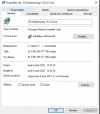
It's already a MSI installer file

Although I don't think it has something to do with the Update, I will send you a PM shortly with something I'd like you to try.We are noticing that since installing this update we cannot send faxes via ATAs. We are using T.38 and Telnyx is our provider. Incoming is working but all outbound is failing. I am not sure if the update caused this but we have other systems using Telnyx T.38 and it is working just fine. Evertything looks like it is pointing back to this update.

I too was looking forward to the helpdesk function that was to be introduced. Any plans on the ETA?Where is the inbuilt support system, I was looking forward to checking it out.

No ETA yet.I too was looking forward to the helpdesk function that was to be introduced. Any plans on the ETA?
How was your installation made? If you originally used the ISO or PBXExpress for Cloud providers, you shouldn't have any issues (mostly.)When I try and run the upgrade, I immediately get an error saying "Your 3CX Debian OS failed to update". Is there a fix for this? or can I manually upgrade to Debian 10 then run the 3CX upgrade?
The DesktopApp supports tel: and callto: links already. They will make a browser extension for the other sites that don't use that.Is it somehow possible to activate a klick to dial function for the new desktop app?
Looking forward to see the hotkey function with update 1.


Founded in 2005, when VoIP was an emerging technology, 3CX has gone on to establish itself as a global leader in business communications.


