- Joined
- Jan 16, 2013
- Messages
- 18
- Reaction score
- 1
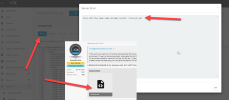
Hello, I am currently swapping out older cisco spa phones with new yealink models that are supported, however I did have a quick question. After upgrading to V18 from V16 i noticed that the cisco spa no longer shows up int he drop down list when adding a new phone. I did notice that on the cisco spa 3cx support page there are files you are able to add to the 3cx provisioning folder. I just wanted to ask to see if anyone had done that with success before I tried? All of my current cisco spas that were already provisioned on V16 still operate just fine on V18, but can no longer add additional cisco spas because there is not option. When i unzip the spa files from the 3cx support page, do I add the entire "cisco-spa" folder into the 3cx server provisioning folder? Or do i just add the files in that cisco-spa folder? After doing so, does that then add the cisco spa back into the list of phone options when adding a new phone from the web interface? Appreciate the help, thanks.