V18 update cisco spa provisioning missing from "add phone" list

Status
Not open for further replies.

rlynch@lockhartcadillac

Customer
Joined
Jan 16, 2013
Messages
18
Reaction score
1
Hello, I am currently swapping out older cisco spa phones with new yealink models that are supported, however I did have a quick question. After upgrading to V18 from V16 i noticed that the cisco spa no longer shows up int he drop down list when adding a new phone. I did notice that on the cisco spa 3cx support page there are files you are able to add to the 3cx provisioning folder. I just wanted to ask to see if anyone had done that with success before I tried? All of my current cisco spas that were already provisioned on V16 still operate just fine on V18, but can no longer add additional cisco spas because there is not option. When i unzip the spa files from the 3cx support page, do I add the entire "cisco-spa" folder into the 3cx server provisioning folder? Or do i just add the files in that cisco-spa folder? After doing so, does that then add the cisco spa back into the list of phone options when adding a new phone from the web interface? Appreciate the help, thanks.
 
3CX has removed the templates for SPA from the system, so you'll have to import them as custom via settings -> templates.

This is in addition to ensuring the PBX has the files (firmware, etc) - the process of adding the folder from the support page.
 

Attachments

Thank you for your reply. So i do have the cisco-spa folder from the support page downloaded and unzipped. I have nothing but spa 504g's in my environment. If i open up that cisco spa folder i downloaded from the 3cx support page, which one of those files would i be looking to upload into 3cx as a custom template. I see alot of xml files, bin files, etc... Im good on firmware, i have always manually kept them up on that. Im just looking to keep a couple new spas going until i can get all the yealinks in to swap them all out.
 
Thank you for your reply. So i do have the cisco-spa folder from the support page downloaded and unzipped. I have nothing but spa 504g's in my environment. If i open up that cisco spa folder i downloaded from the 3cx support page, which one of those files would i be looking to upload into 3cx as a custom template. I see alot of xml files, bin files, etc... Im good on firmware, i have always manually kept them up on that. Im just looking to keep a couple new spas going until i can get all the yealinks in to swap them all out.
I attached the template to my previous post, but I didn't know what model SPA. You actually need this one.
 

Attachments

  • Like
Reactions: Guillaume Bourgeois
I saw that but assumed it was for the spa 525. Is there one for the 504g i can find or are you saying the file you attached will work for all spa models. Thanks again
 
When you edit the template you can see what model it applies for. The second one I attached is for the 504's.
 
Perfect, i really appreciate your help
 
Hello again, so i added the cisco-spa folder into the provisioning path folder like the 3cx support page tells you too. I then went to upload the cisco.ph.xml file in the add templates page from admin portal, however it tells me that the file is already there. I confirmed that all of these cisco xml templates are still in 3cx V18 templates folder, however the cisco spa phone option is still missing from the drop down list with you go to add a phone to a user. Im not really sure where to go from here, is it possible that the only way to provision a cisco spa now is to manually go into the phones web interface and manually enter all of the provisioning information in?
 
Hello again, so i added the cisco-spa folder into the provisioning path folder like the 3cx support page tells you too. I then went to upload the cisco.ph.xml file in the add templates page from admin portal, however it tells me that the file is already there. I confirmed that all of these cisco xml templates are still in 3cx V18 templates folder, however the cisco spa phone option is still missing from the drop down list with you go to add a phone to a user. Im not really sure where to go from here, is it possible that the only way to provision a cisco spa now is to manually go into the phones web interface and manually enter all of the provisioning information in?
Edit the xml file you downloaded, copy the contents, go to the admin console and templates, make a new template, paste the contents in.
 
@SweetAction method worked great. I tested it as well, just renaming the cisco xml file and importing that renamed from admin portal. I provisioned a wiped spa 504g and worked perfect. Thanks again for the assistance everyone.
 
  • Like
Reactions: Guillaume Bourgeois
@G.BOURGEOIS I was very specific on how to import the template because this is the only officially supported way to do a custom template.

Editing the existing templates and changing them is not supported.
Renaming files in the file system is not supported.

Only using the Management Console, creating a custom template there, and putting your content in there is supported.

The custom template itself isn't supported no matter what, but doing anything else you mentioned will make the entire 3CX installation unsupported and may cause issues down the line with many items including backup/restore and upgrades.
 
@G.BOURGEOIS I was very specific on how to import the template because this is the only officially supported way to do a custom template.

Editing the existing templates and changing them is not supported.
Renaming files in the file system is not supported.

Only using the Management Console, creating a custom template there, and putting your content in there is supported.

The custom template itself isn't supported no matter what, but doing anything else you mentioned will make the entire 3CX installation unsupported and may cause issues down the line with many items including backup/restore and upgrades.

It is for this reason that I modified / Edit my post and crossed out the solution that I had proposed.

I left the info there to help understand the cause but as I mentioned I tested your solution and it works. At the time, I thought that the Template Type would cause problems even when importing the Template via the Template Settings page, as you suggested.

I tested and found that it didn't cause a problem.
 
It is for this reason that I modified / Edit my post and crossed out the solution that I had proposed.

I left the info there to help understand the cause but as I mentioned I tested your solution and it works. At the time, I thought that the Template Type would cause problems even when importing the Template via the Template Settings page, as you suggested.

I tested and found that it didn't cause a problem.
Your solution above still advises people to modify 3CX system files (in bold below):

I tested @SweetAction’s method,
but no need copy paste contents.. rename the file cisco.ph.xml to ciscoLegacy.ph.xml so as not to conflict with the one already present, import the renamed file with dashboard template import button, without making any changes inside, it will work.
3CX PBX ignore the "Template Type" parameter in the templates imported (Custom) .
You do not need to modify value in template if you proceed via the Import button, in the phone models page.You do not need to modify value in template shared by @SweetAction if you proceed via the Import button, in the templates settings page.
 
Your solution above still advises people to modify 3CX system files (in bold below):

I understand that it is confusing, I will also modify this portion. I was referring to your file that you shared. It needs to be renamed because 3CX already has a file in the phone system with the same name. It is therefore not possible to import your template with the name cisco.ph.xml


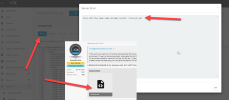
1673822727672.png


That's just what I was saying, but I understand it's confusing, thanks for pointing me that out.
3CX did not remove it in the template folder, only categorized it as LEGACY which results in no longer showing up in device choices when attempting to configure in an extension


I tested @SweetAction’s method,
but no need copy paste contents.. rename the file cisco.ph.xml to ciscoLegacy.ph.xml so as not to conflict with the one already present, import the renamed file with dashboard template import button, without making any changes inside, it will work.
3CX PBX ignore the "Template Type" parameter in the templates imported (Custom) .
You do not need to modify value in template if you proceed via the Import button, in the phone models page.You do not need to modify value in template shared by @SweetAction if you proceed via the Import button, in the templates settings page.
 
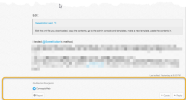
1673823160262.png


I can't edit or delete it, probably because it's from yesterday. I will "Report" my publication, to have it removed :p
 
Status
Not open for further replies.

Forum statistics

Threads
111,918
Messages
589,726
Members
164,789
Latest member
milousebw