V18 - V20 Update - Departments ?

alex22alex

SOHO User
Joined
Jun 11, 2008
Messages
75
Reaction score
2
https://www.3cx.com/docs/upgrading-pbx/

Im trying to prep to move from V18 to V20. Step 3/4 are mentioning departments, however no where in the UI can i find anything about departments any ideas.

Im on V18 - Update 9 windows.

Alex
 
Steps 3 and 4 must be completed after the update.
But I suggest noting down the information for Step #5 before proceeding with the update.

And another very important point:
Step #1 is the most crucial of all; without it, you may find yourself locked out of your PBX, unable to access it.
Assign System Owner : https://www.3cx.com/docs/assign-system-owner/
Test your OWNER access in private browsing mode or through a different browser.

AND, make sure the email address is not duplicated among the extensions.
Each email address must be unique.
 
Oh, and did I mention that Step #1 is important?
If you don’t have the owner access, you won’t be able to manage the system anymore.
Just to be sure I said it: Step #1 is extremely important.

I might sound like I'm teasing :) , but if you knew how many updates are done without the user having owner access, them to say later, "I wrote it down wrong, I made a typo, " etc...
So, it's better to repeat it now than to deal with issues later.
 
  • Like
Reactions: dvml
https://www.3cx.com/docs/upgrading-pbx/

Im trying to prep to move from V18 to V20. Step 3/4 are mentioning departments, however no where in the UI can i find anything about departments any ideas.

Im on V18 - Update 9 windows.

Alex
Recently did our upgrade, and this confused me too. In the end, I just upgraded and everything worked. At worst, i would rebuild.. I found the documentation a little confusing, and also different versions or steps to do. We were also v18 on Windows.
Actually i backed up and restored to AWS, multiple changes at once, but all went fine.
 
  • Like
Reactions: Guillaume Bourgeois
Thank you everyone for the infomation - i was worried about step 1 aswell and double checked it defo have owner account and also that account has email that is unique.

Cheers All
 
Thank you everyone for the infomation - i was worried about step 1 aswell and double checked it defo have owner account and also that account has email that is unique.

Cheers All
Check on v18 you can login with the system owner
 
  • Love
Reactions: alex22alex
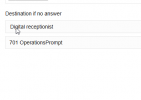
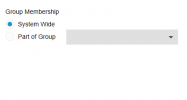
I cannot find that you can Move Queues/IVR/RG to departments in V18 Update 9, only create new ones and assign them to a group.
 
I cannot find that you can Move Queues/IVR/RG to departments in V18 Update 9, only create new ones and assign them to a group.
Just open the ivr or what ever and you can assign them to any department.
 
Just open the ivr or what ever and you can assign them to any department.
This works on V20, but not in V18 Update 9 before the upgrade, the option is missing.

Existing Group
1733248614307.png
New Group
1733248625160.png
 
  • Like
Reactions: N_G

Members Online Now

No members online now.

Forum statistics

Threads
111,831
Messages
589,277
Members
164,660
Latest member
RJenkinsROCK