V20 Caller ID Name non-supported providers

neville

Gold Partner
Advanced Certified
Joined
Apr 23, 2012
Messages
291
Reaction score
62
In version 18, I could change some inbound settings to display caller id name for non-supported providers and it worked as expected.

In the current V20 release, I do not see that option. Am I missing something or has that ability been removed.

Some clients are on generic providers and will never change.
 
  • Like
Reactions: Mike Hammett
jseguin helped me find the exact problem by looking at the templates.

There is a mistake in many of the provider templates for V20.

"FromUserPart" is set twice.

1717573199232.png


It should be this:

1717573335002.png

Or in text:

<!-- Gateway / Provider Inbound Parameters -->
<field name="ParameterIn" custom="" parameter="ToUserPart">$CalledNum</field>
<field name="ParameterIn" custom="" parameter="FromDisplayName">$CallerName</field>
<field name="ParameterIn" custom="" parameter="FromUserPart">$CallerNum</field>

It is possible to change an existing trunk through the database but that is obviously not supported.

Thanks again to jseguin.
 
jseguin helped me find the exact problem by looking at the templates.

There is a mistake in many of the provider templates for V20.

"FromUserPart" is set twice.

View attachment 41793


It should be this:

View attachment 41794

Or in text:

<!-- Gateway / Provider Inbound Parameters -->
<field name="ParameterIn" custom="" parameter="ToUserPart">$CalledNum</field>
<field name="ParameterIn" custom="" parameter="FromDisplayName">$CallerName</field>
<field name="ParameterIn" custom="" parameter="FromUserPart">$CallerNum</field>

It is possible to change an existing trunk through the database but that is obviously not supported.

Thanks again to jseguin.

3CX, why have you not fixed the templates?
 
  • Like
Reactions: boldtech
Thank you for posting this fix! I spent two days trying to track down why I was not getting inbound Caller ID on a Telnyx trunk on a new install we are rolling out.

Frustrating it was caused by a duplicate entry in the generic config file.
 
<!-- Gateway / Provider Inbound Parameters -->
<field name="ParameterIn" custom="" parameter="ToUserPart">$CalledNum</field>
<field name="ParameterIn" custom="" parameter="FromDisplayName">$CallerName</field>
<field name="ParameterIn" custom="" parameter="FromUserPart">$CallerNum</field>

Thank you 10FORIT!

I wrote some queries to fix it into the DB. I need to apply these queries each time I modify the Trunk to my old Beronet/Berofix ISDN adapter in 3CX v20.

@3CX staff: will you fix it? It's a bug.
 
A little late to the party, but thanks so much for the solution. It's working for me on my company system, and now I just need to handle all the rest of them. :)
 
Taking all of these posts into account, what I have done is export the trunk and then edit it in Atom (Mac) - but Notepad++ is the way to go as you say on Windows.

I just remove the duplicate entry, save it, and then import back into 3CX.

  • Add in all the DIDs to the new trunk.
  • Change the settings for Caller ID - the ones you guys have indicated already. I didn't do that in the template, I just deleted the duplicate line.
  • Change the outbound rules (I just select the "new" provider that I created with the import.)
  • Delete the old provider trunk.
  • Reassign all of the inbound rules (assign DIDs to users and call handlers.)
  • Make sure your SMS survived. If not, re-enter your keys and endpoints.
It's the reassignment of the DIDs that's a pain unless someone's found a way around that.

Thanks again for the help, folks.
 
  • Like
Reactions: NWIT Admin
It is hard to believe that this is nearly 1 year old. I am very thankful to have found this post. We followed the steps to export xml, make the change, and then import the xml.
I'm on version 20.0 Update 2 (Build 715). I didn't have to worry about the name of the XML file. I did have to remove some of the SMS options that were in export, but that was minor. The last minor item, is the the import took place under Admin>Advanced>Templates>Provider Templates>Import Provider.

The only other thing I'll mention for adding the DID to users is you can use the API for that. You actually use the "InboundRules" endpoint to do this. Some powershell, and a csv file gets the job done. Not pretty but better than updating 200 users by hand.
 
  • Like
Reactions: NWIT Admin
i need to be able to edit the HOST PART in my invite because i'm going through local hardware to reach the provider

Registrar ip is: 23.144.XXX.XXX, 3CX is putting this ip in my INVITE, which the provider doesn't like

The ip of my secondary interface is 2.13.6.XXX/29 (this is not a public ip)

I edited the routing to route 24.144.XXX.XXX through the correct interface through its gateway

My invite is "0521XXXXXX"<sip:[email protected]:5060>;tag=e7db2258

I need to change it to "0521XXXXXX"<sip:[email protected]:5060>;tag=e7db2258

So how can i change my invite?

This is what i edited

<field name="ParameterOut" custom="" parameter="RequestLineURIUser">$CalledNum</field>
<field name="ParameterOut" custom="" parameter="RequestLineURIHost">$GWHostPort</field>
<field name="ParameterOut" custom="" parameter="ContactUser">$OutboundCallerId</field>
<field name="ParameterOut" custom="" parameter="ContactHost">2.13.6.XXX</field>
<field name="ParameterOut" custom="" parameter="ToDisplayName">$CalledName</field>
<field name="ParameterOut" custom="" parameter="ToUserPart">$CalledNum</field>
<field name="ParameterOut" custom="" parameter="ToHostPart">$GWHostPort</field>
<field name="ParameterOut" custom="" parameter="FromDisplayName">$OutboundCallerId</field>
<field name="ParameterOut" custom="" parameter="FromUserPart">$OutboundCallerId</field>
<field name="ParameterOut" custom="" parameter="FromHostPart">2.13.6.XXX</field>


Thank you
 
Last edited:
After reading the documentation i think i should be able to set 2.13.6.XXX in the Outbound Proxy field and change
<field name="ParameterOut" custom="" parameter="FromHostPart">2.13.6.XXX</field>
to
<field name="ParameterOut" custom="" parameter="FromHostPart">$OutHostPort</field>


Is this correct? no sure i need
<field name="ParameterOut" custom="" parameter="ContactHost">$OutHostPort</field>


Is there any way to edit the configuration of the present trunk? I have 500 DID already configured and set to their user

I'm on a linux on premise instance 20.3
 
Last edited:
After reading the documentation i think i should be able to set 2.13.6.XXX in the Outbound Proxy field and change
<field name="ParameterOut" custom="" parameter="FromHostPart">2.13.6.XXX</field>
to
<field name="ParameterOut" custom="" parameter="FromHostPart">$OutHostPort</field

i confirm this is working, to obtain @2.13.6.XXX instead of @2.13.6.XXX:5060 from $OutHostPort you just need to set the port to autodiscovery ( 0 in the template )
<field name="ProxyHost">2.13.6XXX</field>
<field name="ProxyPort">0</field>

Sadly, even after producing a correct To: From: Contact: and setting the correct ip in the SDP my call is not happening yet
 
If anyone needs a template for VoIP innovations, PM me, we got working caller ID with 3cx V20 and VoIP innovations.
 
Thanks for the Solution. I had to edit for our local Telco on a few of my systems -- but worked great.. Local Telco TDS Telecom if anyone would need the adjustment.
 
Last edited:
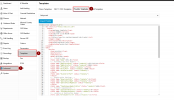
I have an existing trunk that I am wanting to edit and add this xml .pv file. I can't locate any where under Voice & Chat to import provider. I have checked my trunk and even started to create a new trunk just to make sure it didn't pop up there. What am i missing?
 
Hi, It's in Advanced - Templates - Provider template. You will have to delete the existing trunk and recreate it.

1752847642061.png
 
  • Like
Reactions: YiannisH_3CX
Just heads up, the template feature is only available in the paid version
 
Hey JMyers - It's another one of those wonderful WTF was 3CX thinking moments - They hid the import functions under "Advanced" then "Templates" and "Provider Templates" - once you import then you can put in the rest of the information for the trunk. Depending on how much you need to edit or if you are using a different config xml.pv file I'd make sure to create a whole new trunk (which is what it sounds like you're going to do). If you want to pull down the existing config xml.pv file you would have to FTP into the existing 3CX system - but good luck on that one. I've been able to in the past but recently it's not working and I've not really tried as hard as I should to FTP into the system. If it's a generic trunk/provider you're trying to setup I'd use the template I uploaded in the past - it's been rock solid and survived a number of forced upgrades from 3CX - If you need me to shoot it over to you just email me and I'll send ya the file.
 
Thanks All, Found the import. I was hoping to not rebuild the trunk and cause downtime but looks like I have no choice. I'll upload and rebuild the trunk now that I can find it. I already have a valid xml file from another working system. My plan is to upload it and build my new trunk around it. Thanks again!
 
@jseguin I just want to say thank you for this. We are our own Telco, so we are our own provider, and this was a great help. One thing to note, is that this template doesnt allow for caller ID passthrough to function, atleast for us. I had to edit some values and finally after stumbling on a completely unrelated thread, was able to fix this after several months of research! Is caller id passthrough an issue for you using this template? If it isnt, I would love to share what parts I changed, and maybe it will help. OR this could simply be a one-off based on the hardware our CO uses. :)
 
I’d like to confirm that it is fully compatible with both Cordial and SkySwitch SIP trunks.
 
I would love to see anything changed on the template. I have uploaded and caller ID still does not pass through for our organization.
 

Forum statistics

Threads
111,973
Messages
590,074
Members
164,892
Latest member
Phone1stStop