Version 14 Upgrade - HTTP 404 Error

Status
Not open for further replies.

mantalope

Joined
Mar 10, 2011
Messages
35
Reaction score
0
I have an existing v12.5 installation that was recently upgraded from v12. When I upgraded to v14 (uninstall v12.5 then install v14), the process runs fine and the management console opens fine locally and remotely. However, when I attempt to restore the backup, it fails with the message "The request failed with HTTP status 404: Not Found."

I also get this message when I open the Settings | Network window. This Settings | Network window is also missing the internal leg and external leg port ranges. The system did not save my changes when I tried to set them.

NAT is set up on the firewall to pass HTTP/HTTPS and 5000, 5060, 5090, and the external leg port ranges (9000-9049).

Any thoughts on what I am missing here? Thanks.
 
mantalope said:
I have an existing v12.5 installation that was recently upgraded from v12. When I upgraded to v14 (uninstall v12.5 then install v14), the process runs fine and the management console opens fine locally and remotely. However, when I attempt to restore the backup, it fails with the message "The request failed with HTTP status 404: Not Found."

I also get this message when I open the Settings | Network window. This Settings | Network window is also missing the internal leg and external leg port ranges. The system did not save my changes when I tried to set them.

NAT is set up on the firewall to pass HTTP/HTTPS and 5000, 5060, 5090, and the external leg port ranges (9000-9049).

Any thoughts on what I am missing here? Thanks.

Remove 14, reboot, run windows updates especially .net updates reboot and run updates again until complete. Install 14 again and then restore 12.5 backup.
 
lifeline said:
mantalope said:
I have an existing v12.5 installation that was recently upgraded from v12. When I upgraded to v14 (uninstall v12.5 then install v14), the process runs fine and the management console opens fine locally and remotely. However, when I attempt to restore the backup, it fails with the message "The request failed with HTTP status 404: Not Found."

I also get this message when I open the Settings | Network window. This Settings | Network window is also missing the internal leg and external leg port ranges. The system did not save my changes when I tried to set them.

NAT is set up on the firewall to pass HTTP/HTTPS and 5000, 5060, 5090, and the external leg port ranges (9000-9049).

Any thoughts on what I am missing here? Thanks.
Remove 14, reboot, run windows updates especially .net updates reboot and run updates again until complete. Install 14 again and then restore 12.5 backup.

I agree with lifeline on this as it happened to me, the reboot after uninstallation fixed the issue for me. Remember to keep the backup of the old system away from the 3CX directory's or it will be removed as well (put on another system until you are ready to install v14.
 
Thanks for the feedback. I'll give it try and see how it turns out.
 
I ran all windows updates and restarted server. Uninstalled 3CX 12.5, rebooted, and installed v 14. Rebooted and tried to restore, but am still getting HTTP 404 Not Found error.

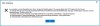
When I select Settings | Network, I get a request failed error (see image).
When I checked Service Status, I also received a RestartServices exception error (see image).
When I run the firewall checker, I see garbage in the popup window (see image).
Any other thoughts?
 

Attachments

  • 3CX_0596.jpg
    3CX_0596.jpg
    36.1 KB · Views: 475
  • 3CX_0597.jpg
    3CX_0597.jpg
    8.3 KB · Views: 474
  • 3CX_0598.jpg
    3CX_0598.jpg
    171 KB · Views: 475
Status
Not open for further replies.

Members Online Now

Forum statistics

Threads
111,832
Messages
589,286
Members
164,662
Latest member
DejanMDS