Many thanks for helping me dig into this.
1) Are you connected to the WebClient via HTTP or HTTPS?
We are connecting via HTTPS in all cases.
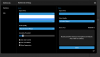
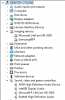
2) Can you go to Start and type "Device Manager", in here please dropdown the sections in regards to "Sound, video and game controllers" and the "Imaging devices" sections take a screenshot so we see if you have any devices at all connected.
3) Are you on PBX SP3 or below? You'll need to upgrade if you want to use WebMeeting via the WebClient as Chrome has deprecated some things critical to WebMeeting usage via the WebClient for that version.
I have tested on 4 different client installations. 2 are SP4 and 2 are SP5
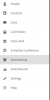
All work if I select WebMeeting from the People screen on an individual contact's webmeeting icon.
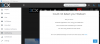
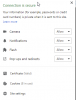
I have had two other employees here try the same thing and whenever we use the WebMeeting from the left Menu in the WebClient, it does not work. It provides the Could Not Detect Your Webcam error message.
I've also used WebMeeting in this way dozens of times with no change to my computer that I can think of, other than standard patches to Windows. I'm trying to think of what could have changed.