- Joined
- Nov 23, 2011
- Messages
- 1
- Reaction score
- 0
hi! I’m a new customer of voxbeam, i want to use 3cxphone 6.0 to make call with voxbeam.
I’m trying to test this SIP to see the quality of the call and if he handle well voice application.
I have tried almost everything but I keep having the same answer Not Connected ...
if someone has a clue to properly configure 3cxphone 6.0 with voxbeam, please don't hesitate at all!!!
they gave me the server address and the ip address
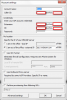
on 3cxphone i have put
-account name: the name of the connection
-Extension,ID and caller ID: email address (which is my user name on voxbeam side)
-my location: i have chosen "out of the office" i have added the address of voxbeam server
now i don't know if they use a proxy so i didn't do anything for that
thanks in advance for any king of enlightenment
Happy Thanksgiving
I’m trying to test this SIP to see the quality of the call and if he handle well voice application.
I have tried almost everything but I keep having the same answer Not Connected ...
if someone has a clue to properly configure 3cxphone 6.0 with voxbeam, please don't hesitate at all!!!
they gave me the server address and the ip address
on 3cxphone i have put
-account name: the name of the connection
-Extension,ID and caller ID: email address (which is my user name on voxbeam side)
-my location: i have chosen "out of the office" i have added the address of voxbeam server
now i don't know if they use a proxy so i didn't do anything for that
thanks in advance for any king of enlightenment
Happy Thanksgiving