- Joined
- Feb 16, 2022
- Messages
- 1
- Reaction score
- 0
Hi All,
I've got a new system going live that is going to be used across 100+ sites within the next year. Each site will have at least x1 Yealink W60/W70b + handsets. To make life easier for the sites, rather than having them reboot the base units each time any changes are made to the base unit/handsets. I was wanting to turn on "Flexible Auto Provision" on each of the bases so they check in once a day with the 3CX server to see if there is any updates. (at present with 3CX's default auto provision, a w60/w70b will only update its config when rebooted)
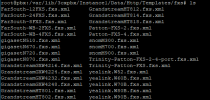
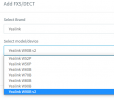
I have been playing around today with the auto provisioning config files on 3CX found in Settings/Templates, and have created copy's of them accordingly and configured the files so that it turns on the "Flexible Auto Provision"/sets the time of day to check in. However I am only able to access the config files for Yealink's t3, t4 and t5 series and configure them. I have found the config files for the w60b/w70b via command line at /var/lib/3cxpbx/Instance1/Data/Http/Templates/fxs. But cant seem to find a way via the admin console to amend/create custom copies
The reason I'm wanting this to be part of the auto provisioning config file, is these bases will inevitably at some point die or need factory resetting. And no doubt, at some point someone will forget to setup the "Flexible Auto Provisioning" setting, so it will be very handy if the system is turning it on as default.
So my question is, is there any way to customise the Auto Provision files for the w60b & w70b via the admin portal? or is it a case (if possible) of trying to amend the files in their location via command line.
Elliot
I've got a new system going live that is going to be used across 100+ sites within the next year. Each site will have at least x1 Yealink W60/W70b + handsets. To make life easier for the sites, rather than having them reboot the base units each time any changes are made to the base unit/handsets. I was wanting to turn on "Flexible Auto Provision" on each of the bases so they check in once a day with the 3CX server to see if there is any updates. (at present with 3CX's default auto provision, a w60/w70b will only update its config when rebooted)
I have been playing around today with the auto provisioning config files on 3CX found in Settings/Templates, and have created copy's of them accordingly and configured the files so that it turns on the "Flexible Auto Provision"/sets the time of day to check in. However I am only able to access the config files for Yealink's t3, t4 and t5 series and configure them. I have found the config files for the w60b/w70b via command line at /var/lib/3cxpbx/Instance1/Data/Http/Templates/fxs. But cant seem to find a way via the admin console to amend/create custom copies
The reason I'm wanting this to be part of the auto provisioning config file, is these bases will inevitably at some point die or need factory resetting. And no doubt, at some point someone will forget to setup the "Flexible Auto Provisioning" setting, so it will be very handy if the system is turning it on as default.
So my question is, is there any way to customise the Auto Provision files for the w60b & w70b via the admin portal? or is it a case (if possible) of trying to amend the files in their location via command line.
Elliot