- Joined
- May 6, 2022
- Messages
- 2
- Reaction score
- 1
Hi everybody !
I have an issue with 2 W60B DECT Bases.
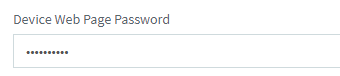
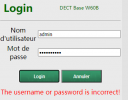
I tried to connect to the web interface of these bases, but I have an error : "The username or password is incorrect!". But the password that I write is the one indicated on my 3CX Admin Console (Advanced > FXS/DECT > [Base_Name] > General > Device Web Page Password).
I could manually reset to factory the bases and configure it again, but is there an other way to find the password, or change it in order to connect to the web interface ?
Thanks for your help !
I have an issue with 2 W60B DECT Bases.
I tried to connect to the web interface of these bases, but I have an error : "The username or password is incorrect!". But the password that I write is the one indicated on my 3CX Admin Console (Advanced > FXS/DECT > [Base_Name] > General > Device Web Page Password).
I could manually reset to factory the bases and configure it again, but is there an other way to find the password, or change it in order to connect to the web interface ?
Thanks for your help !