W75 Mini frist sec. cutting off

cdn123

Silver Partner
Advanced Certified
Joined
Apr 2, 2020
Messages
10
Reaction score
0
Hi everyone,


we’re experiencing a strange issue with our setup and hope someone might have an idea:


Setup:
  • FritzBox router
  • 3CX SBC running behind the FritzBox
  • Yealink DECT phones (W75DM with multiple handsets)
  • IP phones on the same 3CX system

Problem:
When someone calls a Yealink DECT handset, the other party cannot hear the first 1–2 seconds of what is said after the call is answered.
Everything after that works fine — audio quality is perfect once the conversation starts.

The strange thing:
  • When using regular IP phones, the issue does not occur.
  • It seems to be specific to the DECT base stations.
  • I can’t find any option related to Early Media on the Yealink DECT web interface.

What I’ve tried:
  • Verified the 3CX SBC and DECT phones are correctly provisioned
  • Tested network latency — everything looks fine
  • Checked RTP port ranges and firewall rules
  • Could not find an “early media” or “RTP keep-alive” setting on the DECT base

My suspicion:
It seems like the DECT base only starts sending RTP once the call is fully connected, and the NAT/SBC path takes a moment to open, which causes the first seconds of audio to be lost.


Questions:
  1. Has anyone else seen this issue with Yealink DECT phones behind a 3CX SBC (especially when behind a FritzBox)?
  2. Is there a way to enable early RTP or “RTP keep-alive” on Yealink DECT bases?
  3. Could this be related to a specific firmware version or SBC configuration?

Any hints or workarounds would be greatly appreciated!


Thanks in advance,
 
  1. Has anyone else seen this issue with Yealink DECT phones behind a 3CX SBC (especially when behind a FritzBox)?
We haven't at least, but it can still happen due to various factors not necessarily the FritzBox, or SBC or W75 in particular.

  1. Is there a way to enable early RTP or “RTP keep-alive” on Yealink DECT bases?
That's not what these are used for or how they are used. They will not help you in this case.

  1. Could this be related to a specific firmware version or SBC configuration?
It would help if you shared your firmware version for both the W75DM and W75B. Your unit is actually two units sold as one pair together. Each has its own IP address. And don't forget to also share what version your SBC is please.

Please let us know whether you made any settings on the router for the SBC (you should not have to, just asking to be sure).
 
Hello cdn123,

Can you please inform us about the ethernet cables, and how they are connected?
Not going to tell you, that this is the problem, but would like to know how this is connected.
What I would like to know is if the SBC is cable connected to the FritzBox, and on another port also The DECT device is connected to the FritzBox?
Or is there 1 ethernet cable going from the FritzBos to a switch and both SBC and DECT are connected to this switch?

Paulo
 
We haven't at least, but it can still happen due to various factors not necessarily the FritzBox, or SBC or W75 in particular.


That's not what these are used for or how they are used. They will not help you in this case.


It would help if you shared your firmware version for both the W75DM and W75B. Your unit is actually two units sold as one pair together. Each has its own IP address. And don't forget to also share what version your SBC is please.

Please let us know whether you made any settings on the router for the SBC (you should not have to, just asking to be sure).
Also tested it with other routers. Same behauvior. We're using Firmware DM and Base 175.85.0.5. SBC Version: 20.0.100 and no we haven't done any settings on SBC, router or DECT base.
 
Hello cdn123,

Can you please inform us about the ethernet cables, and how they are connected?
Not going to tell you, that this is the problem, but would like to know how this is connected.
What I would like to know is if the SBC is cable connected to the FritzBox, and on another port also The DECT device is connected to the FritzBox?
Or is there 1 ethernet cable going from the FritzBos to a switch and both SBC and DECT are connected to this switch?

Paulo
There is one cable from fritzbox to an USW Ultra switch 8-Ports. SBC and DECT Base (there is just one DM) are connected to this switch.
already tested to put the sbc directly to an LAN-Port of the router.
 
I have tested mine here too (SBC to cloud PBX) by calling *888

The handset will start ringing back and once you answer, it will connect you to the echo service.

If I answer and start counting 1..2..3..4..etc I do not miss any audio, I hear all the numbers from the beginning.

I was using a W59R handset in my test, but I don't think this would matter much.
 
I have tested mine here too (SBC to cloud PBX) by calling *888

The handset will start ringing back and once you answer, it will connect you to the echo service.

If I answer and start counting 1..2..3..4..etc I do not miss any audio, I hear all the numbers from the beginning.

I was using a W59R handset in my test, but I don't think this would matter much.
Tested with W75B-175.87.0.10. Same result. We're using W78H Handsets. SIP-Trunk is Deutsche Telekom
 
Test again, let the call run for a couple of minutes at least.

Then go to the 3CX Event Log page and look through the events, you will find a Call Monitor connection quality report.

This could give some valuable insights.
 
Test again, let the call run for a couple of minutes at least.

Then go to the 3CX Event Log page and look through the events, you will find a Call Monitor connection quality report.

This could give some valuable insights.


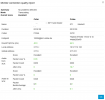
please find attached. Call is OK, it's just about the first missing seconds
 

Attachments

  • Bild (1).png
    Bild (1).png
    46.9 KB · Views: 7
The stats at least are looking good, but I see that you made an external call there.

1.What happens when you make internal calls, like let's say you ring another desk phone?

2. If you enable recording on the user, does the missing seconds of voice exist on the recording?

This should narrow it down more.
 
The stats at least are looking good, but I see that you made an external call there.

1.What happens when you make internal calls, like let's say you ring another desk phone?

2. If you enable recording on the user, does the missing seconds of voice exist on the recording?

This should narrow it down more.
1. Same behaviour
2. No it does not exist in recording
 
Ok in this case, I think it's best to raise the issue directly with Yealink Support.

You've narrowed it down enough to show that the audio does not reach 3CX.

They will guide you on how to troubleshoot further and what information / logs you need to provide them with.
 
Hello cdn123,

This would indicate that it is the connection between the 3CX server and the Yealink IP phone.

If you have the option, try to create a PCAP on the phone itself.
You can find information about this, here from Yealink:
https://support-cdn.yealink.com/att...c-f5be1579ad5e/export+syslog+config+trace.pdf

Then share this information with 3CX.

Paulo

This is not useful to us since the audio does not reach 3CX meaning we are no longer involved, the rest of the investigation must be carried out by Yealink Support on a per case basis.
 
  • Like
Reactions: paulodagraca

Members Online Now

No members online now.

Forum statistics

Threads
111,831
Messages
589,277
Members
164,660
Latest member
RJenkinsROCK