Solved Web portal remains on port 5001 after upgrade to v20 from v18

Status
Not open for further replies.

Wills

Free User
Joined
Feb 22, 2019
Messages
12
Reaction score
5
I recently upgraded from v18 to v20 using the upgrade script.

the system is working on v20, but the web admin console is still running on port 5001.

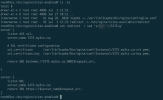
This appears to be set in the nginx config:

1720033018161.png

Is there any issue with me changing this to 443 to make it easier to remember the connection string?
As i understand it fresh installs of v20 use 443 as standard anyway?
 
Hi @Wills

That is correct the default port for a new installation on V20 is 443. During the installation, you will have the option to download the config file, and if you open the config file and search for Httpsport you can edit which port to be used.
 
Note that we do not support changing the HTTPS port without re-installing the system as this can cause other issues to the PBX.
The only supported solution for changing the HTTPS port is to re-install the system.
 
Thanks @NikolasA_3CX, but i have no intention to reinstall. I have a functioning, upgraded v20 - It's a shame I cannot update the ports in the nginx config file. Perhaps siome experimenting with a proxy pass directive on the old 5001 port could help? Something lkike:

Code:
server {
    listen 5001 ssl;
    server_name example.com;

    # SSL certificate configuration
    ssl_certificate /path/to/your/fullchain.pem;
    ssl_certificate_key /path/to/your/privkey.pem;

    location / {
        proxy_pass https://example.com:5001;
        proxy_set_header Host $host;
        proxy_set_header X-Real-IP $remote_addr;
        proxy_set_header X-Forwarded-For $proxy_add_x_forwarded_for;
        proxy_set_header X-Forwarded-Proto $scheme;
    }
}

server {
    listen 80;
    server_name example.com;
    return 301 https://$server_name$request_uri;
}


For now I've added a new nginx site to redirect. Perhaps something similar should be added to the upgrade script?

1720035615860.png
 
  • Like
Reactions: JP Seguin
but i have no intention to reinstall.
There is no other supported way and your 3CX System must be reinstalled.
 
Heh, I guessI'm used to a more community collaborative development approach.
 
Heh, I guessI'm used to a more community collaborative development approach.
Backup and restore is maybe 10 minutes.... and supported
 
@Wills
You will run into unsupported scenario and in a long run outcome that your system can face a random issue, if doing in a way you describe, which will also make your system possibly unstable, and all it takes as mentioned above between 10–30 minutes based on how big your system is.
If this is not a production system and something that you play with and have it as a hobby is one thing, but as this is a public 3CX community that many users will find useful information, we will advise a valid scenario that we know is working for sure and will be supported in a long run too.
 
Status
Not open for further replies.

Forum statistics

Threads
112,276
Messages
591,642
Members
165,395
Latest member
amazingbv