WebApp dropping calls

Status
Not open for further replies.

TecMate

Bronze Partner
Advanced Certified
Joined
Nov 17, 2017
Messages
38
Reaction score
24
Client is experiencing a strange issue where the 3CX WebApp appears to drop the call randomly and the dialer shows they're not in a call but the Call Panel will show they are still in the call.
They are using 3CX WebApp in MS Edge and Yealink WH62 headsets all up-to-date with the most recent firmware etc.
 
Are you using the 3CX Web Client or the Desktop App?
What is the model of the headsets that you are using?
 
Hey TheodorosG,
To answer your questions:
Are you using the 3CX Web Client or the Desktop App?
3CX WebApp
What is the model of the headsets that you are using?
Yealink WH62 headsets

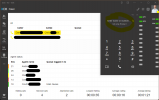
Here is a screenshot with some names and numbers redacted. Highlighted is the call that was connected and then appears to drop even though it's still connected. Chris, the client, can't hear me but I can hear him even though the 3CX Web client appears as though the call is disconnected.
1696483224543.png
 
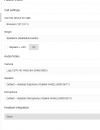
Under Settings<<Audio/Video<<are you using the "Headset integration" ?
 
Yes, and the Yealink USB Connect software is installed (0.35.63) and the USB HID device permissions for the headset are set correctly in MS Edge.
 
If you remove the integration, do you still experience any issue?
 
I will try that and report back. Thanks
 
  • Like
Reactions: TheodorosG_3CX
We told all our users to turn off the Yealink headset integration and yet this appears to still be happening.

1699592712570.png

My gut is telling me it's maybe docking station or network connectivity issue but I can't seem to track it down because it happens so randomly. It's too long between occurrences to run a packet capture. I might switch them back to the 3CX Desktop App.

Interestingly the caller on the other end can hear the 3CX user but the 3CX user can't hear the caller, as above even when it appears, according to the WebApp Dialer they're not in the call.

To get around this they will go to the > Call Panel > right click on the call and Park it > then quickly Un-Park the call to get them back.
 
This is a different issue then. Resuming the call from park to resolve the issue should not be happening.
The issue is the same with Web Client and Desktop App?
Also this affects only external calls?
 
They are all using the latest Web Client in MS Edge.

Not sure if it's external only because their internal calls are all usually less than < 30s.
 
You need to eliminate this because if this does not happen for internal calls it can be related also with the provider.
Are you using a 3CX Supported Provider?
 
Yes, they are using a supported provider BreezeConnect here is Australia. I have several other clients on this same setup with BreezeConnect but they are not using the WebClient the other clients are all using Yealink SIP phones with no issues.

This particular client which uses the WebClient pretty exclusively, has much larger call volumes (195k+ calls and counting) and longer call length ( > 2hours).

I was going to get some of them to try going back to the 3CX V18 Desktop App but it appears it can't be downloaded anymore? Not even from the 3CX Portal?
 
Confirmed it's also happening on internal calls.
GCP hosted using the default system template e2-medium.

Is no one else having this issue with the 3CX Web Client in MS Edge?
 
This will require further investigation. I would suggest to open a ticket to the Technical Support.
 
  • Like
Reactions: TecMate
Hello, what was the outcome of this ticket? We have something that sounds similar to this issue?
 
Status
Not open for further replies.

Latest Posts

Forum statistics

Threads
111,973
Messages
590,075
Members
164,895
Latest member
jasonkkrause