


- Joined
- Jun 22, 2020
- Messages
- 7
- Reaction score
- 0
Hi,
We recently migrated our 3CX instance to a new server. Backup and restored configuration to the new server.
We used the same FQDN.
This is a custom FQDN and we have pointed it to the new server.
3CX version: 16.0.5.619
Right now, everything works except WebMeeting.
When we access WebMeeting via the Webclient, it says www.3cx.com REFUSED TO CONNECT.
See screenshot below.
After some digging, I figured out WebMeeting might be bound to the License.
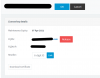
When I login to https://customer.3cx.com, it still shows the OLD FQDN IP address, not the IP of the new server.
I clicked RELEASE and confirmed to release the FQDN but NOTHING HAPPENS.
It doesn't release the FQDN.
Please advise how to proceed.
We recently migrated our 3CX instance to a new server. Backup and restored configuration to the new server.
We used the same FQDN.
This is a custom FQDN and we have pointed it to the new server.
3CX version: 16.0.5.619
Right now, everything works except WebMeeting.
When we access WebMeeting via the Webclient, it says www.3cx.com REFUSED TO CONNECT.
See screenshot below.
After some digging, I figured out WebMeeting might be bound to the License.
When I login to https://customer.3cx.com, it still shows the OLD FQDN IP address, not the IP of the new server.
I clicked RELEASE and confirmed to release the FQDN but NOTHING HAPPENS.
It doesn't release the FQDN.
Please advise how to proceed.


