Webmeeting server location

Status
Not open for further replies.

Maxime Croisetiere

Joined
Feb 21, 2018
Messages
3
Reaction score
0
Hi,

I am trying to use the WebMeeting option with my team but we have a poor video quality.

I saw in the information of the webmeeting I am actually connected to the USA WestCoast server: USA West
Coast (Seattle) - us008-sea.3cx.net (216.244.83.114) - CA Canada

We are based in Montreal and our preferred server in our 3cx settings is set to the Montreal Server.

How can I force the system to use Montreal server? Is it a problem on your side (server down for example)?

Thank you very much,
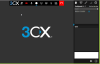
 
On the front screen, click on WebMeeting MCU (right hand side) and you can select another server
 
Hi! I am not sure where is the MCU option you talk about on the right hand side?

You can see the screenshot of what I see attached.
 

Attachments

  • 3cx.png
    3cx.png
    36.1 KB · Views: 22
Option is within the 3CX admin console
 
Thank you Saqqara, maybe I am not looking at the right place, but in the 3cx admin console, my MCU is already set to Montreal.

Unfortunately, when I start a webmeeting, the selected server is Seatle. I don't understand why!
 

Attachments

  • mcu.png
    mcu.png
    47.8 KB · Views: 38
This is how it works. I hope this clears it up a bit and not make it more confusing.

Part 1: The PBX, the MCU and you
  • Install your PBX somewhere in the world.
  • Your PBX's IP is then geolocated. Then assigned the geographically closest MCU to your PBX.

Part 2: QuickMeeting
  • Each extension on your PBX has a meeting called "quickmeeting" by default.
  • This meeting will always use the MCU you set in your PBX's Conference Settings.

Part 3: Other Meetings
  • When new meetings are created manually, they are created using whatever is MCU you set in your PBX's Conference Settings.
  • Alternatively, users can also specify during meeting creation, which MCU they want that specific meeting to take place on.
  • Once the meeting has been created, changing your default MCU that is set in your PBX's Conference Settings will NOT change what MCU already existing meetings use.
  • The setting in the PBX's Conference Settings is merely a default/suggested MCU on which all meeting creations are based on from the point you've selected some X MCU.
 
Status
Not open for further replies.

Latest Posts

Forum statistics

Threads
111,884
Messages
589,542
Members
164,741
Latest member
Carsonix