- Joined
- Apr 9, 2024
- Messages
- 91
- Reaction score
- 19
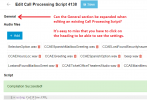
Hi, I was ripping out what little hair I have remaining trying to find out how to set the Department on an existing Call Processing Script. It turns out that when you add a new script, the Department setting as well as other General settings fields are displayed by default. However, when you edit an existing script, the General section by default is collapsed. In my humble opinion, it's easy to miss that you need to click on the General heading...
Can this be changed?
Example of what you see when you edit an existing script:
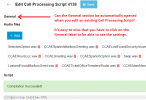
Can this be changed?
Example of what you see when you edit an existing script: