Windows SBC hardware

Status
Not open for further replies.

AWS2P

Silver Partner
Basic Certified
Joined
Jan 9, 2014
Messages
5,076
Reaction score
1,096
Hi,
As it's impossible actually to find Rpi (out of stock) to make SBCs, i'd like to use second hand micro pc, they are HP260 G2, I3-6100U and 4Go DDR3, HDD 500Go. Running W10 pro 64

My point is about 500Go mechanical HDD, do I need to replace it with a 120Go SSD or is it possible to use as SBC even with mechanical HDD ?
 
SBC will be fine running on a HDD drive, not SDD.

I would use Debian version of SBC , instead of the already installed W10
 
Hi @aws2p,

I don't see this being a problem. The most it'll be doing is writing logs as far as I'm aware so you should be fine with a mechanical HDD.
 
I would use Debian version of SBC , instead of the already installed W10
Hello Saqqara, well I'd prefer to stay on windows even Debian is really good, but it's always easier to access phone GUI through a teamviewer session without asking customer when you need to work on physical phones or gateways etc..., I'm not enough good to do this directly from debian.
I don't see this being a problem. The most it'll be doing is writing logs as far as I'm aware so you should be fine with a mechanical HDD.
Hello Vasilis, thanks that's a really good news for me;):)
 
  • Like
Reactions: Evolute IT
Use a Linux box for an SBC, you will thank me later. With Windows, you risk downtime due to windows updates, 3CX failing to update due to windows permissions, or windows being funky and just in general not great at being a server. Also, Raspberry Pi's work really well for small-medium environments too.

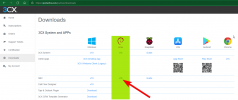
Visit https://portal.3cx.com/partner/downloads to download the ISO to get started or follow the Rasberry Pi guide if you go that route!

1637687893968.png
 
Hello Saqqara, well I'd prefer to stay on windows even Debian is really good, but it's always easier to access phone GUI through a teamviewer session without asking customer when you need to work on physical phones or gateways etc..., I'm not enough good to do this directly from debian.
Raspian with UI? We use CWControl and it works on it.
 
Raspian with UI? We use CWControl and it works on it.
So it's not 3Cx iso as it is without UI, CWcontrol is a free software? is it working on several OS
 
So it's not 3Cx iso as it is without UI, CWcontrol is a free software? is it working on several OS
ConnectWise Control is definitely not free lol but there are others like Anydesk that should work on most Linux. Specially since Raspian is based on Debian.

You can still install a UI on a 3CX ISO SBC, you just need to manually do it. Linux UI is much lighter than Windows!
 
Which one is better, and I have no idea how to do this, do you know if teamviewer is usable on that OS ?
I found this on internet, is it what I need to do ?
https://raspberrytips.fr/interface-graphique-raspbian-lite/
You'll want to use PIXEL Desktop which is the Pi one. Install the Pi from the 3CX guide. Once all done, installing the UI is as simple as running "sudo apt install xserver-xorg raspberrypi-ui-mods lightdm".

Once you reboot, it will bring up the GUI. From there, install whatever you like. Teamviewer is compatible.
 
I share my experience too, I'm using AnyDesk with all of my SBC, works really well.

AnyDesk, now, isn't free if you are using it really often (like TeamViewer) but the licence is cheap, imo.
 
  • Like
Reactions: Evolute IT
I have already a paid licence for teamviewer, so it's not an added cost for me.
You'll want to use PIXEL Desktop which is the Pi one. Install the Pi from the 3CX guide. Once all done, installing the UI is as simple as running "sudo apt install xserver-xorg raspberrypi-ui-mods lightdm".

Once you reboot, it will bring up the GUI. From there, install whatever you like. Teamviewer is compatible.
Even it's for use on pc x86, raspberry addon or commands can be used ?
 
  • Like
Reactions: Evolute IT
I share my experience too, I'm using AnyDesk with all of my SBC, works really well.
Your SBCs are running Debian ? if so, then like Frederick do you add UI on PIs ?
 
Your SBCs are running Debian ? if so, then like Frederick do you add UI on PIs ?
Debian 10 ISO, installation with standard GUI, then I install Anydesk and launch the SBC Wget command to install my SBC.
 
  • Like
Reactions: Evolute IT
I have already a paid licence for teamviewer, so it's not an added cost for me.

Even it's for use on pc x86, raspberry addon or commands can be used ?
That command only works on raspian but there are similar ways on Debian.
 
Well today I received 10 micro PCs and tried to install one as SBC from ISO 3CX DEB10
Everything seems good and SBC is now added on pbx and updated to latest SBC release.

Now I stay with my basic questions:
  1. How and where to edit network config on X86 PC, is there something similar to raspi-config ?
  2. Which Ui environment do you choose to install and how ?
I need deb 10 guru for CLi commands :)
 
  • Like
Reactions: chance-wmt
Well today I received 10 micro PCs and tried to install one as SBC from ISO 3CX DEB10
Everything seems good and SBC is now added on pbx and updated to latest SBC release.

Now I stay with my basic questions:
  1. How and where to edit network config on X86 PC, is there something similar to raspi-config ?
  2. Which Ui environment do you choose to install and how ?
I need deb 10 guru for CLi commands :)
1. No, there are files and stuff lol mainly in /etc/network/

2. LXDE is the lightest one you can get and should do the job just fine.

If you want, DM me and we can work on this together.
 
  • Like
Reactions: chance-wmt
To edit your interfaces
Bash:
vi /etc/network/interfaces

Go into insert mode by pressing "i"
now you can edit, see this example. Be sure to remove "iface <interface> inet dhcp"

Code:
iface <interface> inet static
      address 10.1.1.125
      netmask 255.0.0.0
      gateway 10.1.1.1

Then press "escape" then type ":qw!" (quit,write,override)
 
Status
Not open for further replies.

Forum statistics

Threads
111,974
Messages
590,083
Members
164,901
Latest member
Silent_Guru