Windows Softphone Freezing After 15.5.0 Update

Status
Not open for further replies.

jmitch11

Forum User
Joined
Jul 9, 2016
Messages
189
Reaction score
32
Did update for Enterprise v15.5, Update 2, Build 15.5.6354.2 last night and users were prompted to update the softphone this morning, everything seemed to be running as it should. In the last hour, two users have had the application hang and force them to restart it. Has anybody else experienced this issue?
 

Attachments

Hi vizualpro,

Not personally but my first thoughts are check and upgrade Windows updates and your .NET framework on the client PC's, then reboot and check again.
 
Hi vizualpro,

Not personally but my first thoughts are check and upgrade Windows updates and your .NET framework on the client PC's, then reboot and check again.
I certainly appreciate the suggestion! The workstations are 100% up to date with windows updates as well as .NET 4.6.2. Users that are in CTI mode and utilizing the switchboard have no issues, but our staff who are on active calls on the soft-phone are having it freeze mid call since this update. As soon as the application hangs the call is dropped.
 
I noticed from your log it looks like you are using Windows 8. Although supported can I check are all the effected phones on Windows 8 ? could you try or confirm if you have tried with a different version of Windows ?
 
Our workstations all run Windows 7 Pro SP1
 
Update: I've reboot the end user computers as well as the server, problem persists. May end up having to roll back to the previous version this afternoon.
 
Hi vizualpro,

The only other option if not done so already is removing the soft-client from the computers, re-installing and re-provisioning the clients.

There should not be any issues with Windows 7 as far as I know, but just be aware that Windows 10 is preferred due to it being the most up to date Windows version.
 
I've uninstalled the client from the workstation, installed and re-provisioned, issue persists. It appears to happen when the CSA attempts to end the call, but has also happened in the middle of calls so there doesn't seem to be a consistency to it at this point. It certainly a new thing since the latest update though.
 
Try removing the antivirus from on of the affected machines and try again. Also check that your Microsoft Visual C++ Redistributables are in order.
 
Try removing the antivirus from on of the affected machines and try again. Also check that your Microsoft Visual C++ Redistributables are in order.
I will check those today. We began to notice on Saturday that it occurs during a call and when the mouse passes over the app when in IP mode.

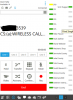
UPDATE: Redistributables are current - app continues to hang even with Sophos anti-virus disabled. As I was ghosting a user as a call came in from queue. User answered the call and it was connected but the timer on softphone never started counting. Two minutes into the call user tried to interact with the app by maximizing a chat that was open, and then it started hanging. I parked call from queue manager, user restarted the phone, unparked call and was live again, but timer didn't start ticking AGAIN, and then the app froze when they tried to interact with the softphone again and end the call.
 
Last edited:
When a call from queue comes in and is ringing, it shows the name of the queue first, then when answered that goes away and only shows caller ID. With this issue, I notice that the name of the Queue never goes away and the timer never starts.

Similar issue as above, the timer had never started on a call and when CSA went to put them on hold the app hung. I parked the call, she restarted the phone, and unparked the call and it was acting normal then and the timer started with no hanging afterwards.
 
This is an ongoing call 3+ minutes in - appears to be a problem when Softphone answers calls from queue.
 

Attachments

  • Capture.PNG
    Capture.PNG
    64.4 KB · Views: 30
Can you send me the contents of your 3CX phone logs in a p.m. so i can take a look? You can find them in folder: C:\Users\username\AppData\Roaming\3CXPhone for Windows\Logs

You will need to upload them to a web sharing service and send me the download link so i can download them.
 
Can you send me the contents of your 3CX phone logs in a p.m. so i can take a look? You can find them in folder: C:\Users\username\AppData\Roaming\3CXPhone for Windows\Logs

You will need to upload them to a web sharing service and send me the download link so i can download them.
Thank you. PM Sent.
 
Hi,

Has there been any resolution to this issue?

We've come into the same issue today when users have updated to 15.5.6989.2. Soft phone appears to work fine, can answer a call, will go off to check query on another application then when re-selecting 3cx from the windows taskbar will hang, freeze and then require you to quit - dropping the call also.

Thanks,

Sam.
 
Hi,
Also having the same issue with freezing since update 15.5.6989.2 - In a call centre of 130 agents seeing regular crashes. No pattern so far.

Steve
 
@YiannisH_3CX was nice enough to review several event logs, 3CX logs, as well as remote in to try and catch it happening real-time. However it didn't happen when he was on the system, and the logs on one PC had .NET errors, but the others do not. So far there has been no pattern and no solution.
 
Hi, we have same issue with last 3cxphone version (15.5.6354.2). It started to crash last week after update.
We didn't found anything in logs to explain why this is happening.
 
Are you all running the same OS? Are you all running the same antivirus? Lets try to find what there is in common to your installs that will make this easier to troubleshoot.

Also when the application hangs is the service still running? Can you open the task manager and right click on process so you can create a dump file?
If so can you please create a dump file while the client i stuck and send it to me in a p.m?
 
  • Like
Reactions: mixig
Are you all running the same OS? Are you all running the same antivirus? Lets try to find what there is in common to your installs that will make this easier to troubleshoot.

Also when the application hangs is the service still running? Can you open the task manager and right click on process so you can create a dump file?
If so can you please create a dump file while the client i stuck and send it to me in a p.m?
We just had one freeze this morning before I saw this, I will attempt to get that dump file for you asap.

Also, I'm going to utilize a free tool called Belarc Advisor which creates a full system report. If somebody else could also do this on their client PCs so that we can more easily locate the similarities. https://www.belarc.com/products_belarc_advisor

UPDATE: Dump File and Advisor report sent in PM
 
Last edited:
Status
Not open for further replies.

Latest Posts

Forum statistics

Threads
112,330
Messages
591,908
Members
165,483
Latest member
AshleyStokes