leonardorebelo Customer Joined Sep 3, 2021 Messages 72 Reaction score 14 May 13, 2022 #1 Hi I'm getting always "register failed" error on the phone... But everything is correct, it's still saying: But on the 3cx side i don't see any attempt.
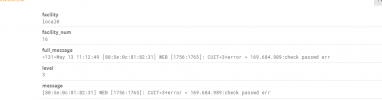
Hi I'm getting always "register failed" error on the phone... But everything is correct, it's still saying: But on the 3cx side i don't see any attempt.
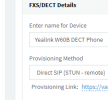
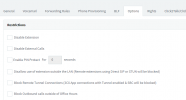
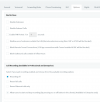
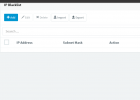
Saqqara Bronze Partner Basic Certified Joined Mar 12, 2014 Messages 4,775 Reaction score 1,471 May 13, 2022 #2 Have you enable stun on the ext assigned to the base unit, under options Check the blacklist and delete any entries
Have you enable stun on the ext assigned to the base unit, under options Check the blacklist and delete any entries
Alphabetic 3CX MVP Silver Partner Advanced Certified Joined Jul 1, 2016 Messages 6,533 Reaction score 2,558 May 13, 2022 #4 Firstly check the phone is on the latest supported firmware then factory reset it. Follow instructions as per https://www.3cx.com/sip-phones/yealink-dect-w52p/ Run a firewall check on the PBX and make sure it passes. if it still wont register then you need to either change transport method (TCP/UDP) or look at your firewalls to see why 5060 cant get out/in. Alternatively, add an SBC to overcome firewall issues. Reactions: JohnS_3CX
Firstly check the phone is on the latest supported firmware then factory reset it. Follow instructions as per https://www.3cx.com/sip-phones/yealink-dect-w52p/ Run a firewall check on the PBX and make sure it passes. if it still wont register then you need to either change transport method (TCP/UDP) or look at your firewalls to see why 5060 cant get out/in. Alternatively, add an SBC to overcome firewall issues.
JohnS_3CX Support Team Staff member 3CX Support Joined Jan 4, 2019 Messages 14,523 Reaction score 3,694 May 13, 2022 #5 Try what @kieferschild said, follow the guide and do everything from scratch. Do not skip any of the steps. If it helps let us know. If you still have trouble after this, read here and provide us with full details so we can help: https://www.3cx.com/community/threads/information-to-provide-when-requesting-help.67558/
Try what @kieferschild said, follow the guide and do everything from scratch. Do not skip any of the steps. If it helps let us know. If you still have trouble after this, read here and provide us with full details so we can help: https://www.3cx.com/community/threads/information-to-provide-when-requesting-help.67558/