Solved Yealink phone behind SBC can't call back

Status
Not open for further replies.

microtronx

Customer
Joined
Dec 4, 2009
Messages
25
Reaction score
1
After setting up the SBC now local phones connect trough sbc without problems. Inbound calls working. Outbound calls where i manually enter the number are also working.

If i get a call and want to call back, the client tries to call [email protected] and shows an error on screen in german: "Rufinitialisierungsanfrage beim Se..."

Have not found anything on the web / forums. Any tips?
 
...so you are calling back, using the caller ID, from the previous call?
 
I see the calling number on the phone and push the button for "call back" thats all ...
 
Your post seems to imply that maybe this was working before the SBC but I think @leejor is correct in the assessment.
 
Hi all, we have not defined any CID-Reformatting and if i connect my phone directly with 3cx-pbx it works without problems. Only if it is configured to use the SBC i have those problems.

So it seems that the SBC is making something false?
 
Don't use callback, just try to make a normal outbound call from your Yealink.

This is not likely an SBC issue, and as the others alluded, when you use callback you are probably sending a number format that your outbound rules do not allow. Remember that just because you see an incoming number on your screen and receive a call successfully, it does not necessarily mean you are allowed to call that number back. Inbound and outbound calls are two entirely different processes.

You might want to look at your 3CX logs page, and filter them by call number (ie. the last call you tried to make which failed). If you see something like "endpoint cannot be built" then you are in the situation that @leejor described - your outbound rules dont match the dialled number. Please confirm via the logs and let us know what you find
 
Thats the point. If i dial the number which has not reached me it is working. Only using the call the last called number back is not working because the sbc is adding a @127.0.0.1 after the callers number and thus i can't call him back

I don't see any log entries for such errors. It seems the error is comming from SBC and not from PBX
 
Seeing 127.0.0.1 is normal when using the SBC. This is the interface that terminates between the SBC and the PBX tunnel so that's what appears in the logs.

It is more interesting to see what the logs say when filtering the specific call, while Verbose logging is enabled from the Activity Log settings.

1. I purged logs to start fresh, and set my system to Verbose (requires restarting services)
2. Then I made a call using an SBC phone
3. I then filtered by call number in my activity log (there was only call number 1 since the logs were clean)
1597312307499.png

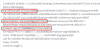
Looking at my logs I see that the INVITE will contain 127.0.0.1 in quite a few places which is perfectly normal, and the call was successful
1597312551990.png

So the point is not that you see 127.0.0.1 I believe, you should really look at the logs for the outgoing call in verbose mode to really get to the actual point.
 
In my logs i don't see anything. I have enabled verbose mode, deleted all logs. Try to call a number back from my yealink (calling [email protected]) , filtered the logs for that extension number:

1597313017543.png

and don't see anything, the protocol is empty, so it seems SBC is not forwarding this call to PBX ?
 
Did you restart the services also?
 
Why should i restart the services? Logs where setup before to verbose.
 
1597318715700.png
..and like you said in message #10 above, the call was not logged
 
Yes but in my case it was already setup as verbose. But i have now restartet and don't get the call logged on pbx.
 
Ok to verify that our tools work as expected, please make a normal call (to a number that you know already works, or to an internal extension) so we can confirm first that the logs work.

If the good call appears, but the problematic call doesn't then we can look further on the phone (there is a way to see what the phone sends)
 
Yes the good call appears in the log. the problematic does not.
 
Ok let's see what the phone does, by running a capture on the phone.

For example in a T46S, you start the capture here
1597326383304.png

Then we need to try the call that fails, end end the capture.

We open the *.pcap file in WireShark, and select Telephony > Voip Calls and see if a call appears.

If it does, we need to analyze the call using Flow Sequence button to see what the phone sent, and what the PBX replied. In case we do not see a call, then the phone did not even try to send it.
 
Ok i have the pcap file but if i click to Telephony and Voip Calls the log is empty.
 
And again, same phone connected directly to PBX has no problems. Connected over SBC makes problems.

PBX connection is made over fqdn xxxx.3cx.eu
SBC connection is over local ip-address of server with sbc installation
 
You also use the filter sip.CSeq.method==INVITE to make sure but, then the phone probably did not even attempt to make the call it seems.

Please share the following info so we can better understand your setup:


  • 3CX Version, e.g. Standard Annual 16.0.2.910
  • Server OS, e.g. Debian 9 / Windows Server 2012 R2 / Raspberry Pi
  • Is the 3CX Server Hosted and where?
  • IP Phone Make/Model/Firmware
  • SBC Version:
  • Are custom Phone Templates being used: YES / NO
 
Status
Not open for further replies.

Latest Posts

Forum statistics

Threads
112,322
Messages
591,886
Members
165,469
Latest member
footandankle.my3fcx.us